ZBrushCentral

Jaggy edges problem

Untitled.png

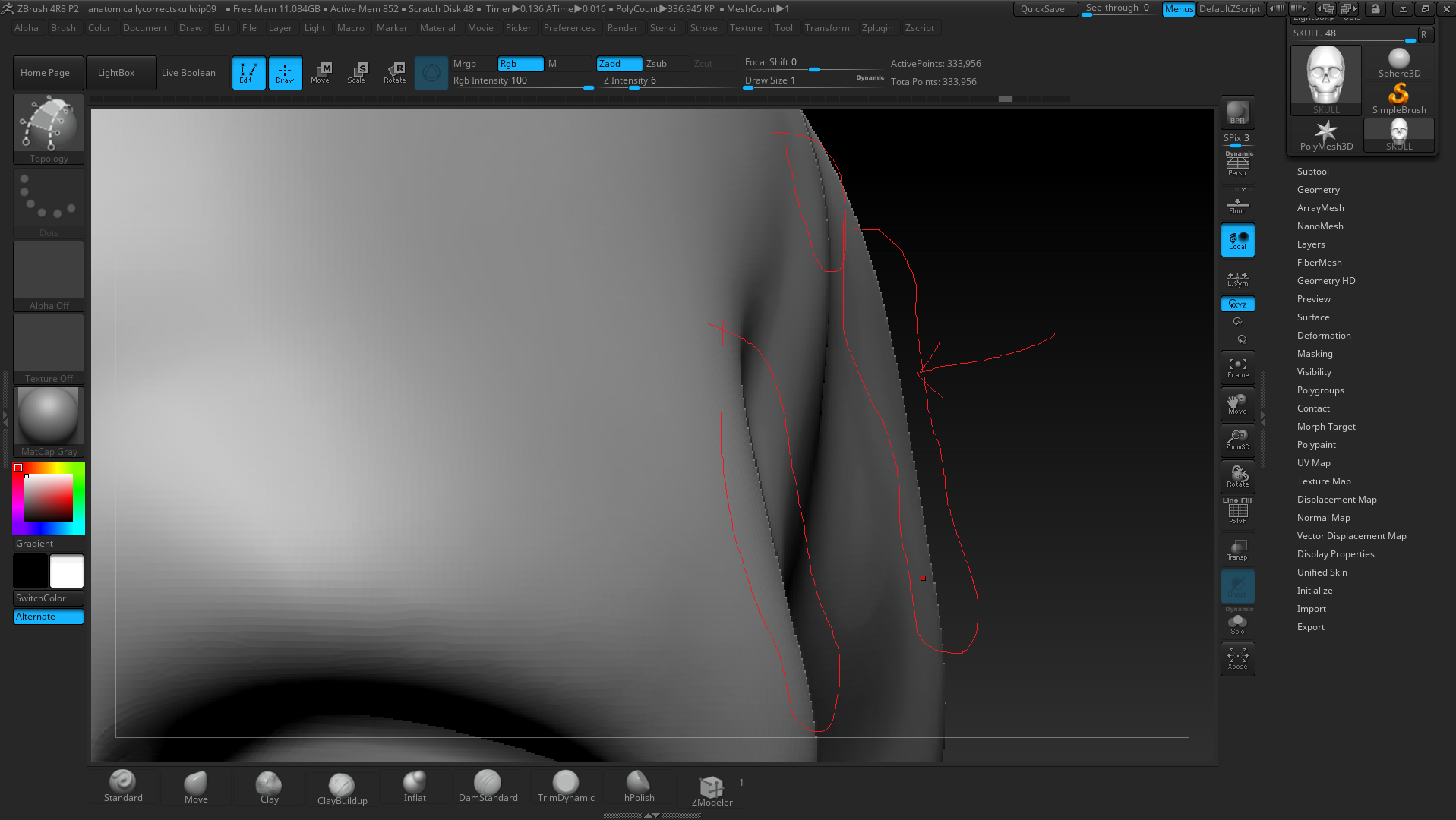
I have this jaggy edges problem how do i fix it?

my graphics card is a 2gb 960 gtx so i dont think its a video card issue.
im at 330k polys and want to fix this without subdividing any higher.
I have tried masking the whole object and polygrouping with smoothing.

thanks.

Attachments

Untitled.png

How large is your document?

You might just be zoomed into the document. It’s a 2d image after all, so if you zoom in then you’re going to see the pixels just like you would in photoshop, and this will be most noticeable on the edges of curved objects.
You can use Document:Zoom Doc to zoom back out, or use the default shortcut ‘0’ to reset the zoom to the actual size (Ctrl+0 for half size, if you want even more AA).

Thanks it was the deocument :slight_smile: