ZBrushCentral

Issue with adaptive skinning

Hi,
I’m pretty new to ZBrush and I know there must be a simple reason this is happening. Just can’t figure it out.

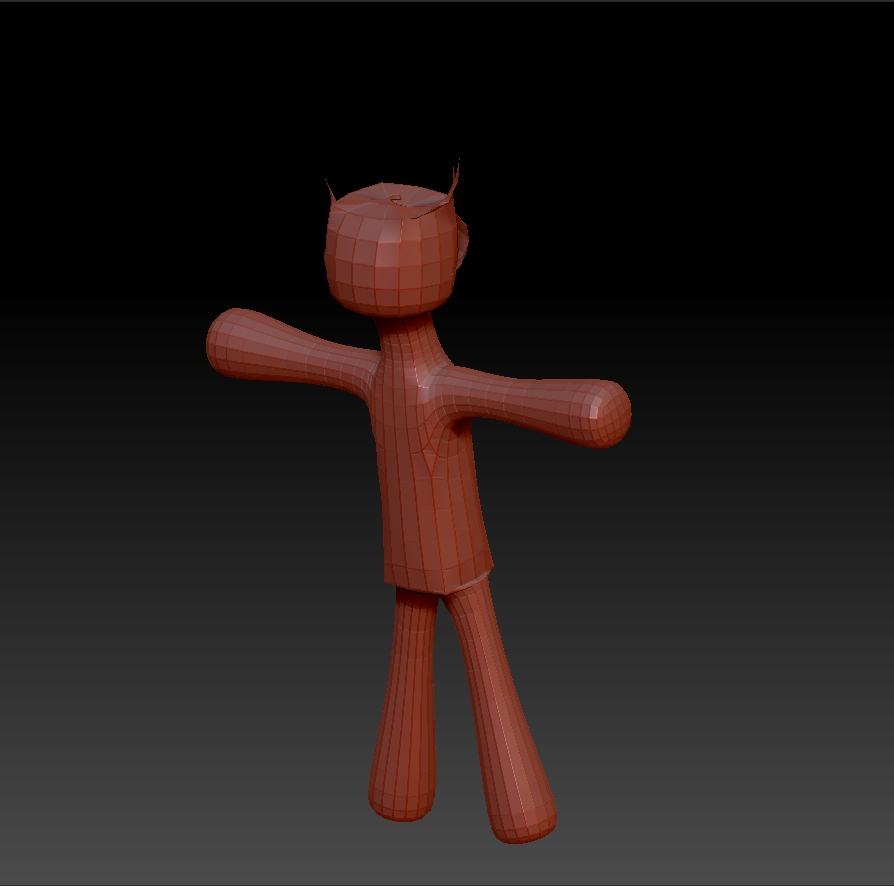
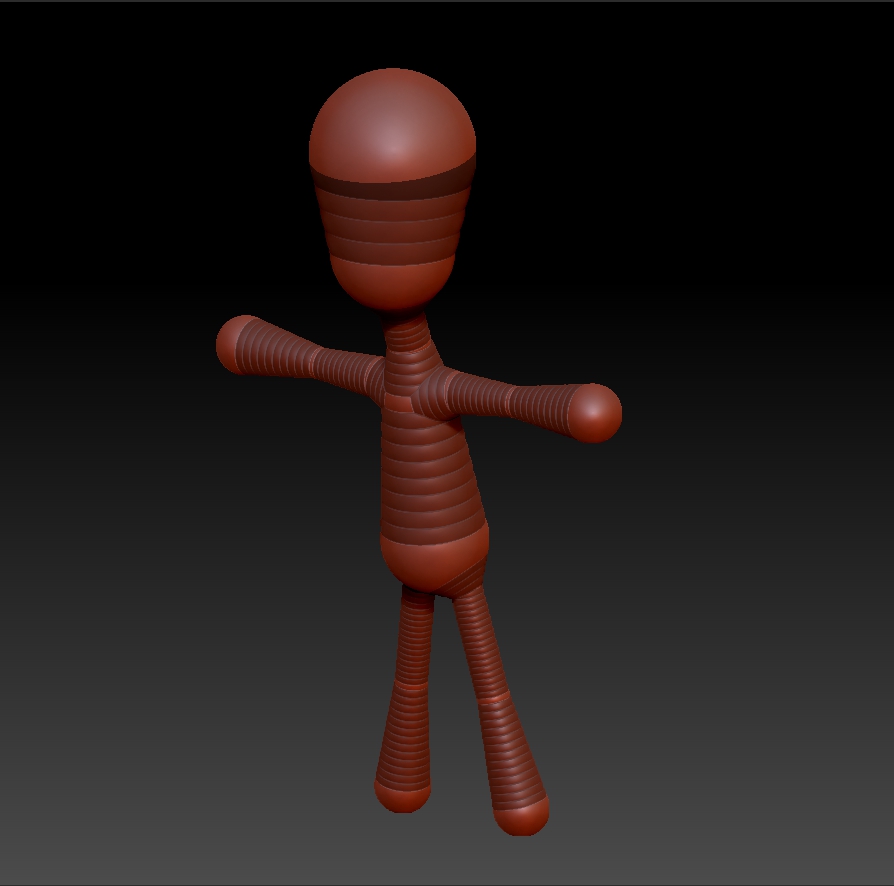
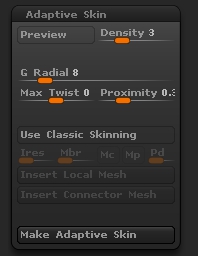
My adaptive settings are set to default except that I upped the starting resolution to 3. I honestly don’t know what could be causing this. The major issues are the join at the hip folding and the top sphere rendering oddly.
For the record, the lower head sphere is the base sphere.

Attachments
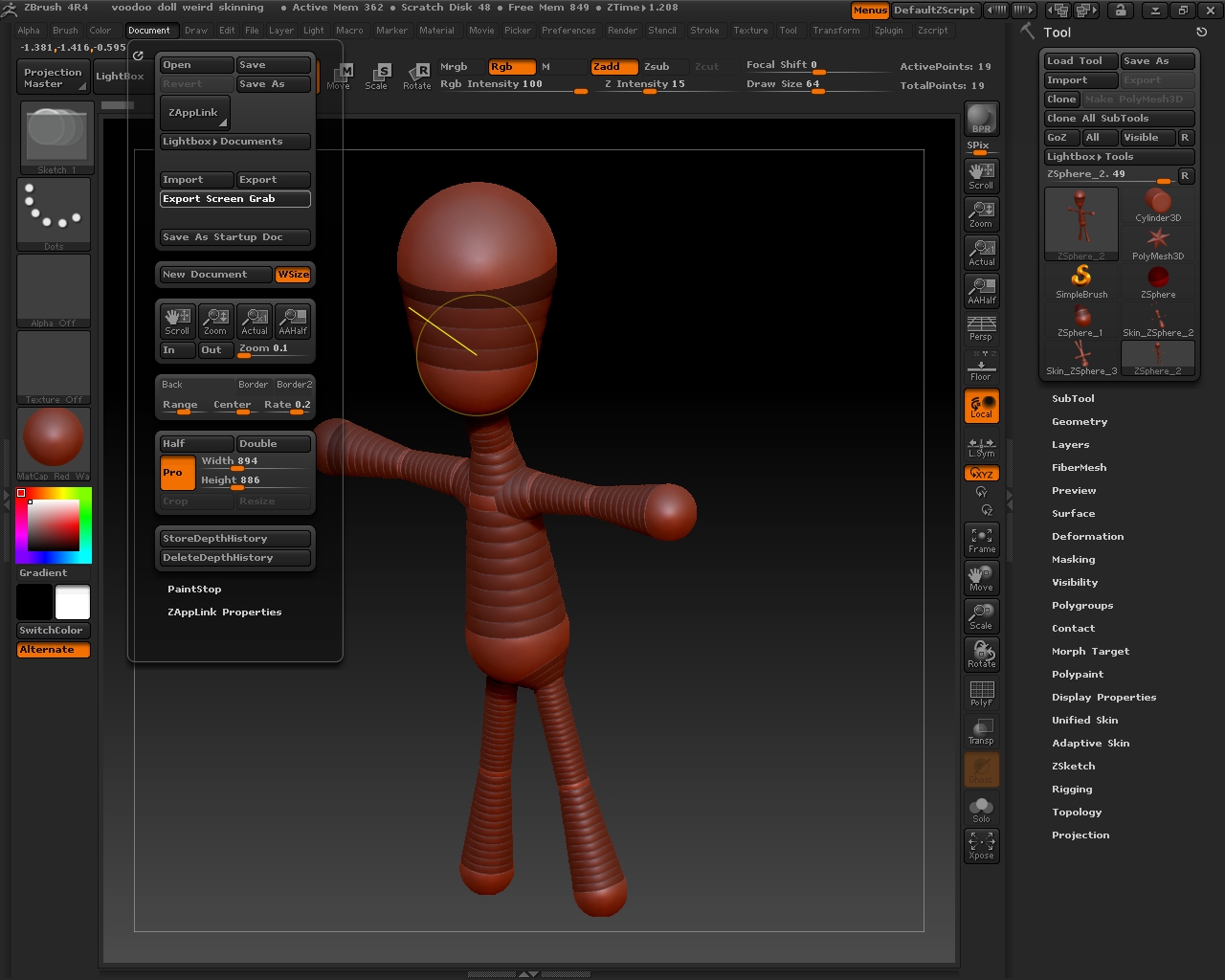
ZBrush ScreenGrab01.jpg

skin.jpg

spheres.jpg

It looks like you are using Classic Skinning. Turn off ‘Use Classic Skinning’ in Tool>Adaptive Skin.

It seems to do the same whether it’s on or off but these are the settings I was using.

ZBrush ScreenGrab02.jpg

How big is the zsphere ztool. If it’s under 500k can you zip and upload it so I can have a look?

It’s tiny. I really do appreciate the help.

Attachments

Weird ZSphere skinning.zip (7.16 KB)

Ok! it got locked into Classic Skinning somehow. I have seen somebody have this problem before but I forget what the solution was, if there even was one. It’s a simple armature so I would suggest you start over, only leave Classic Skinning off right from the start this time. In the meantime, I’ll see if I can find that thread.

Well that explains it then. Strange. At least now I know. I’ll just start again.

Thanks againb

Yup, double checked that classic skinning was off and it’s fine now.

Good! :+1:

If you are going to be making large armatures, check often to make sure it’s still good and make iterative saves just to be on the safe side.

Great advice