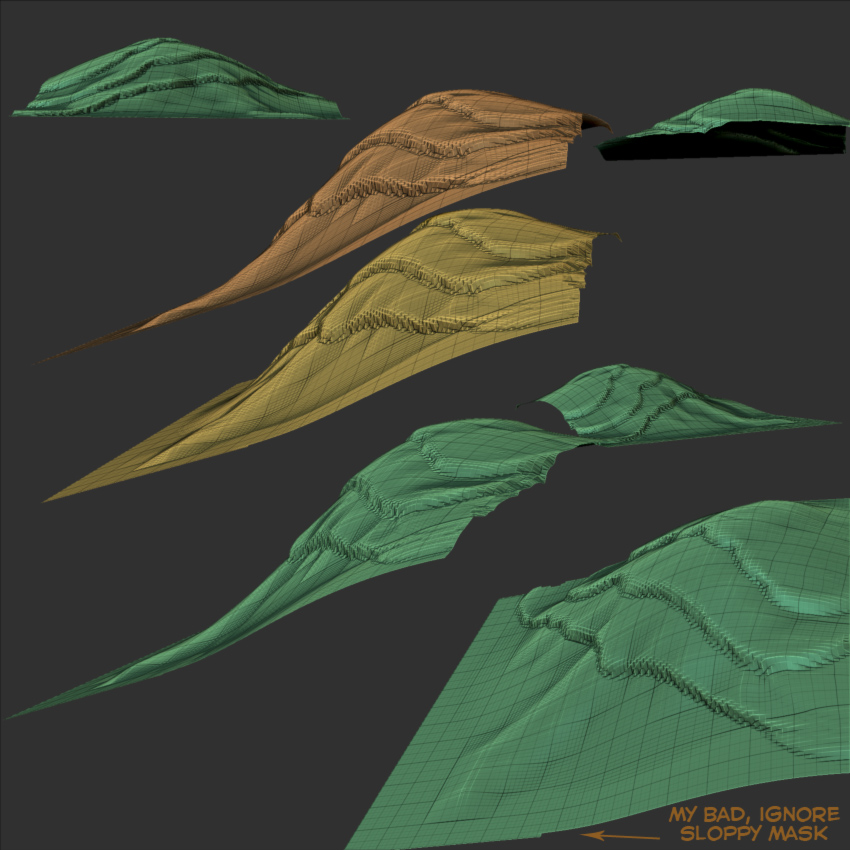
Couple of things you can do is turn your plane 3d into a very thin cube and group the top layer and bottom seperately. This will allow you to use your “Mask by Polygroups” in the brush palette. You can turn that on to 100 and now your brush strokes will only affect the first polygroup you touch.
If you set your box up initially to have creases around the edge, will not have to worry so much about distorting when you get there, close to the edge, with mask by polygroups active.
Also, once you have your thin box set up to sculpt on it’s top surface, immediately store a morph target and start your sculpting on a 3d layer. What this will do is allow you to use the Morph Brush to go and brush back in the “flatness” of the topology if you ruin it towards the edges. Simply morph it back to flat or do your edge sculpting on a 3d layer then adjust it’s values to closer to the original state before morphing to make it clean.
A couple other things you can do are use your Layer Brush, after storing a morph target. This allows you to only sculpt a single solid continuous layer to a certain depth defined by the Zadd and brush curves. Sculpt with that in a Topological fashion, building up layers and you should still have a square edge. Then you can build from those volumes using other sculpting method.
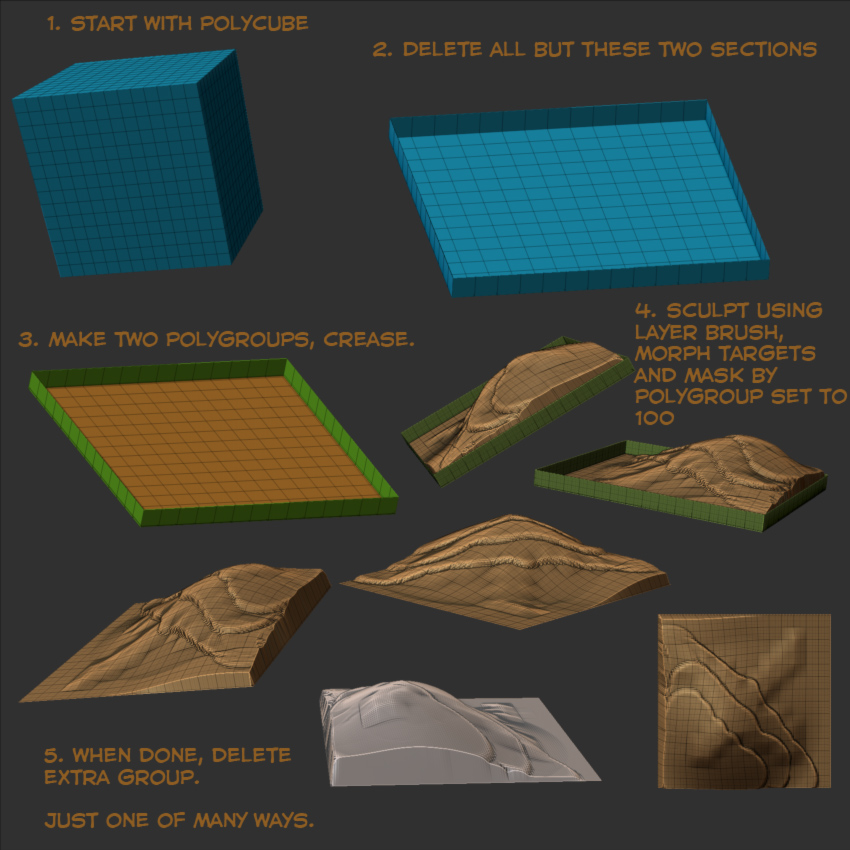
Another thing you can do is sculpt on top of a cubically tesselated cube (a polycube) after making the top surface a seperate polygroup from the other five sides. Then when done sculpting, delete the other 5 sides leaving you with only the top. Then you can take that and flatten it out on each side using “Flatten” in the Deformation palette.
Man I can think of about 5 other ways to do this but I have to keep it short. I’ll close by talking about your first question about the heightfield brush, you can set up various levels of depth that a brush can sculpt to in the Brush palette using the Imbed and Depth Masking features new to 3.5 Play with those as well, learn what they do. Also don’t forget about using projection master as well! You can “Store Depth History” in the Document palette which, in conjunction with the Single Layer brush allows you to sculpt topologically in stratas from a bird’s eye overhead view. Just some things to try I would work up a tutorial for you but I am head deep in two projects of my own at the moment, hopefully words alone will help.
*edit, I did a quick workup for you of one of the methods I was talking about anyway to give you ideas.
[ ](javascript:zb_insimg(‘190158’,‘terrain-tutorial-2.jpg’,1,0))
Now you can see a little more clearly how the edges are still straight.
Attachments