ZBrushCentral

Is it possible to bake normal an other maps in Zbrush using raytracing method?

Onto a separate model? Like Xnormal do? I remember there was a plugin or something for an old Zbrush that had such an option if I am not wrong? I am so tired of projection button/zproject brush so I need some other method.

What was that plugin and Zbrush version?

May or may not help.
http://www.pixologic.com/docs/index.php/Multi_Map_Exporter

I remember there was a plugin or something for an old Zbrush that had such an option if I am not wrong?

"ZMapper is no longer going to be updated. The reason for this is that as of version 3.5 ZBrush natively has the features that ZMapper made possible, and actually gives you more control as well. ZBrush’s native normal map calculation routines are superior to those used by ZMapper, which results in better quality maps. Below is a list of the key elements that ZMapper was used for, and why those are no longer needed.


  1. Preview of Normal Maps. The problem here is that different rendering engines handle normal maps differently. This is why there are so many different settings for normal map creation. What that meant was that often times a map that looked fine in ZMapper looked bad in the rendering engine that was actually going to be used. Other times, a normal map would often look bad in ZBrush, leading the user to believe that it was a bad map despite the fact that once applied in the target rendering engine it would actually have been perfect! It is therefore more desirable to always view your normal maps in the actual engine where they will be used. GoZBrush will make this extremely easy for many programs – as simple, in fact, as clicking a button.
  2. ZMapper required OpenGL, which some graphics cards do not support. This was in fact part of the reason ZMapper was never able to be adequately implemented for the Mac. The native ZBrush normal map calculation features do not.
  3. Projection of Details from a High Resolution Mesh to Different Topology. This was actually the main reason why ZMapper was developed in the first place. However, thanks to the projection features that now exist in ZBrush (the ZProject Brush, as well as Tool>SubTool>Project All) you can now do such projections without needing ZMapper. What’s more, you have much more control. Project All has settings that you can use to refine your projections. The ZProject brush lets you project specific areas. Masks can protect parts of the model from projection if you know that they will create problems. After projection, you can also clean up the results before creating your normal map. (With ZMapper, what it gave was what you got. You had no way to refine your results.)
  4. Ambient Occlusion Maps. This is now natively possible in ZBrush. The same is true for Cavity maps. Both types of maps can be created through the Tool>Masking menu, which also provides settings to refine the results. Once you’re happy with the mask you can then convert it to an alpha so that it can be exported to your desired rendering engine.
  5. Presets. ZMapper had a preset feature that let you define the normal map calculation settings with a single click. But so does ZBrush 3.5! Simple record a macro where you set the necessary values. Once saved you can recall the macro with a single button click. You can also share it with friends and can even assign a hotkey to it.

ZMapper was an excellent plugin, and it served its purpose admirably. But the bottom line is that it was created to provide features that hadn’t been built into ZBrush at the time. That is no longer the case, and everything that led to the need for ZMapper has now been directly integrated into ZBrush. Does this mean that pipelines will need to be changed? Certainly! But it also means that you now have more control and will be able to get better results than were ever possible through ZMapper."

-https://support.pixologic.com/index.php?/Knowledgebase/Article/View/33/12/where-is-zmapper

Take advantage of Decimation Master, and GoZ your model to another program, or stick with the awesome xnormal. Then you can tailor things like the tangent basis to match the engine that you’re using (UDK should be synced with it by default as of July, and you can findplugins for unity and other engines)

That project all/zproject brush combination doesn’t work easy and clean. And if your target low-poly in-game model should have a few hard edges it doesn’t work at all. Beside that way it’s absolutely impossible to make a hi-resolution textures. Zbrush just hangs if you try to project something more then 1.5 mil or takes forever.

With Decimation Master you mess your polypaint. It goes low res at least.

With Xnormal it also takes ages to save/load Zbrush obj files.

ps. I actually didn’t try Zmapper. Did much more simple things that time. Would like to try it now with old Zbrush versions . Is it still available somewhere?

I think you’re misunderstanding what they were saying. It’s listing the features the plugin had that zbrush used to lack but are now built in. Projection may not be perfectly clean (though IMO its easy with just a click of the button), but the general point is that it is still better than the projection options that zmapper offered and so it eliminates that particular use.

With Decimation Master you have to open the preferences and have it set to use Polypaint, and if the quality isn’t what you’d like then you have to increase the influence of the polypaint, or ease off on the decimation.

XNormal is seriously the best possible thing you can use IMO. It might seem slow, but that’s just the price you pay when dealing with extremely dense meshes. Maps take time to bake; we live with it in the industry. But when it comes to syncing your tangents and being able to control your vertex normals, that stuff is pretty important when it comes to normal maps. Major programs are just starting to reign in on this stuff now; the result you’d get from zmapper just wont be able to compete with a proper bake.

Thanks for advices Cryrid. I tried those polypaint settings in decimation preferences. Still can’t get a good quality color texture quality with it. Beside it tends to make weird noise on everything if you set polypaint slider high. Works extremely slow and unpredictable, hangs often etc. I don’t use it at all.

Would be cool if Pixo implement a kind of ray-tracing renderer in Zbrush directly with a cage/envelope for smooth group/hard edges support like Turtle or 3ds max baking tool.

I hardly use all the new great Zbrush features just because it then takes ages to get things back into normal pipeline

Would be cool if Pixo implement a kind of ray-tracing renderer in Zbrush directly with a cage/envelope for smooth group/hard edges support like Turtle or 3ds max baking tool.

My own guess is that the more they’d try to change their rendering/material system to match a standard 3d program like Max, the faster it would be able to handle about as many polygons as Max can. If that is the case, I’d prefer things how they are now. If it’s not the case, then sign me up.

Your decimation results could be a different issue; do you have unbaked layers by any chance? If not, what do your settings and results look like (screenshots)? You could try an older method that uses UVs instead, but I’ve always had a better result when sticking with polypaint (the texture in this case is the one that introduces noise and distortions).

I don’t know what to say otherwise though; I’d wager zbrush to obj IS the normal pipeline (for game art) and has been for years now. It would be nice if there was a one-click normal map solution that would work for everyone, but that’s just not something that would be up to Pixologic since there are too many ways to bake a normal map and too many ways to render one (it wasn’t that long ago that even Max would calculate it differently when baking vs when rendering). There used to be zmapper, but it was officially removed for the reasons above and zbrush isn’t any worse off for it (it’s not gone because the result would be quicker and better, that’s for sure)art. At the end of the day I’d rather have the focus be more on the sculpting/modeling/painting tools, with easy integration into a free and dedicated baking tool such xnormal.

And as a little side note since you mentioned models taking longer to load in xnormal, I always remove unneeded UVs and Polygroups to help create a lighter file. Subtools can also be handled individually. It also helps to be practical with what you’re doing; there’s very little point in exporting a 40 million point sculpt if the end result is going to be summed up in a 1024 res normal map. Otherwise if it takes a few minutes baking maps, that’s just how things go when you’re raytracing and baking on meshes that have that level of detail. If your machine can handle doing other things at the same time you’re set, if not then you have a few minutes to go to the water cooler or pull out a sketchbook.
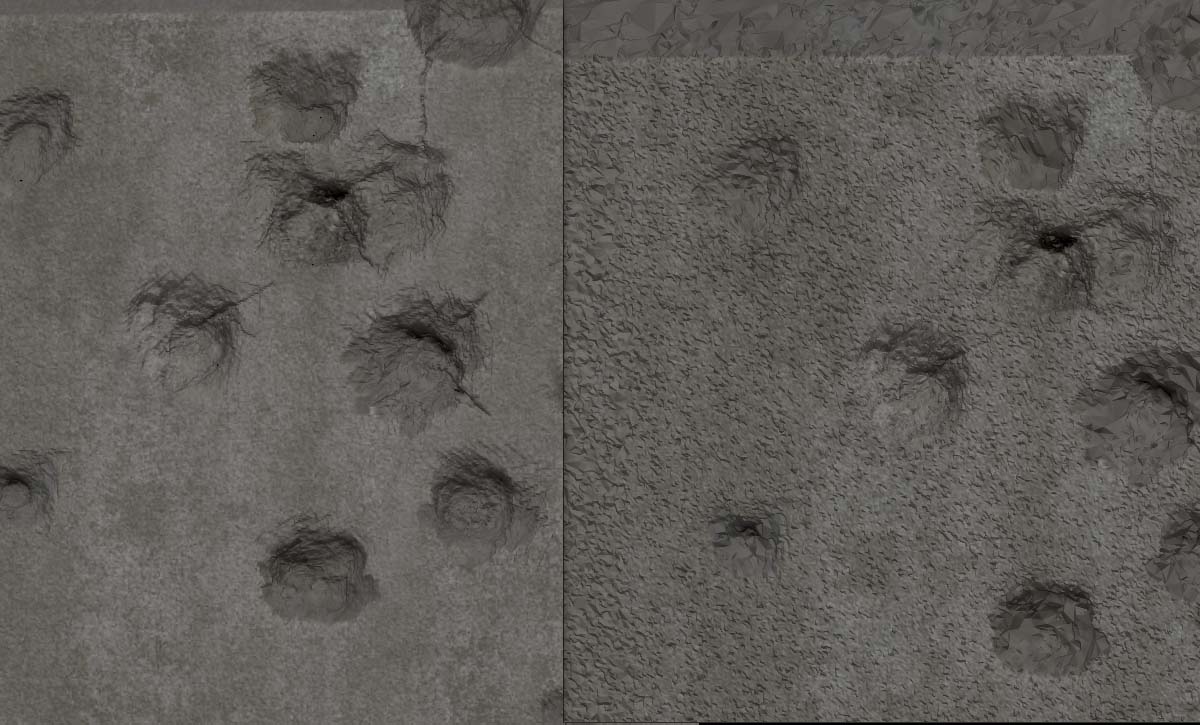
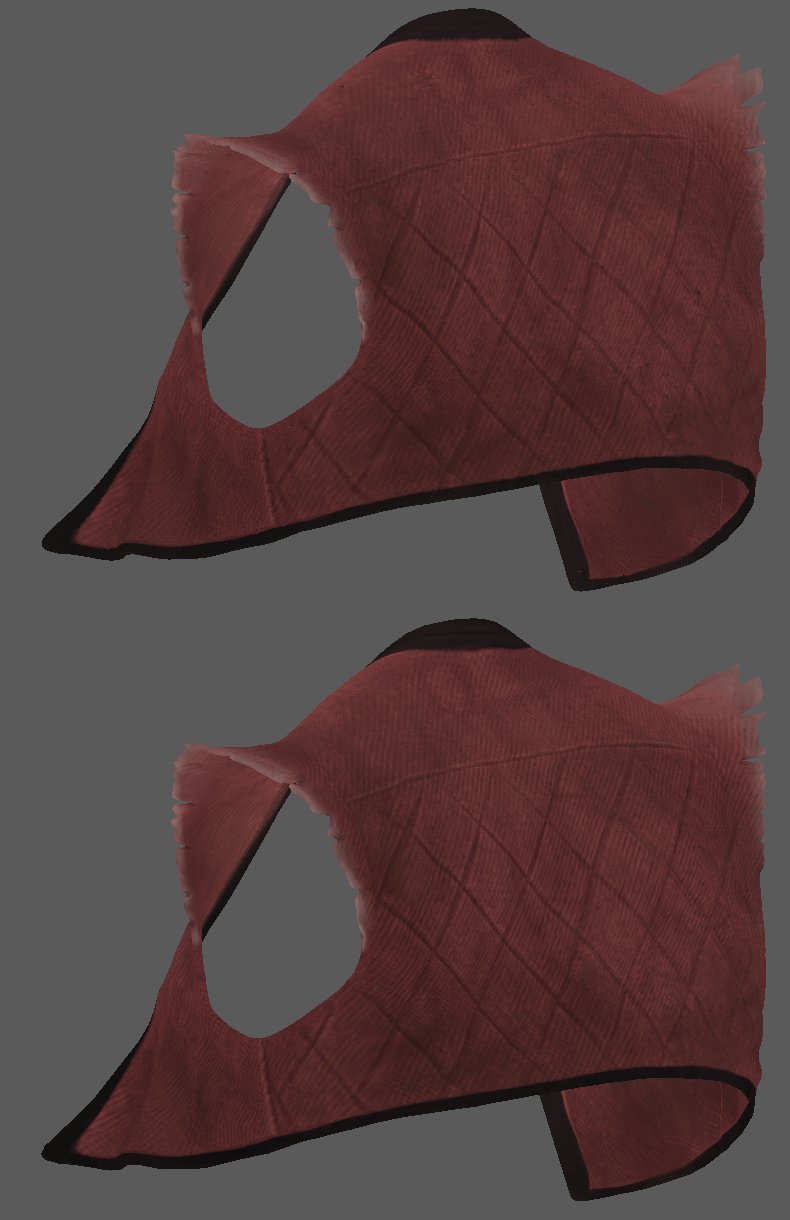
Here (on the right) is what I get with keeping polypaint high (decimated around 50%). And while I did it Zbrush crashed to desktop so I did it twice. Without polypaint it works ok but pretty useless for me. And I almost don’t use layers because many useful painting brushes like trim ones don’t work well on layers due to their important Alt mode turns into a kind of weird eraser there.

As for normal pipeline I meant low res in-game things. I can do what I want very quickly in Zbrush but then troubles start. It takes me more time to bring things back to low-res pipeline with a decent quality than sculpting/texturing in Zbrush itself.

By the way, 3ds max baking tool is also awful actually. Very slow and unreliable, But at least it can ray trace things onto low res object without weird spikes, bake over hard edges where necessary and unlike X-normal can also bake a little bit of more complex shading on top of the pure color texture. I believe Zbrush would do so too if it had similar ray tracing method for texture baking.

Attachments

ZBrush Document.jpg