ZBrushCentral

invisible subtool

Can anyone help me: I modeled a head in Zbrush, but from one point on I could not append any more subtool to it. The subtool is there, the info of it is seen, but the subtool is not visible.
It looks like there may be some issue with the size, but no matter how I change the size of my original model or the new subtool, it is still not visible.
I tried to export the original model (the head, that is visible in Zbrush) as an obj to another program, but it is not visible there.

Any ideas how I could continue my work in Zbrush?

Attachments
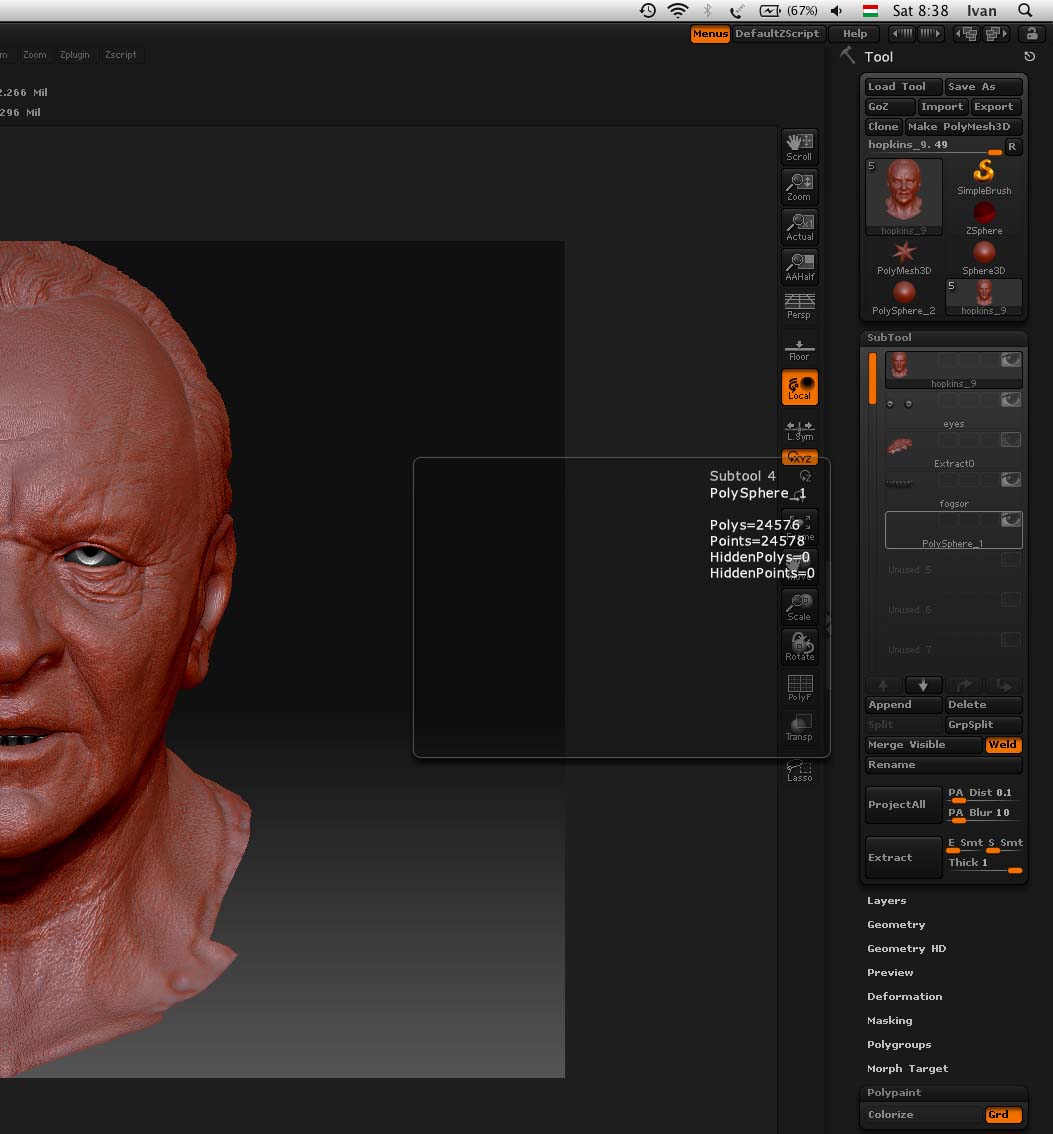
screenshot.jpg

Sometimes when I append a new subtool the scale is way off and the piece is huge or tiny. Try appending one of the default shapes, like the star, and importing your mesh into that subtool.

I have had this exact issue - it was indeed a scaling issue - before exporting anything make sure you use the SubTool Master > Scale Offset button - it ensures that your exports are not scaled improperly - I have had zero issues with this once I started using this.

I just asked this same question but had problems after I have retopologised the mesh :lol:

After you have edited the topology of your new tool and have made it adaptive, or have made a new sculpt and want to append it to a sub tool, first go to Deformation in the Tool menu and click ´unify´ this will resize the tool and kind of ´Freeze Transformations´, resetting the tool to defaults.