ZBrushCentral

Introducing ZBrush by Eric Keller

I have been going through the “Intrducing ZBrush” book by Eric Keller and have run into a few questions. I thought I would start a thread for people also going through the book.

First question. (I know Stephen also has this problem). In the sculpting the skull tutorial, I am having a problem setting my polysphere subtool as transparent. (pg163) I am running on a Mac OS 10.5.5. Has anyone else on a mac run into this problem?

thanks, and the book is really good!
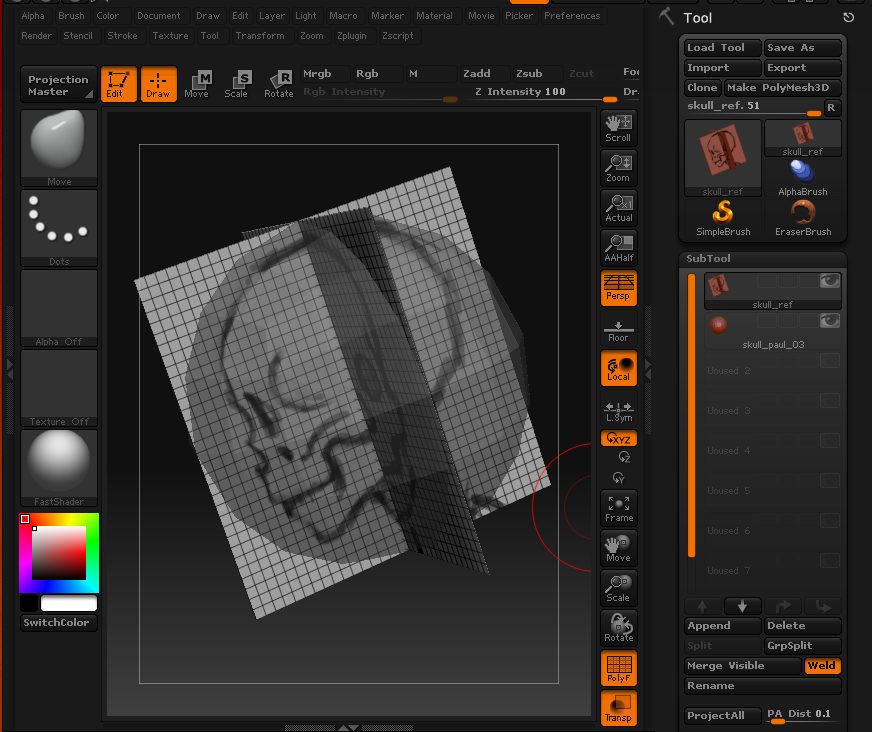
Hey Paul, Thanks for starting the thread. I’m happy to help out any way I can. I know a few people who are having Mac problems - interface changes and ZScript functionality. I don’t have ZBrush on a Mac yet, I should soon.

Two suggestions:

The transparency changes depending on which subtool is the active tool. Does the transparencty change when you click on the skull subtool versus the image plane subtool? It should chnages slightly but you should still be able to see through either one.

Also, you acn adjust the transparency of the subtools in the Preferences palette. Open the Preferences palette, expand the Draw subpalette and change the inactive opacity and the actice opacity, see if this helps. Maybe the Mac defaults are set incorrectly?

Let me know if either of these help. I’ll get in touch with some Mac friends and see if they have the ame problem.

Eric Keller

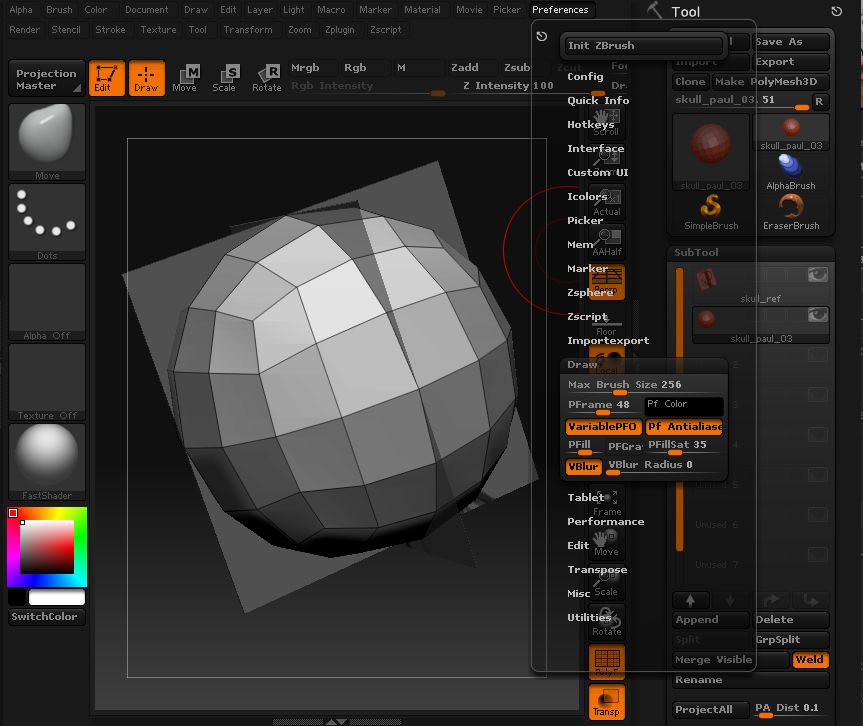
thanks for the reply, Eric. I included some screenshots of what is going on. When “ref plane” is selected and trans turned on the “polysphere” subtool is transparent(only it cant be edited since it is not selected). When “polysphere” subtool is selected the “ref plane” is transparent. Also in second screenshot the draw preferences are visible. The opacity settings aren’t there and I have fished around and cant find anything that looks like that. it just may be a mac bug.
thanks for any help.

paul

zbrush_1.jpg

Attachments

zbrush_2.jpg

…so I came up with a workaround to see reference images.

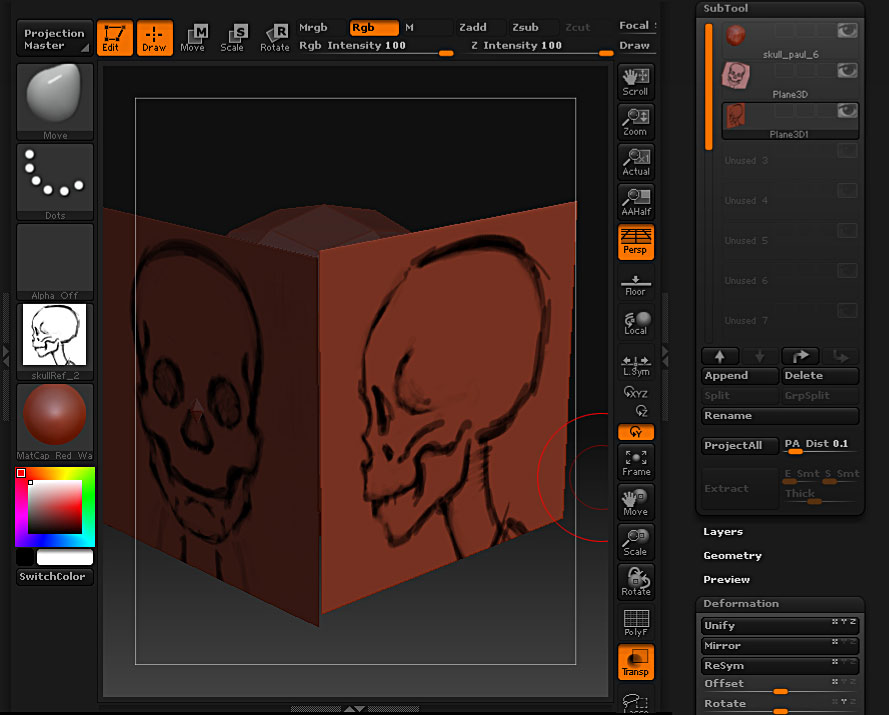
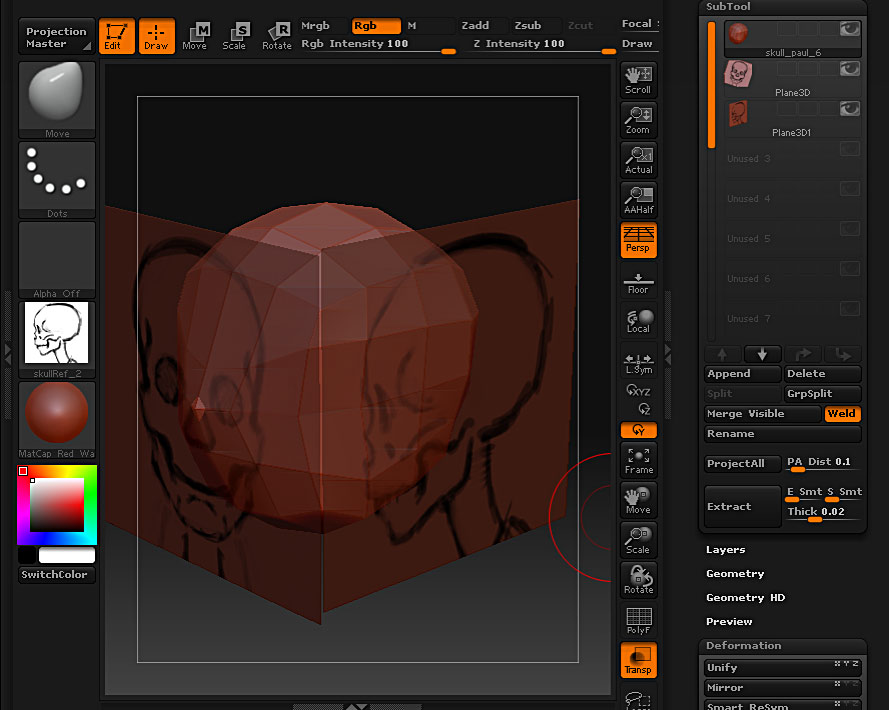
Just create a “3d plane” tool. append two of these as subtools to your skull tool. move and rotate the 3d plane subtools using the deformation panel. import the “skullreferenceimage” (I had to separate this art into 2 separate 1024x1024 images) as textures. apply each texture to a 3d plane subtool. make sure the transparent button is turned on. now when you have your skull subtool selected to work on, the 2 “3d planes” are now transparent. at least this will help me finish this project.

paul

Picture9.jpg

Attachments

Picture8.jpg

That seems like a pain in the but, I’ll have to see if other people are having te same problem.

Wrong answer Sorry

OK, I’m finally able to work on the Mac version of ZBrush. Has anyone else come up with a solution to this problem? I’m having the same issue - currently selected subtool will not display as transparent, only subtools, making it difficult to use the image plane X tool. Maybe the imagplane cube works better. Thanks for your help Michel.

Yeah, i think the imagePlaneCune tool is the solution. Sorry for the lateness of my reply, hopefully you have figured this out by now. If not or there are other Mac users out there who are struggoing with this, the best way to handle reference images as a transparent subtool is to use the imagePlaneCube tool and map an image to that. there is a texture in the ZTools folder called imagePlaneCube.psd. Use this as a guide in photoshop to place your images. I will try and write up a full tutorial this weekend (unless somebody else has). I’ve been in Maya-land for several months now so I apologize for disappearing.

I’m trying to add some brief tutorials concerning Mac ZBrush issues on my website under the ZBrush WTF section:

http://www.bloopatone.com/blog

Eric

Hey Eric and Paul

Here is the tool I made for this issue on the MAC. It is not really an issue the transparency has been changed on the MAC, but the tool I created was from the XPlain tool that way you can still use the imageplanex.psd file. Same technique as what Paul did.

Paul Gaboury
Pixologic Inc

Where is the tool ? :confused:

Ooups. Sorry forgot to put the link. Sorry.

http://www.zbrushcentral.com/zbc/showthread.php?t=63674&page=3&pp=15

3rd page. top post by me.

Paul

Good Afternoon, thx for it. My query is specific to creating teethe, the Initialize option does not seem to be presenting itself. Could you run down the order of commands again for me. Be cool if you could come talk at our school DMAC, in Boca Raton, FL.