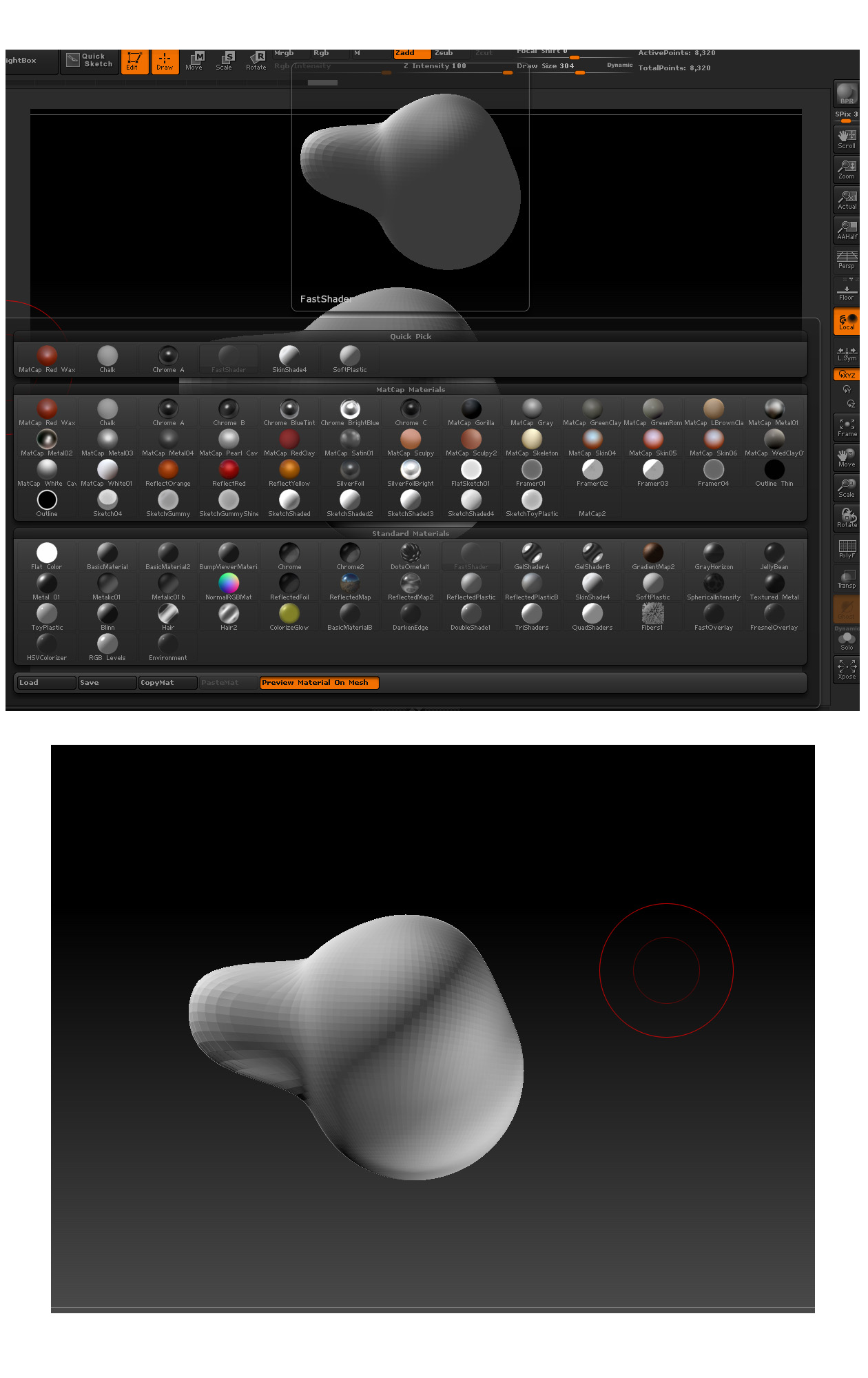
Hey people! Late to the game but I just upgraded to Zbrush 4R4 and I’ve noticed that the Interactive Light is significantly different than it used to be in previous versions. I thought it was just a change I had to live or a graphical error until I saw this [See Attached]
In the first image, that’s the preview of what Interactive Light expects to return. This is the shading result that I want too. The second image though is what I’m actually getting. It’s as though there’s a second Interactive Light that mirrors the first, giving the plugin a bounce.
Is there a way to disable this/fix it so that I can have a proper shadow side again?
Edit: Meant to write Zbrush 4R6, not 4R4
Attachments