ZBrushCentral

InsertSphere + Curve mode. Answered.

Anybody else run into this problem?

I launch ZBR2
Select the Dynamesh 064 project
Select the InsertSphere brush
Activate Curve Mode (Stroke Menu)
Draw some curves starting from the sphere and running off the surface
Try to grab the curve manipulator (thats off the surface)
CRASH!

can anybody try this to see if they run into the same issue?
anybody know what might be the problem?

i tried initializing zbrush, restarting, trying again and it does it every time.

you can see from the screen grab exactly where it crashes

thanks!

Attachments
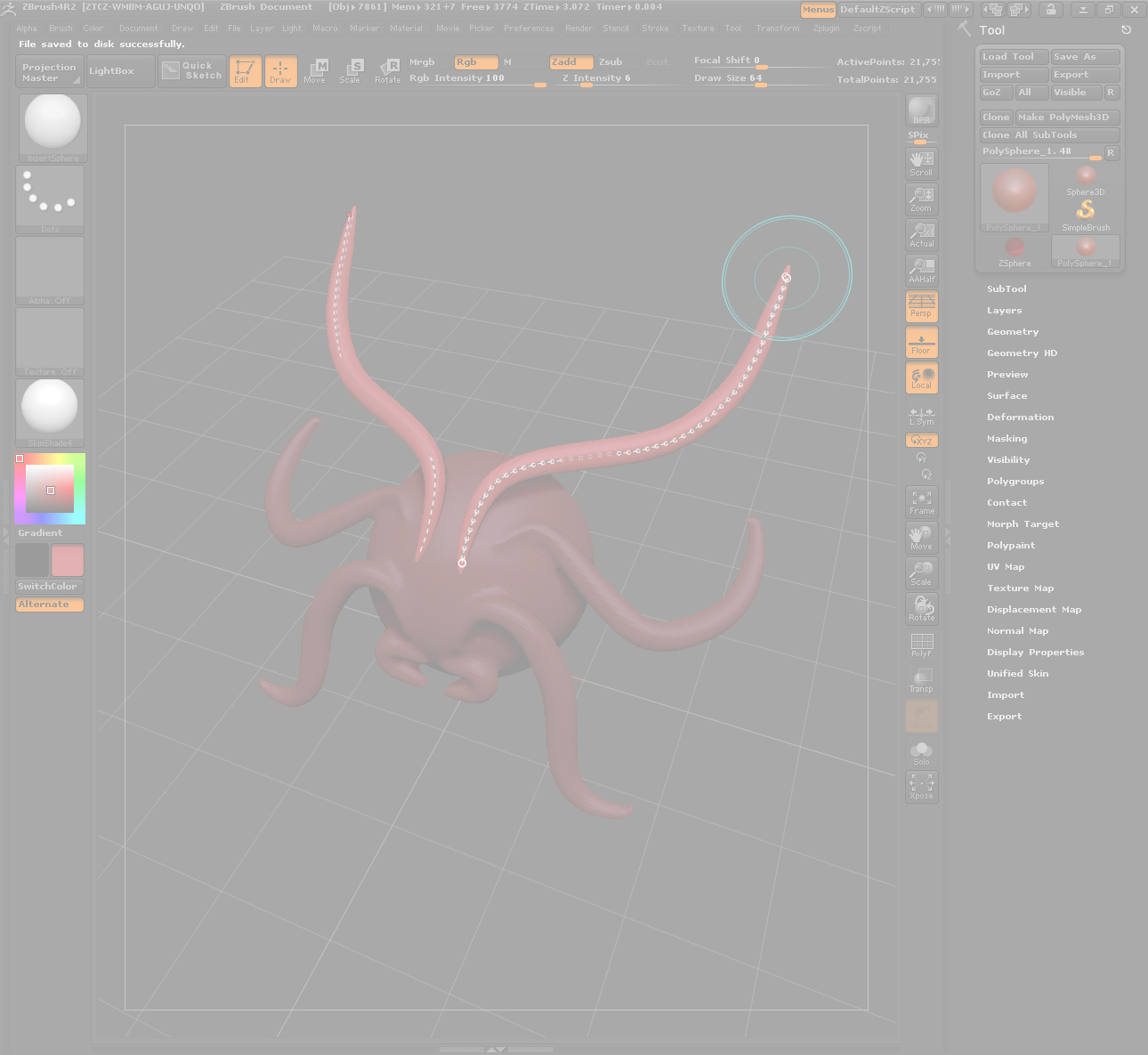
ZBR2-Crash.jpg

Try this…

  1. Select the ‘CurveTube’ brush.
  2. Click in ‘Brush:Modifiers:MeshInsert Preview’ and select the ‘3D Sphere’.
  3. Use this new brush to add curved-spheres to your sculpt.

Does this works OK?

and… please include your system information with your posts.

yes, that works…

however, it might be worth investigating this issue as I only used the combination of these features together because near the bottom of Page 41 of the ZBrush R2 Whats New pdf, it says “Combining Curve Mode and the Insert brushes with Dynamesh can give you an artistic freedom to create without boundaries”

I might not be the only one that will follow the pdf and run into the same problem

I already submitted a ticket for the issue since the next time i tried the same thing (before your work around), i got an internal error with a request to email support.

in any case, thanks for the help.

HP Elitebook 8730w
Intel Core2Duo [email protected]
Quadro FX 2700m
8GB Ram
Windows 7 Ultimate 64-bit SP1