Hello Guys,
I have a quick question and hope someone has a solution for what I want to acchieve.
I’m working on a large limestone cave and the ceiling needs to be populated with stalactites.
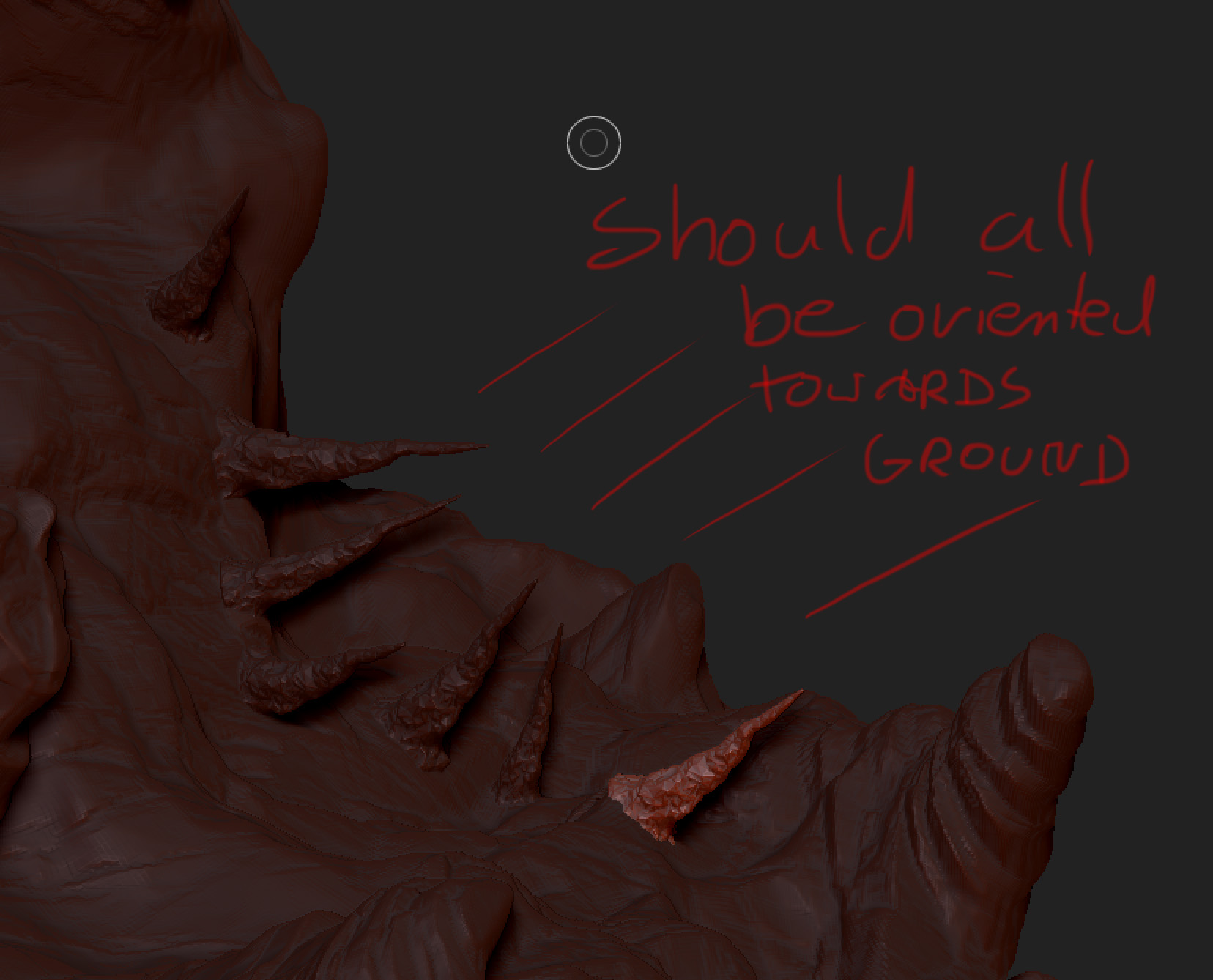
I’ve tried several approaches with InsertMesh and Nanomesh but the problem is that the underlying surface obviously isn’t flat so the stalactites are oriented according to the surface. But they shouldn’t be, because of the nature of how they develope they should be facing towards the ground.
So my question is, is there a way in Zbrush to populate a surface with meshes but they are all perpendicular to the ground instead of taking the underlying “creation-face” as the basis for orientation. But of course because of the size of the structure I try to reduce the handwork to a minimum.
Thank you very much. Help would be much appreciated.
attached you find a screenshot to illustrate the problem.
Attachments
 Click on the circle instead of default