ZBrushCentral

InsertMesh Brush -> Controlling Mesh Sizes

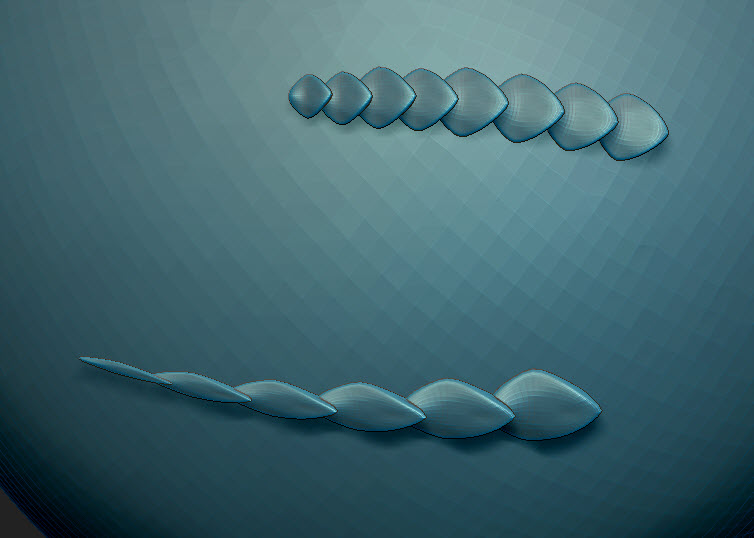
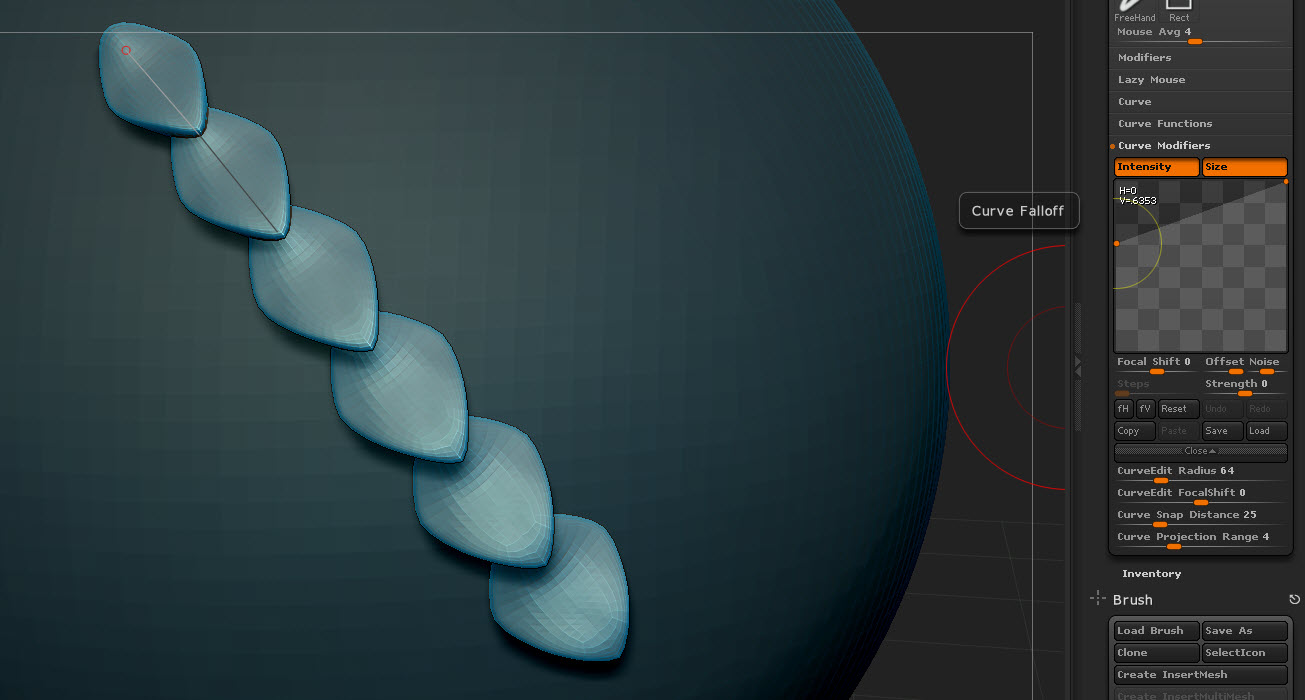
I’m trying to get some scales to taper in size (uniformly) as they flow down a surface. First I tried controlling the size with the curve modifier:

But that only scales the inserted meshes width. Their length stays constant. I did this one by hand and it is the result that I am going for:

I need to place hundreds of these scales on a surface, so doing it by hand is beyond tedious with the transpose tool. I also need them to be full meshes, so any type of alpha/texture solution wouldn’t work. They should overhang each other (it will be a printed model, not a render).

Attachments
2014-07-08_14-26-25.jpg

2014-07-08_17-25-35.jpg

Maybe this would give you a start?, you could then do a mesh from brush.
http://www.zbrushcentral.com/showthread.php?170167-Insert-Multi-Mesh-Repository&p=964420&viewfull=1#post964420
There is a size/modifier function to scale things but I have yet to find info in the docs. :mad:

If you look in the first image, the size modifier is selected, but it only scales the width, not the length. That pangolin brush shows the same unwanted effect. As the scales get smaller, they get longer.

I don’t think ZBrush can do this, but just wanted to see if anyone might have another idea. I may have to do this in Rhino.