ZBrushCentral

Inserting a hole through the skin of a mesh that is already hollow

Imagine a basketball with a shell thickness. I want to penetrate a hole through the shell while retaining the interior hollow. My workflow is to create a mesh design in Zbrush, export it to Netfabb to create a hollow shell with uniform shell thickness (more controllable than the Zbrush shell creation process), then import it back to Zbrush to use an insert brush to create a hole in the shell.
When I try a negative brush insertion to create a hole in the shell, and retain the interior hollow, the insertion seals off the mesh. The interior hollow is not accessible.
Any suggestions on how to penetrate the hollow shell on one side only, and expose the interior void?

Attachments
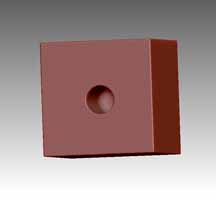
hollow cube with insert.jpg

Are you using dynamesh, because I think that’s the only way to create a shell with thickness by using negative insert brush. Another way would be to mask off a circle for the hole, invert the mask and do subtool>extract and adjusting the thickness slider. Yet another way is to append a ZSphere, do Topology>edit topology and doing a retopo while leaving a hole in the middle, you can choose the skin thickness and then do an adaptive skin. I’m sure there are other methods, but those are the ones I use.

Thanks . . . I think the suggestion(s) will get me through the shell as needed. I appreciate it!