ZBrushCentral

Insert Multi Mesh loop function tips and tricks?

Okay,

Let’s say I’m making a lamp post/vase type model. I want to have some bolts going around the shaft in a uniform fashion.

I’m using one of the insert multi-mesh brushes with stroke turned on.

I click and drag out and then hit shift which is suppose to create a loop around the shaft of the model.

It does this, but, 9 times out of 10 it snaps in a weird position. I want it to go uniformly across the model, not be offset.

I tried turning off perspective, I’ve tried holding shift down, but it keeps giving me undesirable results.

Any tips? I just want it straight across…
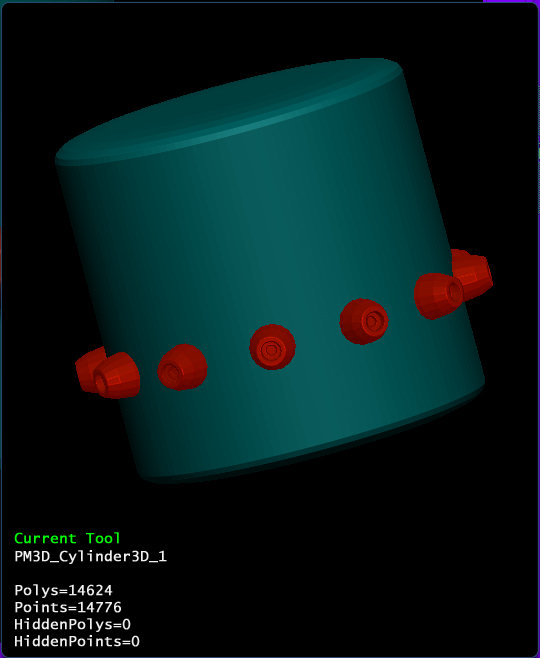
Did you try with radial symmetry?
RadialInsert1.jpg

Yep,
Like, right after I posted, I thought, why not turn off stroke and hit radial symetery… It works perfectly. (for the bolts that is…)

However, trying to satisfy my future curiosity, I tried using the Rope MM brush, it doesn’t work so well with radial symetry.
It leaves gaps in the brush. So, it looks like I’d need stroke turned on for that one…

I’m just assuming the shape I have is a bit wonky for the MM brushes?? (For example, make a candle stick looking shape and try using the rope brush on it, it’s nearly impossible for me to get the brush to just snap uniformly across). :confused: