ZBrushCentral

Insert Mesh created brush curve mode issue

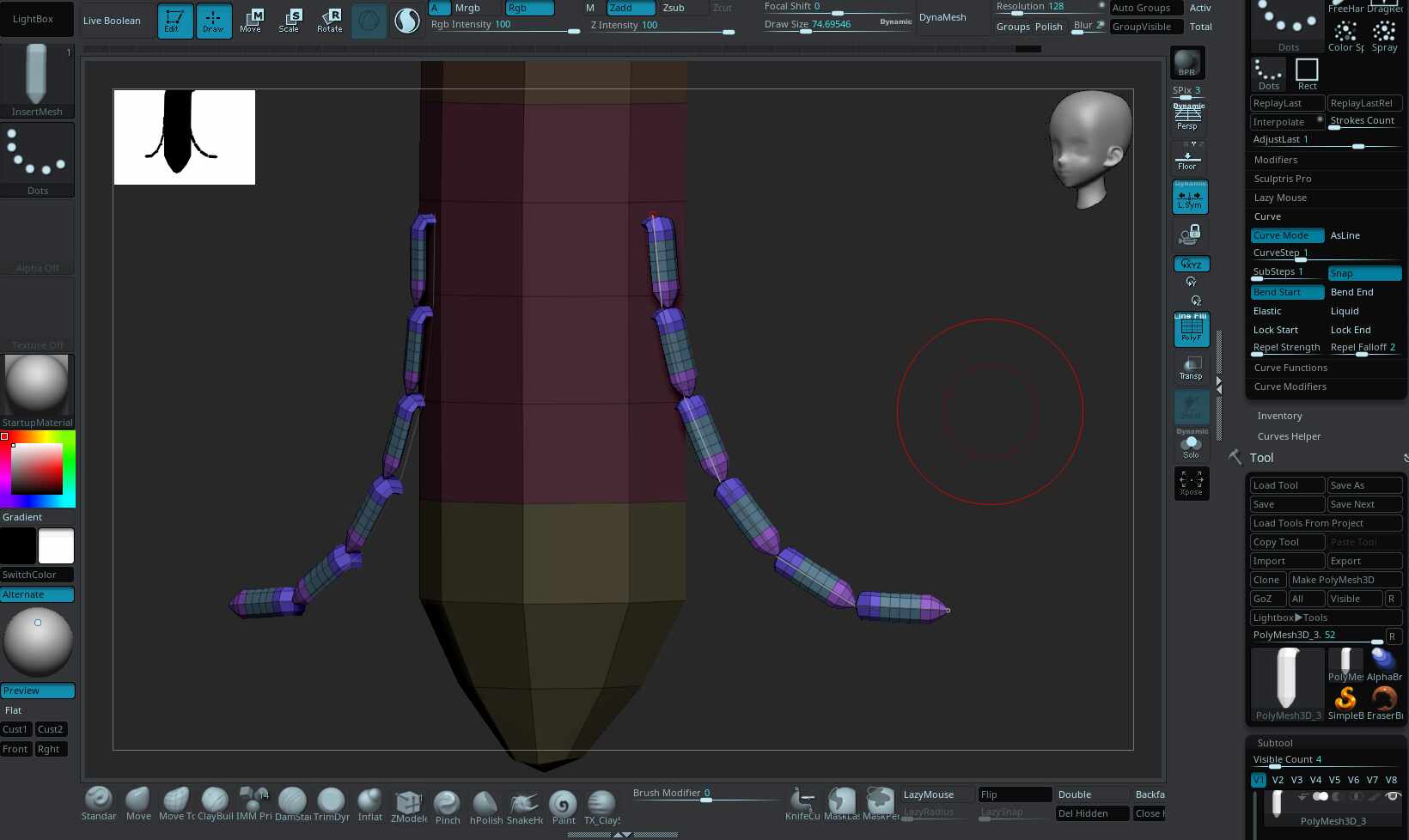
Hi, I created a new insert mesh brush, and when I enable curve mode, I got a segmented curve as presented in this image,

but I want a continuous curve like this.
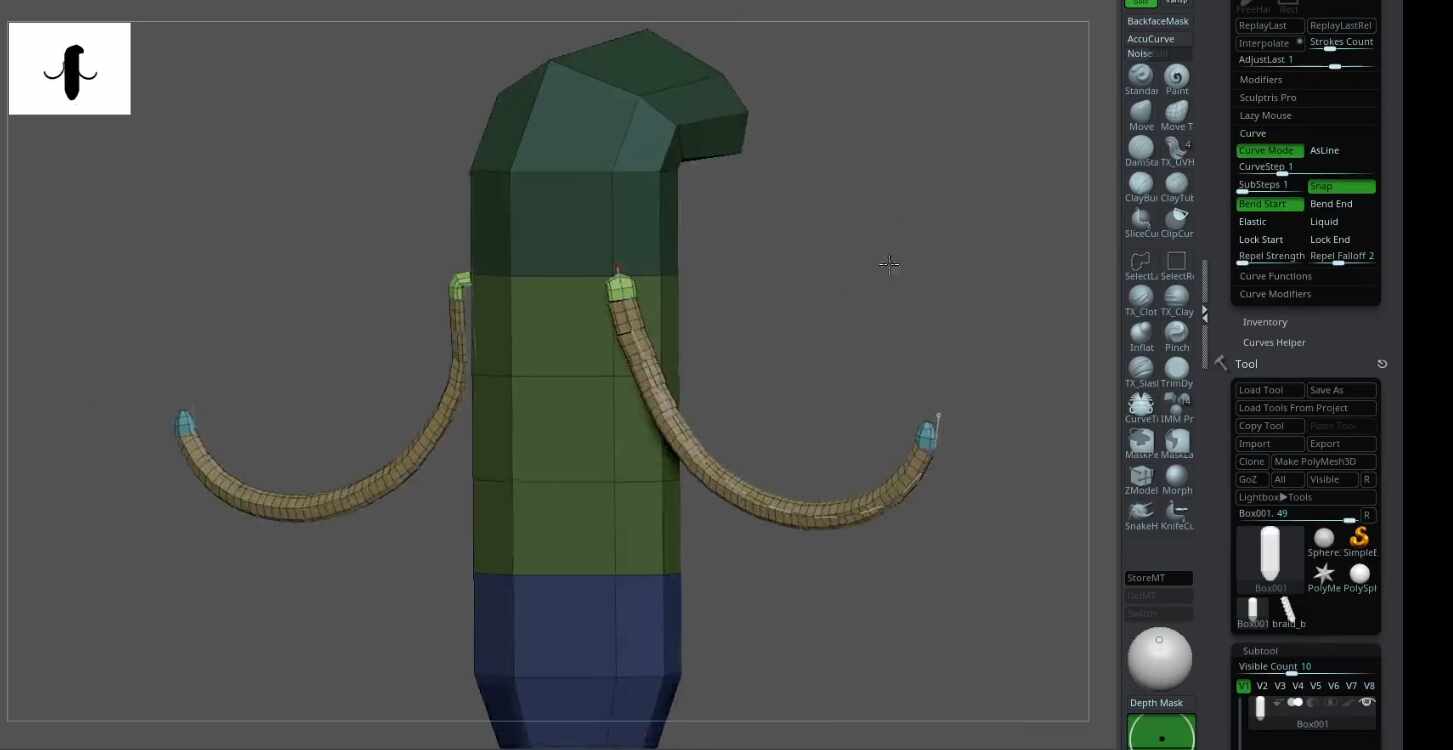
How can I solve this? I tried tweak the modifiers but I can’t figure out whats going on here.

Hi @3dFerr

In “Brush > Modifiers” make sure “Tri Parts” is enabled.

1 Like

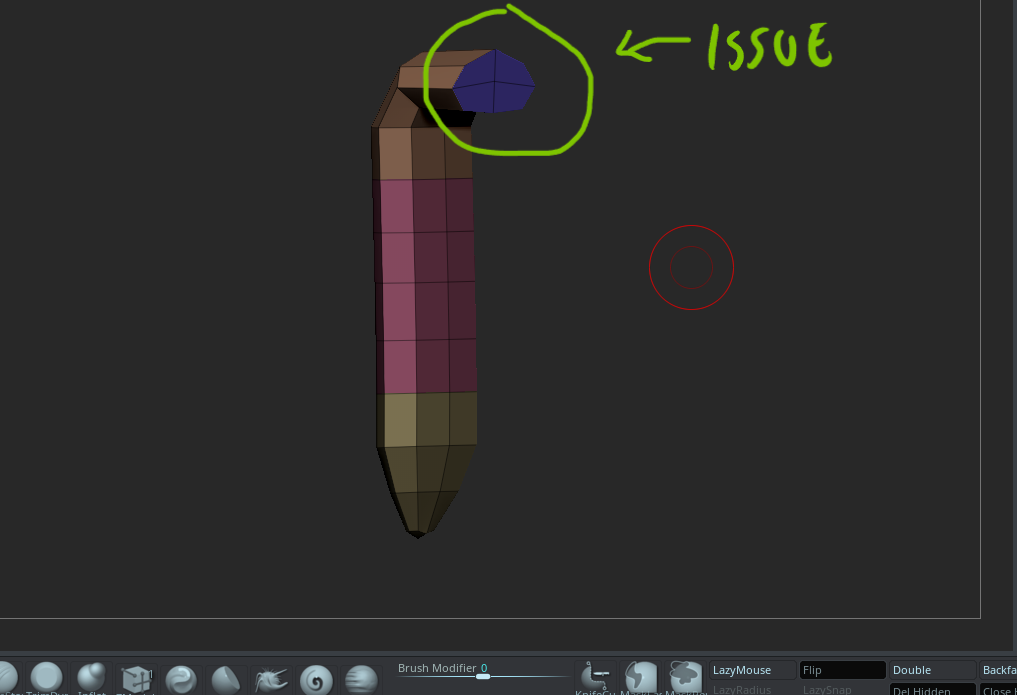
Thank you @zber2, I found the problem! It wasn’t the Tri Parts button, but it was related to it. The model wasn’t properly divided into three polygroups, so I reorganized them and that solved the issue. Your comment helped me a lot, thanks!