ZBrushCentral

Insert cyliner brush modification? (answered)

Hi!

I´m doing some sculpting for a Patient Specific Implant (PSI). I got a question regarding the insert cylinder brush.

Q: Is there a way to specify a certain diameter which the cylinder is inserted? Let say I don´t what it to be bigger than a certain value?

The thing is that I want to do drilling holes. And the more I drag the bigger the cylinder gets. I do not want that. Is there, if not, a work around.

Regards

Doc

Attachments
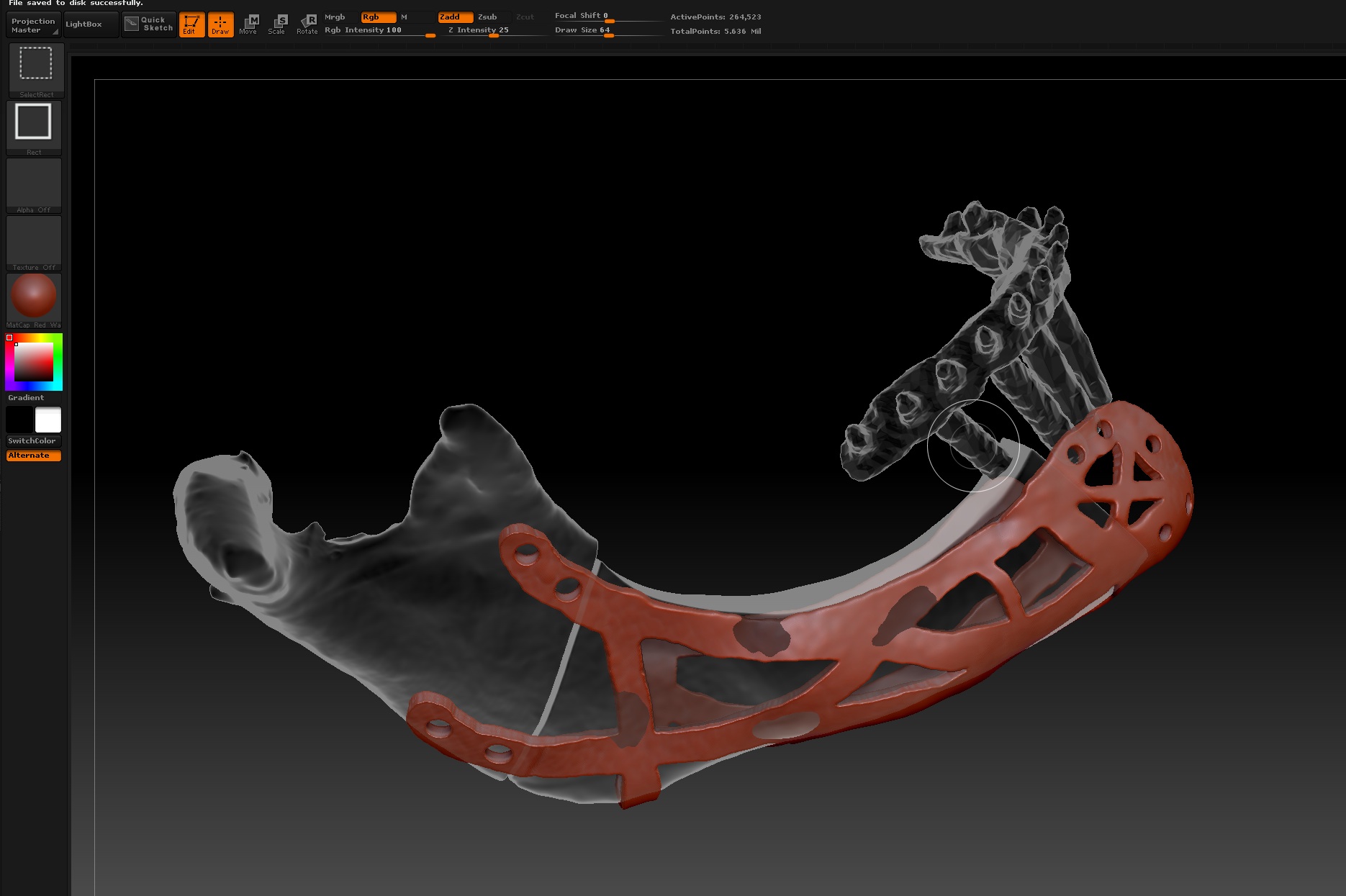
Holes.jpg

hi Doc use the curve line tube position only by using ends for non curve - draw size determines its size and can be changed on the fly by draw size just adjust and click on it !

Press Ctrl as you are drawing out the cylinder which will cause it to snap to size. Draw size determines the size of the cylinder.

Thank you.

The ctrl and draw size was the one I was looking for.

:+1:small_orange_diamond:+1:small_orange_diamond:+1:

Cool

Doc

One more question, please!

Q: Is it possible to adjust the length of the cylinder?

Or is it scaled to the width?

Doc

Hi Doc,

Once you have inseted the cylinder the rest of the subtool should be masked off; you can switch to the Move Transpose click on the end point of the cylinder then click and drag the white circle holding down Shift and you can increase the length of the cylinder without effecting the diameter.

Dave

the curve line tube will give you more control over what your trying to do but yes in edit M mode shift click on one end drag
transpose handle on other end move with shift key pressed for constrained

had a chance too look at your medical stuff in your gallery so cool seeing zb used this way :+1:small_orange_diamond:+1:

I tried the curved line tool. But it seems right but, hmm? Can one “force” Zbrush to draw the line 90 degrees out from the surface at a given point?

Doc

And thanks for the kind words regarding my “work”. Maybe I should do a “workflow” demo on CT to ZBrush to PSI? Got e-mail from Louie Tucci at Zbrush yesterday. Warmed my hart.

Doc once again