ZBrushCentral

Inflate Explode

I apology if the topic for this problem already exists, I searched on the forum and I didn’t find it. Perhaps it might be due to my bad English skills, I hope you can bear with it.

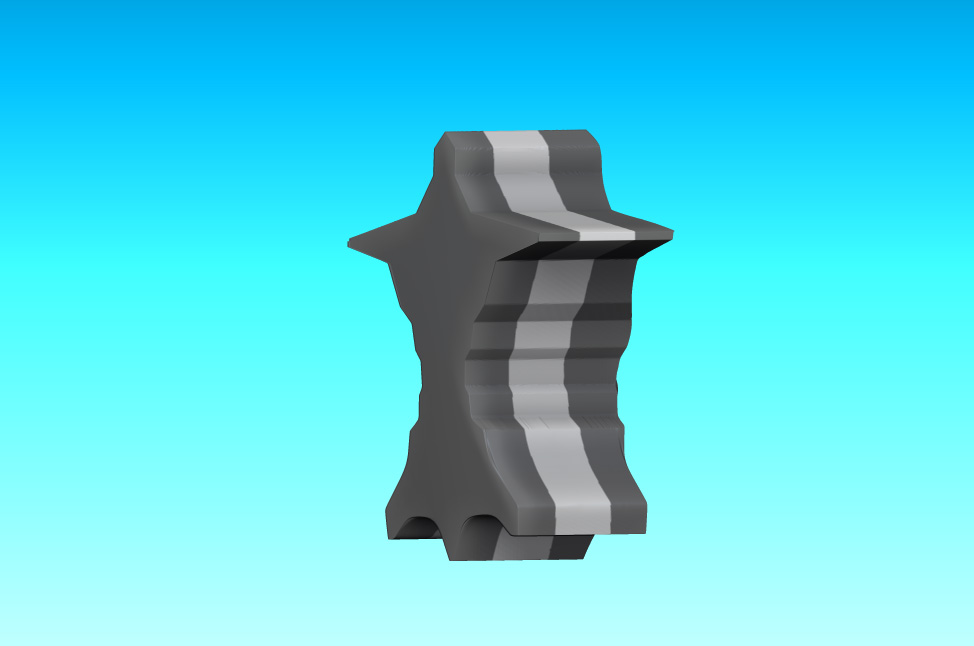
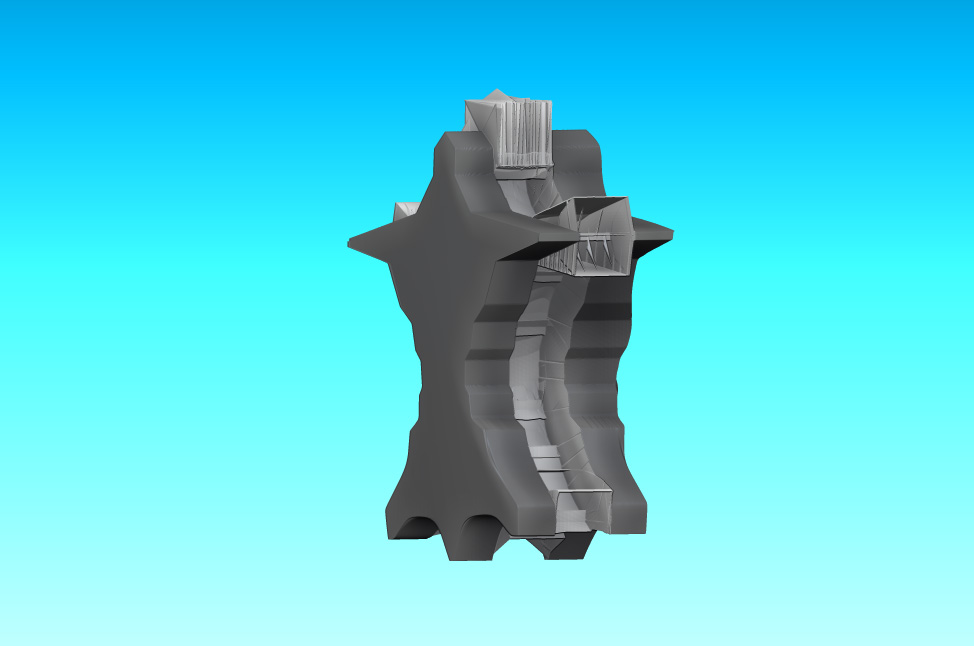
Old saying says - pictures tells more than 1000 words, so I posted those to pictuers pre inflate and post inflate(or rather deflate).

Why it doesn’t inflate/deflate the way it is supposed to do it? :frowning:
What am I missing? I’d want to add that this test mesh has group loops, could it be something related to group loops?

Any help would be appreciated :slight_smile:

Attachments

PreInflat.jpg

PostInflat.jpg

The amount that you’re “deflating” exceeds the thinnest part of your mesh and that is why you are getting those results. Parts of your mesh are crossing over themselves. What your trying to acieve might be better using Shadowbox.

Edit: Disregard what I said about Shadowbox. I don’t think that can be done in Shadowbox. Sorry.

Hey thank you for replying :slight_smile:
Hmmm now that you said that and now that I actually interactively looked at what happens while I drag inflate up or down, I realized what’s really going and that what you said makes perfect sense :smiley: Now I feel stupid, I should have thought about it before posting :slight_smile:

However maybe Pixologic someday put the new inflate option in Zbrush, that simultaneously scales the infalted part and distances its edges/vertexes proportionally in relation to its initial position…Kind of like combination of size and inflate…but hey, I bet that would be another programming Rubicon cube, if not impossible(at least for polygons)…its easier said then done… :confused: