ZBrushCentral

Importing obj issues, can't retain details? - pls help! (apologies new zbrush user)

Hi there,

Am importing a model I want to use to build a crashed aircraft around my hero character… so am importing obj’s and then I will sculpt all the damage so I can then export and render, good in theory, but so far not so good in practice.

I have an obj I bought that is pretty complex, but on the flat areas there isn’t much geometry (just a few polys) so thought I could use zremesher to give it some more polys to then sculpt on it properly (or bend bits of it for example) but when I do that it adds more geometry but I lose the detail (looks like it’s melting basically)

It seems like I need something like the subdivision where it doesn’t smooth but it retains the detail, just no idea how to do that with an obj :frowning:

So just need to import an obj, then retain detail whilst added more polys so I can sculpt if that’s even possible?

Any help anyone can offer would be greatly appreciated!

J.

Some screen shots would be helpful… but

You can duplicate your imported obj

Create a dynamesh from the duplicate- play with the dynamesh settings to get enough geometry

Project the detail from the original onto the dynamesh

Sculpt your damage

When you’re happy with the sculpt, you can make a duplicate of the dynamesh

Use zremesher on the duplicate - play with the setting to get the best results

Project the detail from the sculpted dynamesh onto the zremeshed copy

As Thor suggested. Also, if you need more resolution after exiting Dynamesh, untick Smt (smooth) in the subdivision palette. That will prevent the object melting as you subdivide.

Hi guys,

Thanks so much for the replies (and patience with a newbie)

So I did some research based on your replies (as know I know what terminology to use and what to search for) Will add some screenshots too, as it is obviously far easier to see what’s happening than for me to explain it.

So having followed the below I get my obj imported… I have one subtool, which I duplicate.


I then dynameshed it. First attempt is obviously really low poly, so upped the dynamesh resolution.


Here’s the result, I also didn’t know how to project details (told you I was new at this) so found an article, that told me I had to use zremesher, then project my details from one mesh, divide it, then project and repeat until I had the desired detail.

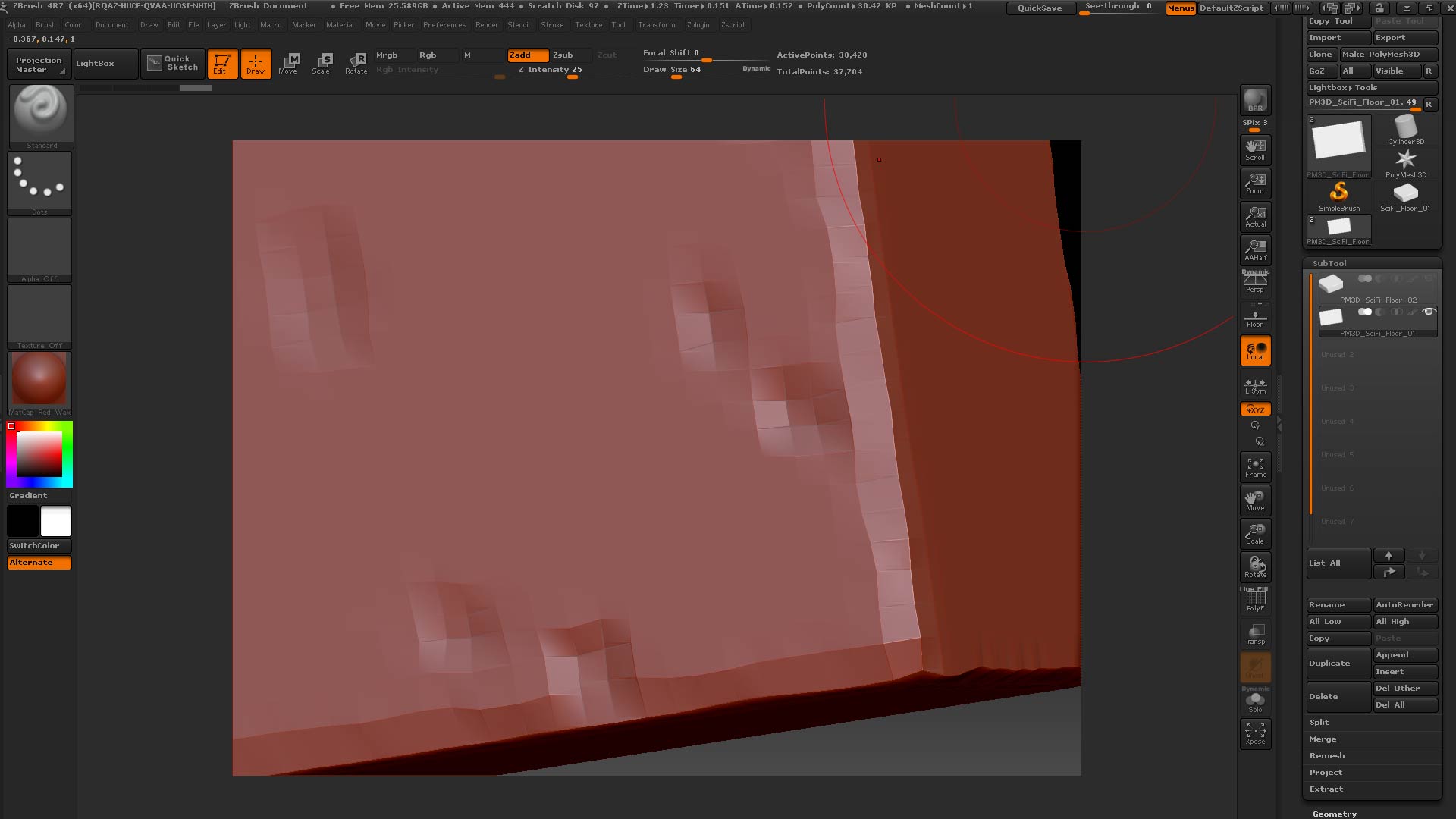
So here’s my first project all… looks really rough:

So I turned smooth off, subdivided it and then projected all again

Here’s the next level:

So as you can see it’s getting close but the edges are still a bit rough? … and I’m at 26 million polys for something relatively simple, so can’t keep upping it like that and projecting as i’ll end up with something insane… sure there’s something i’m just not doing right.

Thanks again for the help, it’s really appreciated, zbrush is such a different beast but am determined to get to grips with it!

J.

Any ideas anybody, some help would be greatly appreciated! Thanks so much again.

J.