ZBrushCentral

Imported .obj missing some faces [solved]

The hole there should be closed, as can be seen in the preview image. It is closed in Maya, where I created the mesh (to use it as a retopologized mesh in ZBrush).

The verts are welded, the object contains only 4-sided faces… I’ve tried importing the .obj several times and those faces are always missing. Any idea what’s happening?

Thanks!

Attachments
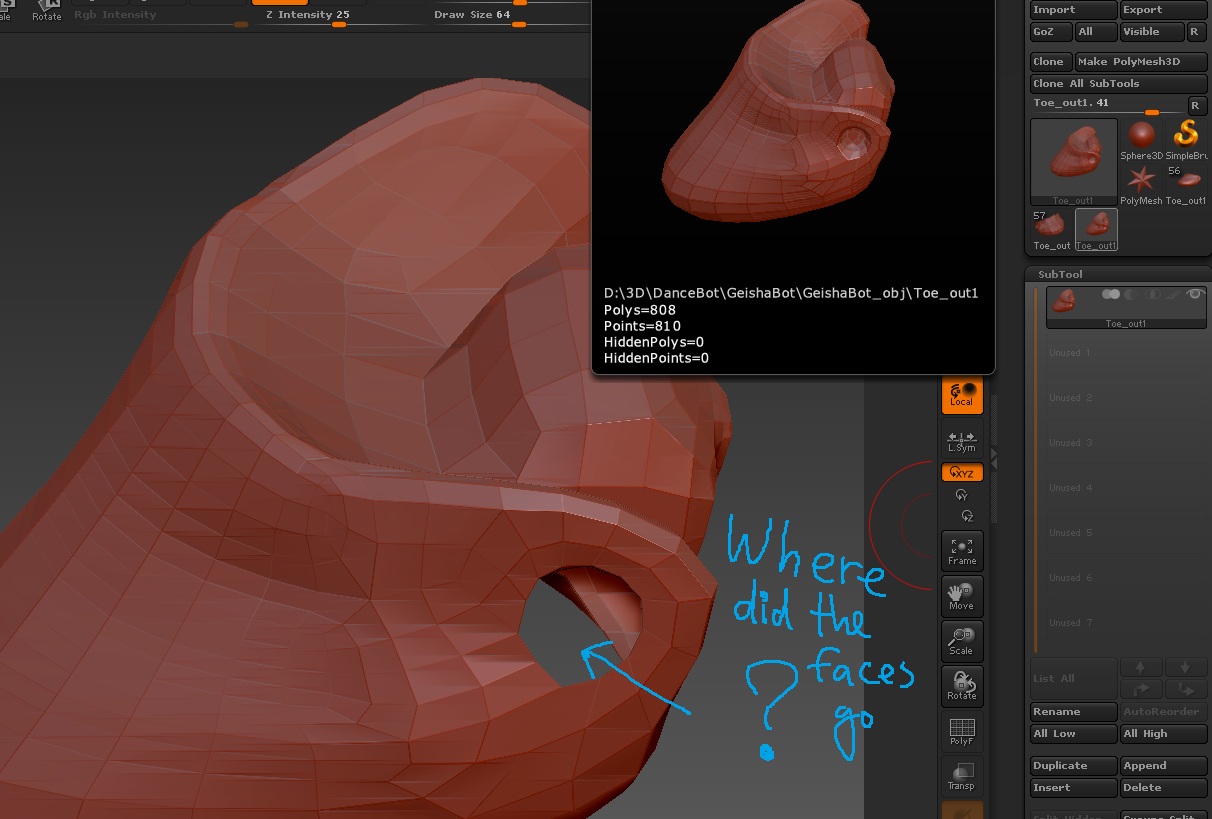
faces_gone.jpg

It may be that ZBrush is rendering those as backfaces. Turn on Tool>Display Properties>Double to see if they show up.

marcus - it worked! Thank you very much. I looked it up in Maya and indeed, those normals were simply flipped. I reversed them in Maya to fix the problem, since I guess in ZBrush it would require hiding all other faces to flip the faces in question - which is not easy, since ZBrush isn’t great for selecting individual faces.

Thank you! :+1: :sunglasses: