ZBrushCentral

Import hell

things are not well
finished sculpt and polypaint of some teeth, everythings great.
I export division 1
I uv in maya
not a newbie, follow all the rules
save mt of division1
enable uv
import obj with new uv layout
crash…
tried everything
sometimes it comes in with normals flipped but as soon as I division up the model explodes.
If it comes in flipped and I flip in display it displays correctly but at a higher subdivision while showing that I now only have one subdivision.
Vert order is fine, this isn’t the first time this has happened and I’m trying to think of where the highest building around is. My machine has plenty of juice. Has this ever happened too anyone else?

Attachments
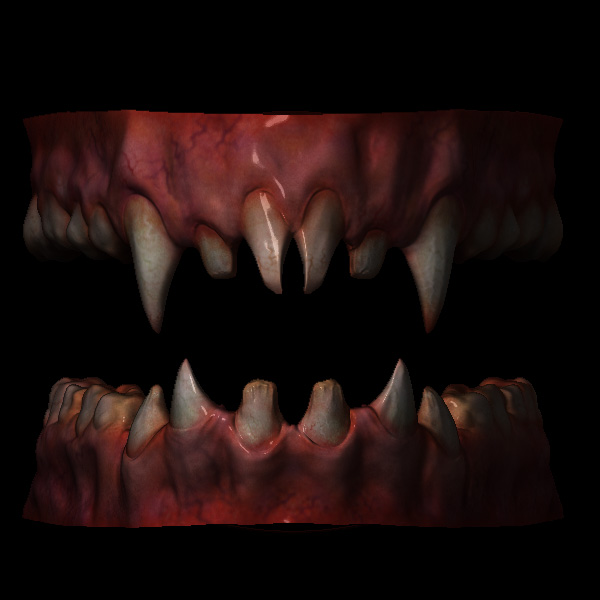
teeth_finished.jpg

Something appears to be changing the point order of your model. With Maya, the most common culprit is to leave “Create Multiple Objects” set to True in Maya’s import options.

this is a repeat of something i posted on another thread but

I had this problem until I use the import dialog box, and mad sure that it said : OBJ

and at the bottom Create multiple groups is set to off (of course)

but for whatever reason I couldn’t just hit import (even after setting up the OBJ)

I had to open the diag box and make sure it was set to OBJ

then export as normal and everything was fine

I am using Maya 2008 BTW

thanks skillet, let me give it a try
Aurick thanks for the response, let me tell you I’ve tried everything I can think of except for skillets idea which I’m going to look at. Was a beta tester for 3.0 so I’ve been doing this for awhile. I have to admit this one has me stumped.

yeah, so skillets suggestion made me recall a maya problem that I had once with the .obj importer where even though I had OBJ set it didn’t work correctly until I reset the settings and set OBJ again. So I went and tried it but zb still crashes.

Anyone know of a good tool to redo the vert order?