ZBrushCentral

Import/Export problem

Hello everybody !

First, i’m sorry for my English, its not my native language…and if this problem already exist in another topic, i don’t know what keyword i must to write to find the solution.

The Problem:

1.I use Zbrush to create a simple low poly human, no more.
2.I use the native exporter button on the tool to export in OBJ (or FBX without to use “Smooth Normal” option).
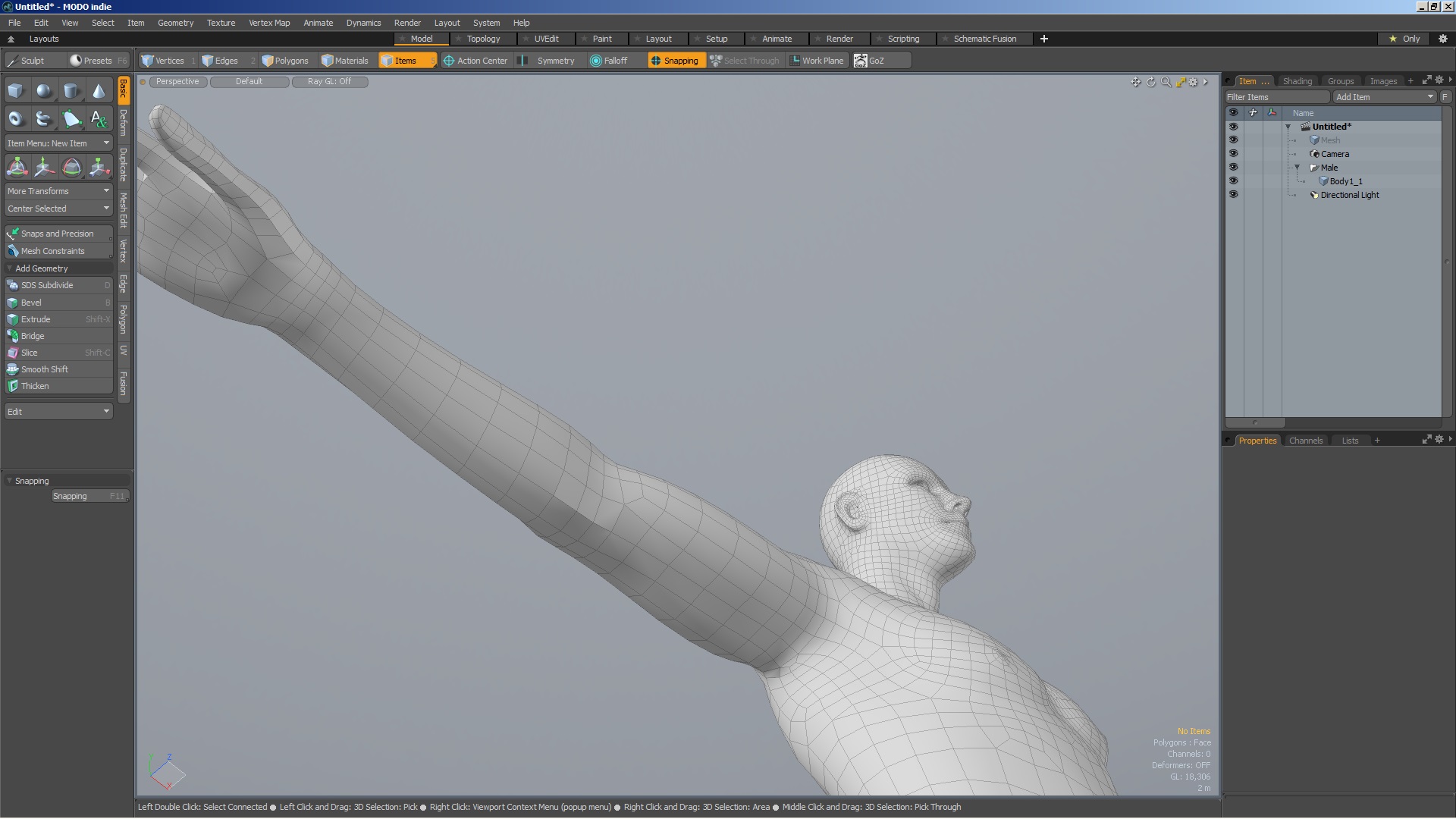
3.I try to import the file into Modo 801/901 Indie, but i get a problem with some edges… (See the pics).

With wireframe:

That is very frustrating and this problem become in some other software like Substance Painter…
To clarify: In Modo, i always work with smoothness preview disabled (Tab).

Thank in advance for your help !

Attachments
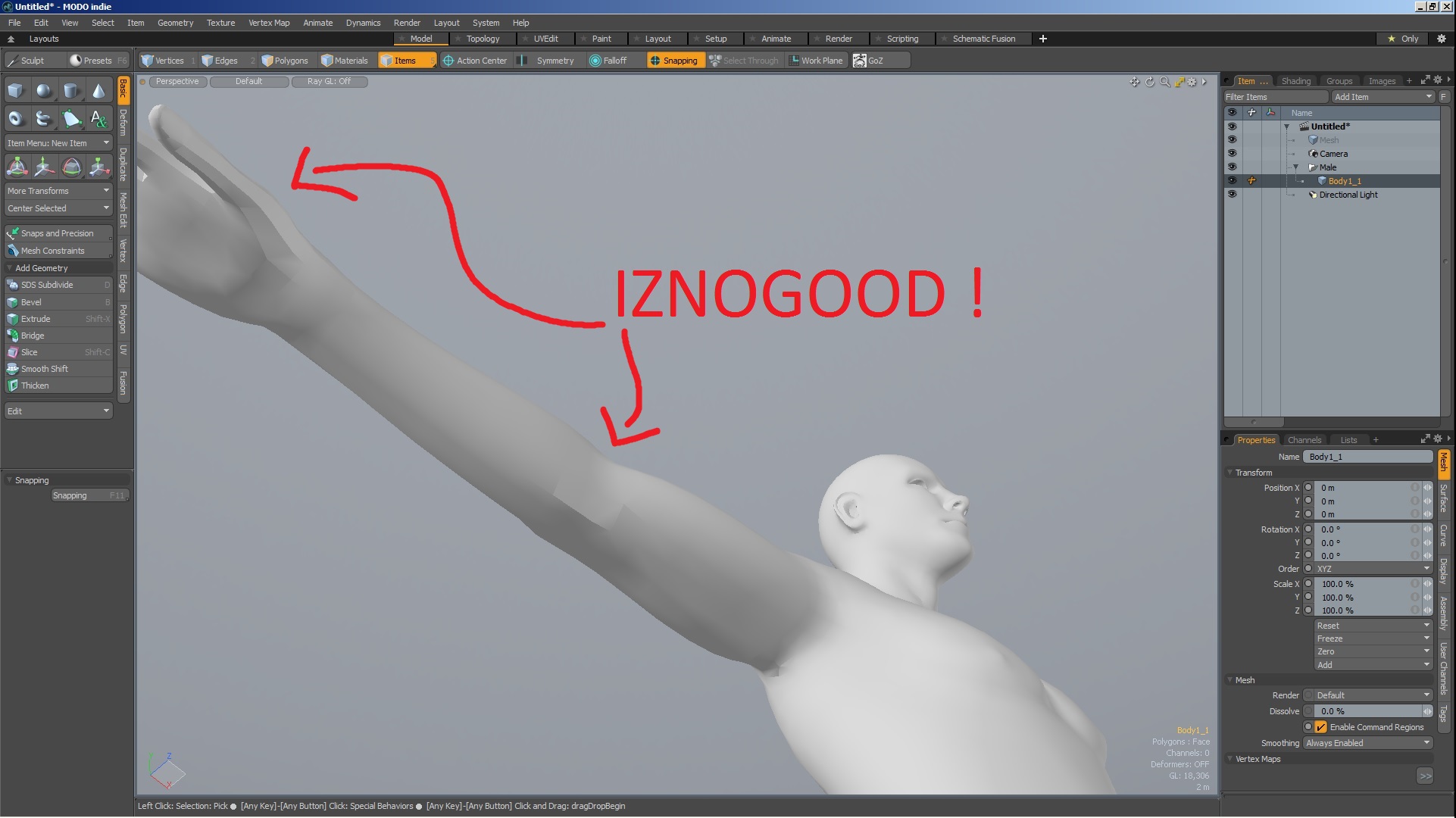
zBrush_To_Modo_Bug.jpg

zBrush_To_Modo_Bug_Wireframe.jpg

If the smooth was really off you would see the entire mesh faceted with hard angles even in the smaller face. Your current mesh has already smooth applied, at least partially. Probably it is based in the angle between the faces. You need to localize the menu in Modo to smooth faces (not to subdivide them) and to smooth as you wish. You could remove completely the smooth or set a smooth angle higher than the current one that without doubt will get rid of those hard angles.

The controls of to export smooth faces from Zbrush are not customizable and sometimes you are forced to do it in external packages. This is specially necessary for programs as substance painter that can not change smooth values.

Hello !

Thank you Altea for your answer :slight_smile:

I have found the solution myself.

First, search the “Shading” tab and select the appropriate Material.
Next, search the “Smoothing Angle” option and raise the value.

I hope this help in the future ^^

Have a nice day :slight_smile: