ZBrushCentral

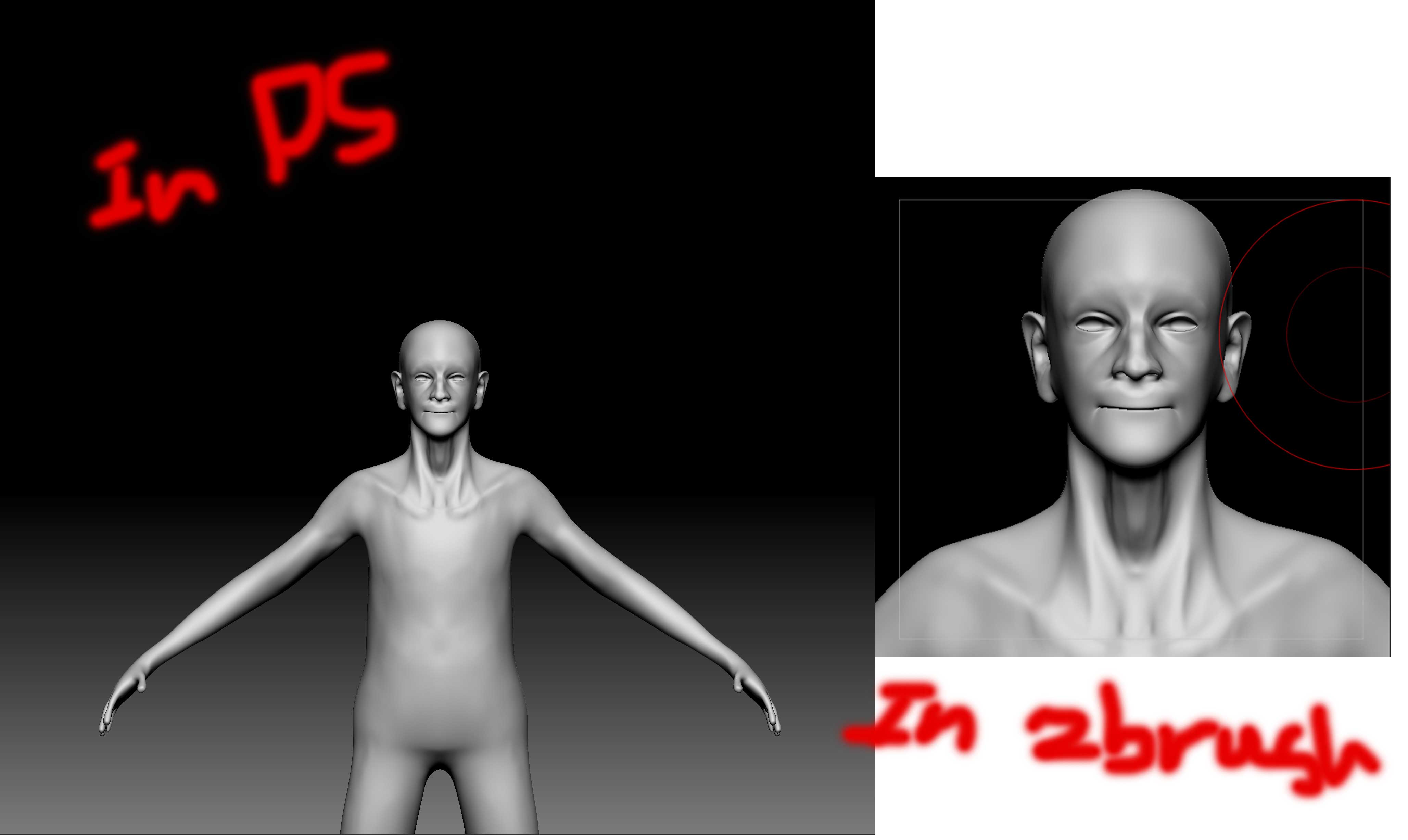
Image size in Photoshop doesnt match Zbrush document size view for Zapplink.

Hello All.
I saw a couple of tutorial and seems like no one has this problem. I increase the document size. Then after proper position I use Zapplink. but in PS its far away from What I expected and seen in ZB. Its like its using the same document size at the beginning and has just capture the image from a further distance!.
I have attached pictures.
Thnx

Attachments
quest.jpg

If you increase your document size, ZBrush does not automatically fit it to your canvas size. You have to Zoom (Zoom button on right shelf) the document out until you see the whole thing. Then you can draw the Tool to fit in the document.

Thank you for your reply friend.
I do the same thing and I dont get the result
the process is:
I Increase the document size (resize)----automatically canvas zoom into mesh— I zoom out for proper proportion— I do Zapplink— In Photoshop its not the same… its far away

PS: If I just resize and do Zapplink (without zooming out) i get the desirable result. Its like its using the first document size view which was 600*400

Let me clarify what I said in post#2…

Follow these steps exactly.

  1. Start with an empty document (no Tool).

  2. Change your Document size and click “Resize” button.

  3. Zoom (Zoom document) out until you see the whole document.

  4. Now, select the Tool from the Tool palette and draw the Tool into the Document to fit.

Then use ZApplink.

BTW…use this same workflow if you want to render large images in ZBrush.

Thank you friend. Its working.

:+1: No problem!