ZBrushCentral

image intersects model :(

hi - i’m currently using the zproject brush to paint some textures onto one of my subtools. For some reason i can’t seem to get the model in front of the image. I’m sure this has been covered before, but i just can’t seem to find the answer.

help!

[attach=127762]giant17.JPG[/attach]

Attachments
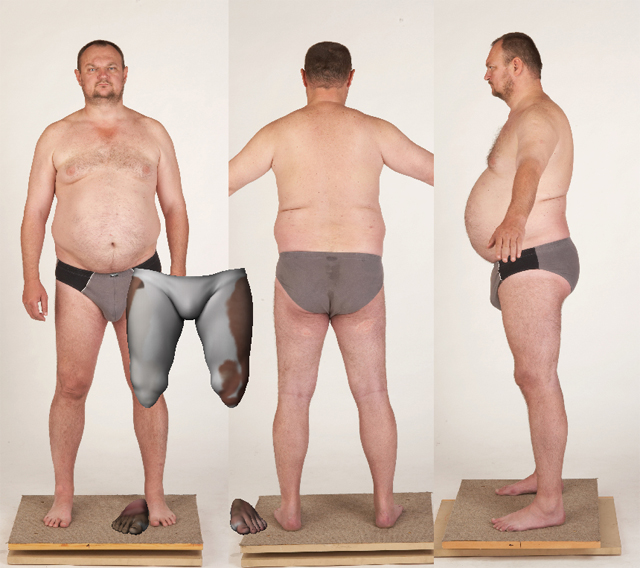
giant17.JPG

ok - think i got it - i ended up using the preview button to move the plane back - not sure if this is the best or only way, but it seems to work.

one other quick question. if i want to re-import UVs after painting, do i just enable UVs and then import a UV’d model at the lowest sub division or is there another proper way?

Thanks!

Heythere…sorry for the late reply…I was busy on other things…

For the first problem you have there…you don’t have to go to Preview to move the plane back. you can simply use the Gyro to move the model to the front…To activate that simply click “move” button (Make sure it’s not the transpose mode…) If done correctly you will see the Gyro sphere then all you have to do is drag outside the circle (I think clockwise) then the model should be moving toward you.

And for the UV, I think you’ve got that right…reimport at the base level that you have UV defined.

cool - that makes sense - big thank you for your help! :slight_smile: