ZBrushCentral

how to use mirror in zbrush?

I have a problem while sculpting the face. The transform symmetry didnt following it correctly. And I am not sure how to use the mirror function in deformation window. It keeping it saying “note: this function can not be applied to a mesh with multiplie subd levels.” Someone else know how?

Attachments

howtomirror.jpg

Are you trying to flip your mesh to the mirror image or re-introduce symmetry?

If you are trying to reintroduce symmetry, try the following:

Make sure only an object that should be symmetrical is visible. Hit Transform -> S. Pivot. This will put the pivot in the geographic middle of what is visible.

Now, mask the half of the heads you like, leaving the “broken half” unmasked.

Go to Tools -> Deformation -> Smart Resym. Make sure that only the little “x” on the right side of the button is highlighted. This will attempt to re-adjust the symmetry of the unmasked part, using the masked part as the template.

HTH,
-K
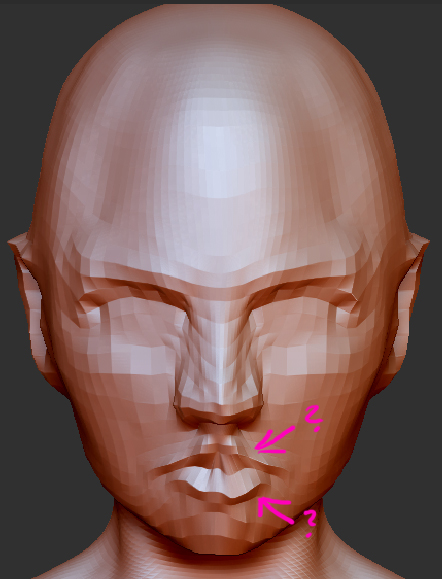
Mask off the half of your mesh that looks good, then hit Smart Resym, then clear your mask.

Hello again since it is same topic problem I decided to post one more help here.

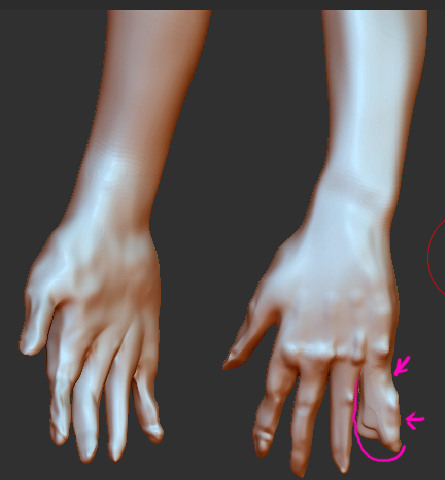
I have used twice the smart resym. And it seems it doesnt work anymore when I tried to smart resym the hand. “Symmetri points not found symmetry map was not stored.” I followed ur words masked the other hand and hide the body to make smart resym.

Attachments

resymproblem.jpg