ZBrushCentral

How to use Diffrent Textures for subtools?

Ok i do alot of freehand sculpting with Zbrush …
love it … …

One thing i havent been able to figure out is how to actually assign a material and texture to each subtool …

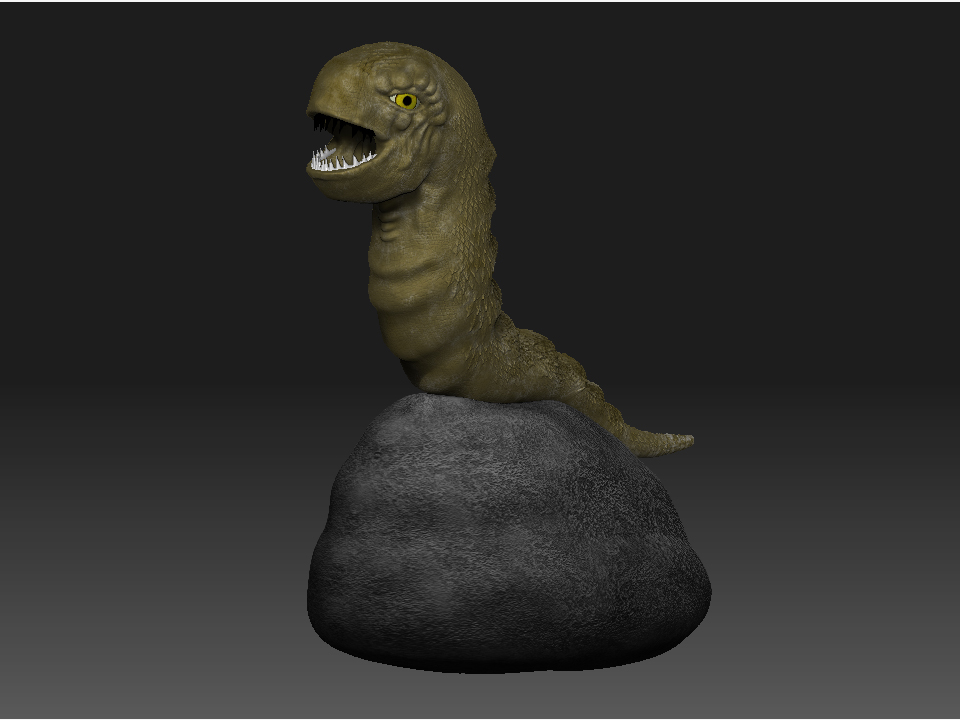
For instance i want the eyes to have a diffrent texture from the body or teeth … etc… but when i use the subtool master it just makes the entire model use the same texture etc … is there any way to do it ?

It would really help me get a preview of my finished model before rendering it in max .

Thanks in advance …

Well it helps to find and read the tutorial, but you have to hide the subtools that you don’t want to have the material.

Try this link.
http://www.pixologic.com/docs/index.php/Materials_and_SubTools

Some stuff in the Wiki is not apparent and you can find it with a search.

Im just clueless sometimes … i actually did look for it … i guess i just didnt look hard enough … thanks for pointing me an all my cluelessness to the right direction … Much appreciated !

By the way, in version 3.12 for the Mac you can assign textures to each SubTool without using PolyPaint. This will be available on the PC as well in the next release.

Well i could live without that with the Subtool master it isnt too big a deal … but heres a pic using the example from the link :smiley: thanks again !

Attachments

rnder.jpg