Hey guys,
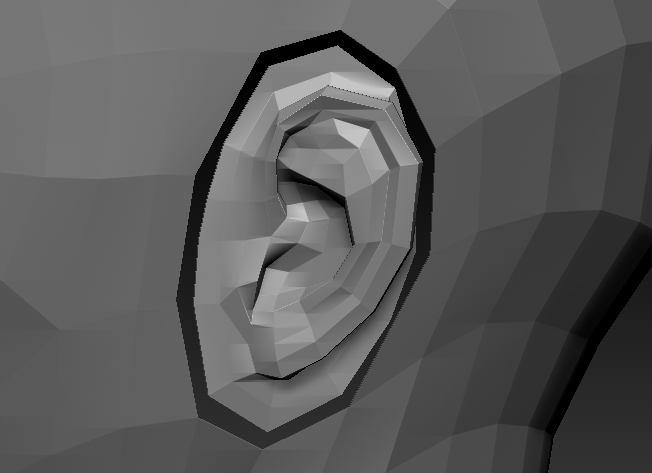
How do i go about, snapping the ear vertex’s to the head as i plan to merge and weld as one sculpt.
Thanks!
Attachments
Hey guys,
How do i go about, snapping the ear vertex’s to the head as i plan to merge and weld as one sculpt.
Thanks!
If they’re already a single subtool:
4b. If you wanted the existing verts snapped together instead of having an extra loop between them, you can first delete one of the existing borders with Alt+Click, and then connect them.
Thanks for the comment, although they are two different subtools.
Is there a way to combine them both under one subtool whilst keeping subdivision levels(1-5) and then doing that process?
Merge them at the highest subdivision level if your system allows, then you should be able to reconstruct the lower levels.
A complete (quicker) alternative to what I suggested would be GoZ to another program, snap the verts, and then GoZ it back.
Sorry for the late reply, but thanks for that Cryrid! 