ZBrushCentral

How to reset RGB information + Layer Misuse Issue??

im not sure if im dumb or not, but how to reset color in a subtool? I know that you can fill obj with the material Flat Color to reset material, but how to do the same thing for RGB info?

I like clicking V while using matcap gray so i can see the sillouhette instantly, but each time whenever i fill obj i can’t anymore :c

ANOTHER question,
how the f*** to avoid this problem
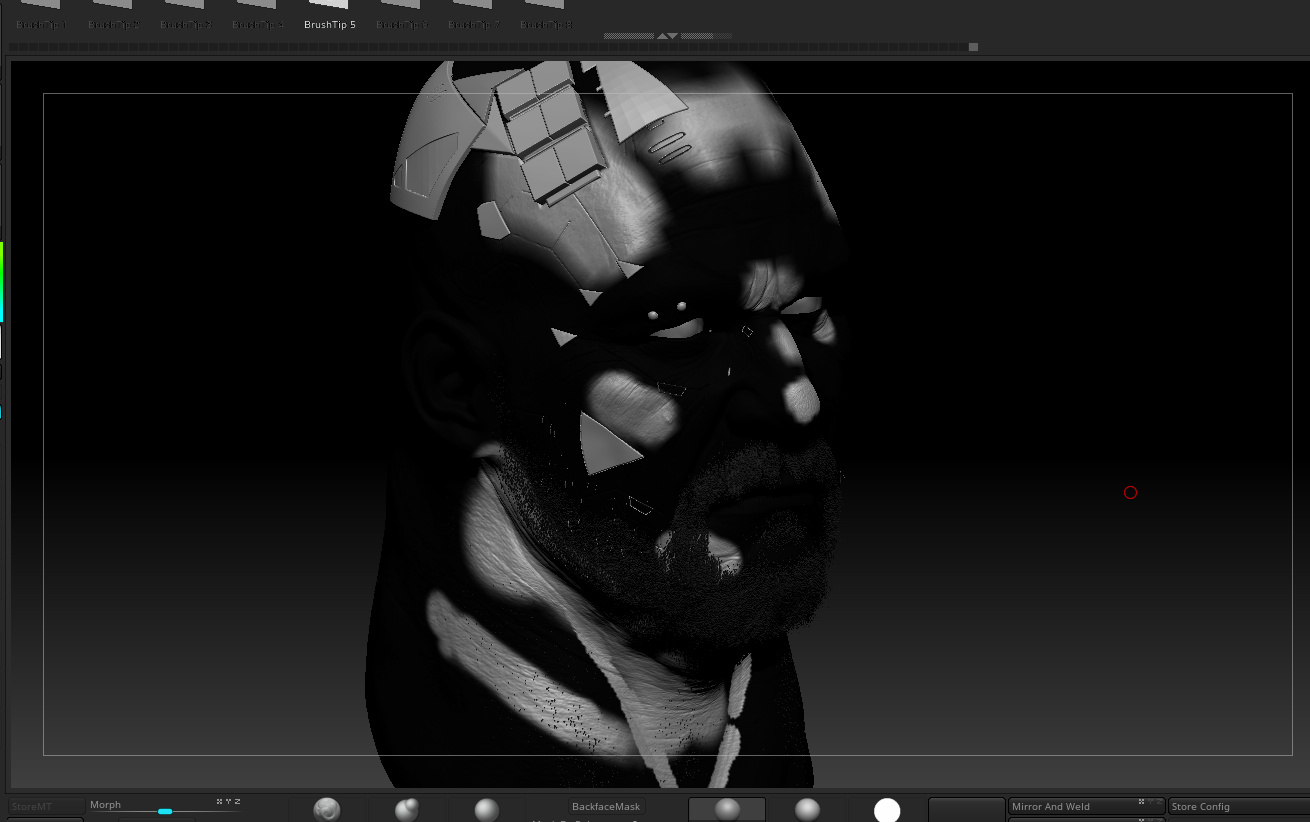
why just why.PNG.jpg

Attachments

why just why.PNG.jpg

You need to flood your mesh with color and material, or just turn them both off while working.

You can click the paintbrush in the subtool panel to turn off both material and color info.
or
You can turn on MRGB 100 and then use color>fill object with Flat Material and White or Gray color.

so everytime before i make a new layer, i have to flood the obj with mrgb information?

is there a way to reset the color information tho? i want to be able to press v and make the object again. Cloning keeps the info :confused: it would be bothersome to exprot and reimport the obj just to get rid iof rgb information

Just turn off Colorize in Tool>Polypaint or click off the paintbrush icon in the subtool list.