Hello All,
I am new to ZBrush, going through the on-line videos and documentation.
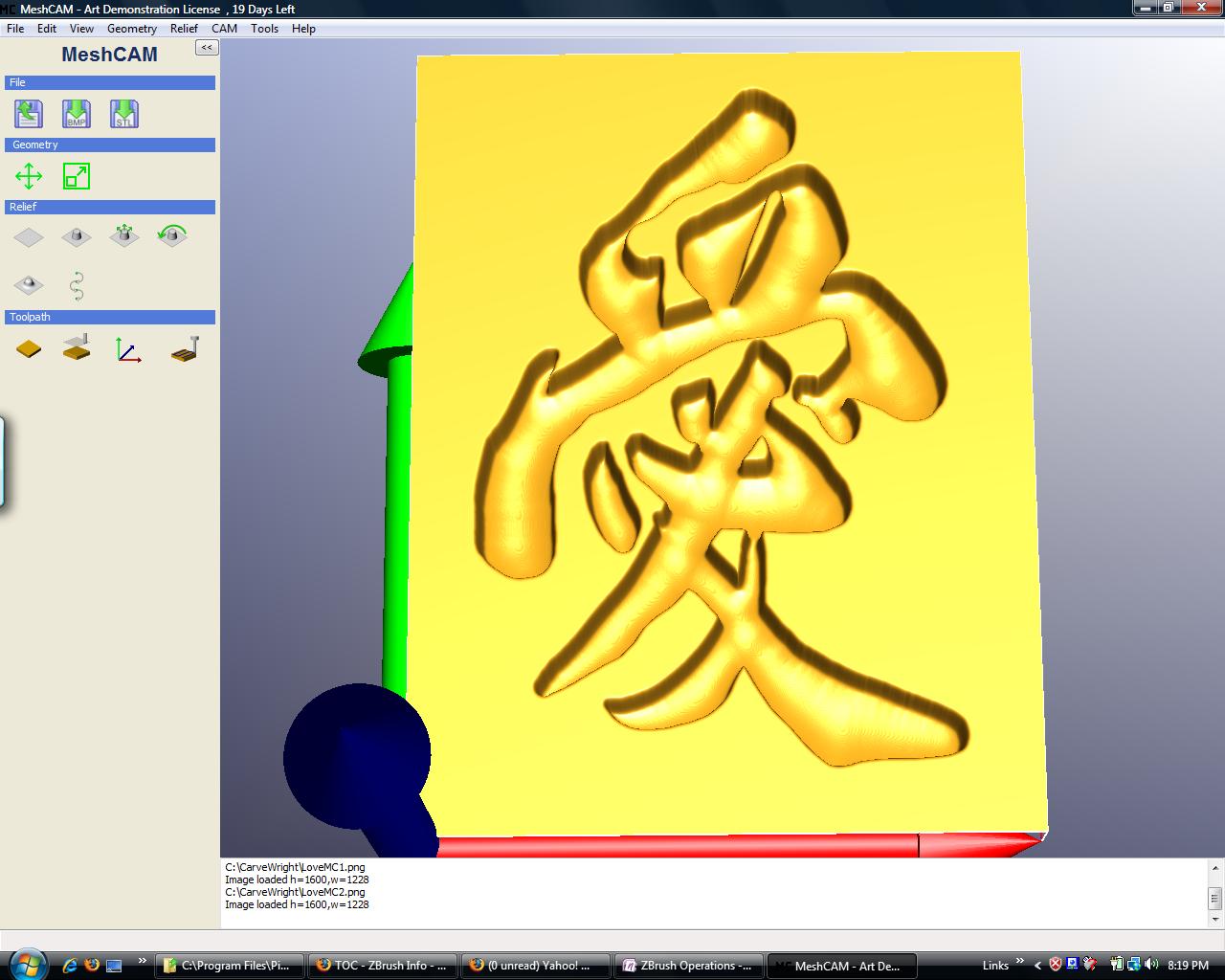
I have a Chinese character that I extruded in a 3D cad package and exported to an .obj file. So it has a flat surface with lots of complex curves.
I would like to place a nice radius or blend on top of the extrusion. (not just radius the edges)
The first image is the character imported into ZBrush. The second image is one that I produced in another software package, with results close to what I want.
(I am not going to purchase the package, that created the character as it is very limited in its feature set, an almost the same price as ZBrush.
I have tried Projection Master with some of the basic bushes, but cannot seem to get the nice blended radius. I have also tried to mask the top surface and then try to do a mesh extraction, but that still produces a flat surface.
Any assistance would be greatly appreciated.
Thanks
Joe