ZBrushCentral

how to merge matcap and polypaint from HD Geo to generate color map ?

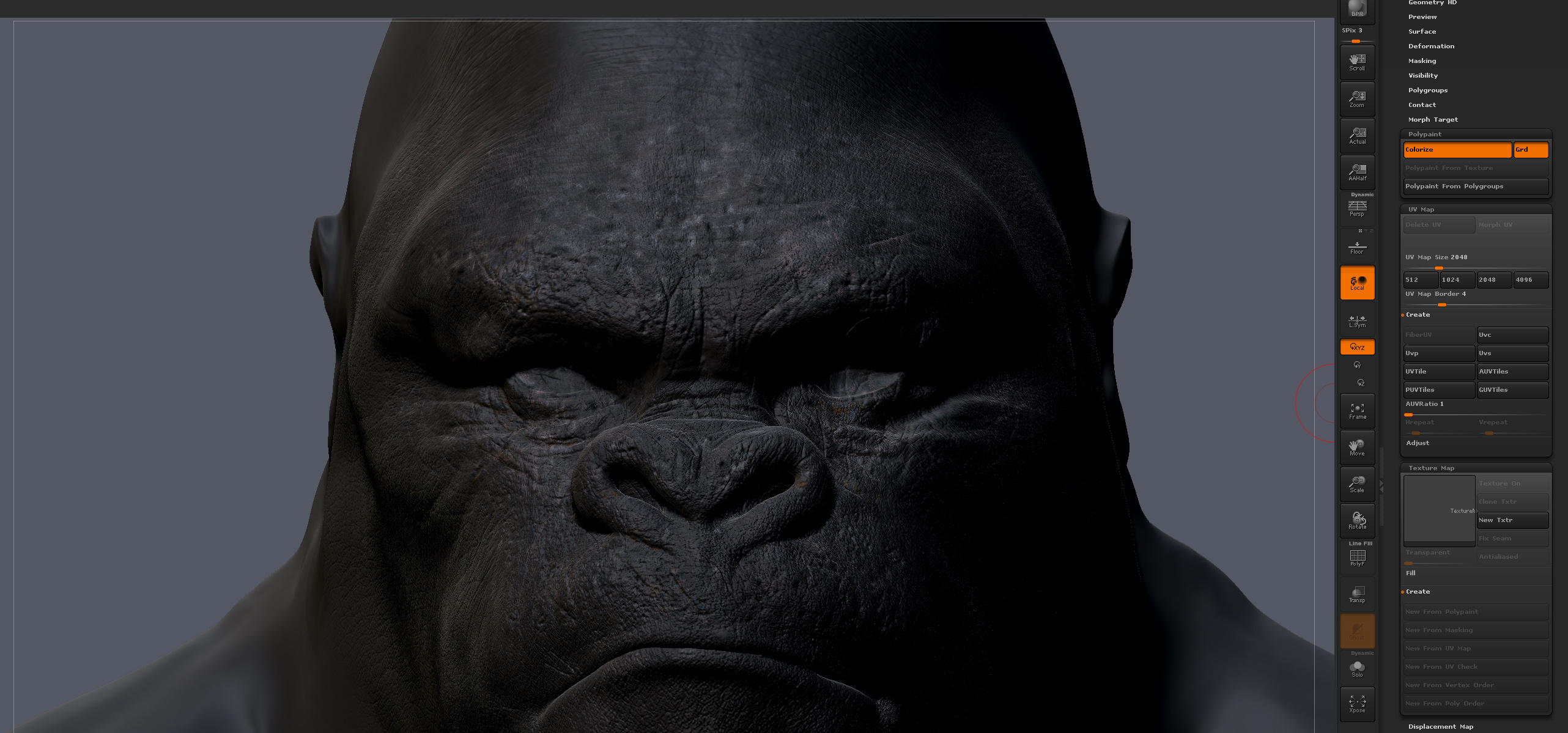
anyone know how to generate color map from polypaint and matcap on HD Geo.

the only way i get the option to generate polypaint from texture is by jumping out of HD Geo.

when i do generate the polypaint to texture, i get only a the polypaint vs both Matcap and polypaint and the model is automatically thrown to lower subdivsion and not HD Geo ??
HD-Geo-to-polypaint.jpg

Attachments

HD-Geo-to-polypaint.jpg

HD Geo color info should be included as part of the normal color texture generation process when generating a map from polypaint. The texture must have sufficient resolution to hold the detail.

A Matcap is a surface shader, not polypaint info, however. Most of the look of the matcap comes from from the lighting information which is baked into the matcap (which is not what you want if you want to light your own scene). I know there are methods to approximate the look of a matcap in a texture (keyshot does this with the keyshot bridge, and converts the matcap into a color approximation in the program.) However this is not my area of expertise, and I can’t advise you on it.

My advice would be to forget the matcap altogether, and fully paint the model, rather than relying on the matcap to supply the color. Use a white matcap, or one of the non matcap materials for color painting. It will just simplify the process, and probably provide better results in the long run, as matcap colors are very simple without the lighting information, whereas skin textures have complex color schemes.
If I recall, you are using keyshot. I just did a quick test, and if you send your object to keyshot with a color texture active, and a matcap applied, it combines the two in a mapping mode called “Matcap*tex”. In this way, you can combine the color attributes from both in keyshot.

I still recommend simply painting all your color information, though. It’s more straightforward.

Your totally right on Scott. Will I have to repaint it all since I paint poly paint over “Gorilla Matcap” ?? Or just fill with a standard material and paint on that ?
or fill with “flat color” material and paint on that ?

whats the best way to go while able to see HD Geo ?

I typically use the matcap White 01 to do my polypainting, as it gives a good approximation of a blank white texture with minimal shading, and makes it easy to see color info. I would fill it with a base color at the highest level of subdivision (in this case probably a dark desaturated brown), then use the hd geo preview to area paint finer color detail.

At this stage it probably means repainting as filling it with a dark color will obliterate most of the polypainting already on there, unless you wanted to use the combination thing in keyshot, or get super fancy and generate two maps, combine the color detail in photoshop, then re-apply the combined texture as polypaint. needless to say, the latter would be an enormous PitA.