ZBrushCentral

How to get the Projection Master face on all 4 sides of a cube? [Answered]

I used Projection Master to fool around, but I was wondering how I get the geometry all around the cube? Symmetry is turned on for X, Y, and Z but it made no difference.

In the tutorial on ZClassroom, this was not an issue and it affected all 4 sides simultaneously.

Attachments
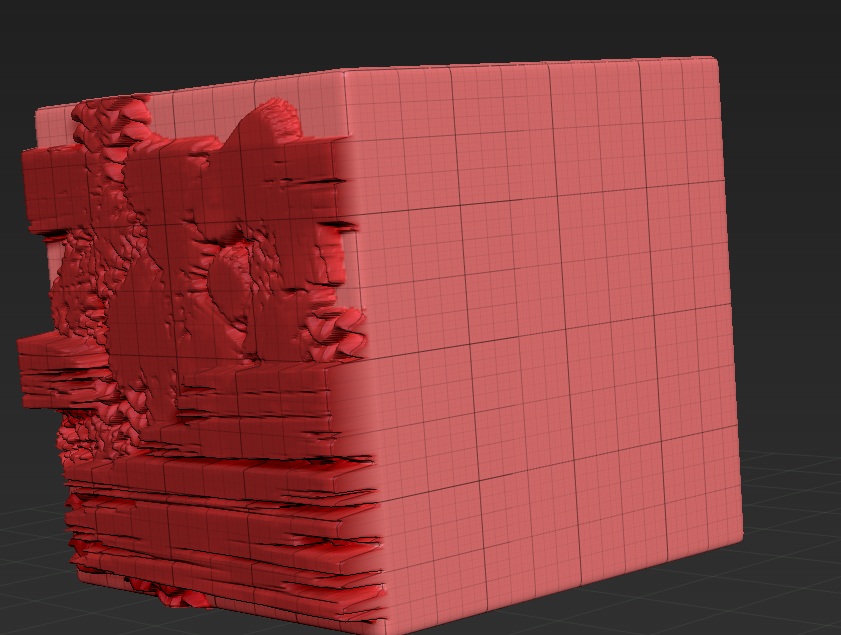
goofingoff.jpg

You need to have Normalize and Double Sided* on in the Projection Master options. But note that what you draw on the front is only duplicated on the back - the sides will simply show lines for what has gone over the edge. The column in the video works because only lines are drawn.

*Double Sided does not work in ZBrush 4R4. Turn on Tool>Display Properties>Double instead.

…and also does not work in ZBrush 4R5.

Hi zber2,

Just wanted to check … when you say it doesn’t work in 4r5 either, are you saying that Projection Master actually works for you in 4r5, but double-sided doesn’t?

Asking b/c projection master doesn’t work for me at all in 4r5 and I’m trying to track down if it’s just me or if it’s a common issue with 4r5. It seemed like it was a common issue for everyone (that projection master just doesn’t work in 4r5 yet), until I saw your comment. So just want to clarify.

Thanks.