ZBrushCentral

How to get displacement, normal, texture maps to look good in Maya?

Hello,

New to ZBrush and first time posting. So if more info is needed please let me know.
I’m trying to sculpt a ground surface with a bunch of cracks in it. (like a cracked mud bed) But when I export it back into Maya with all of the maps and render with mental ray, a lot of the definition is gone and it looks way too smoothed out. I’ve been testing the approximation editor in Maya but haven’t had good results so far.

Is there a way to get displacement, normal, texture maps to look good in Maya?

If the settings that I need to tweek are in Maya then this might be a post for another forum. But I think it’s probably an export setting in ZBrush?

Any help would be greatly appreciated.
Thanks.
If you have the various maps created, all you have to do is go to your lowest level in Zbrush and goZ your model to Maya. Zbrush does all the work for you. All you have to do is frame your model and render in Mental Ray.

Thanks ZeeSculptor.
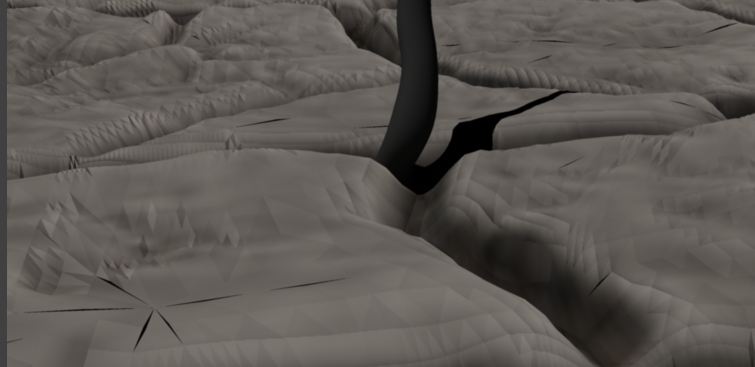
I’ve been following that workflow, and when I render it I’m getting these weird artifacts around the edges that looks like the mesh is showing through. (see attached) Or maybe the map resolution isn’t high enough? IDK. Frustrating…

GroundMesh_artifacts.JPG

Try this link

https://www.visualarium.com/#

It is free to sign up and there is a lot of information from Pixologic’s Paul Gaboury.

If you watch Class 2, around the 50 minute mark there is detailed information that could help you. Let me know if you’re still having problems.

Hey ZeeSculptor,
Thanks for that link! The info that helped the most was around the 1:10 mark. Making sure the map size is big enough from ZBrush, checking the render output from Maya, and then bumping up the N subdivisions did wonders for me!
Hope this helps others as well because I’ve been looking for a solution to this for a while and wasn’t having much luck.
Thanks again!
Cheers.