ZBrushCentral

How to fix it? Seamless models, how to do?

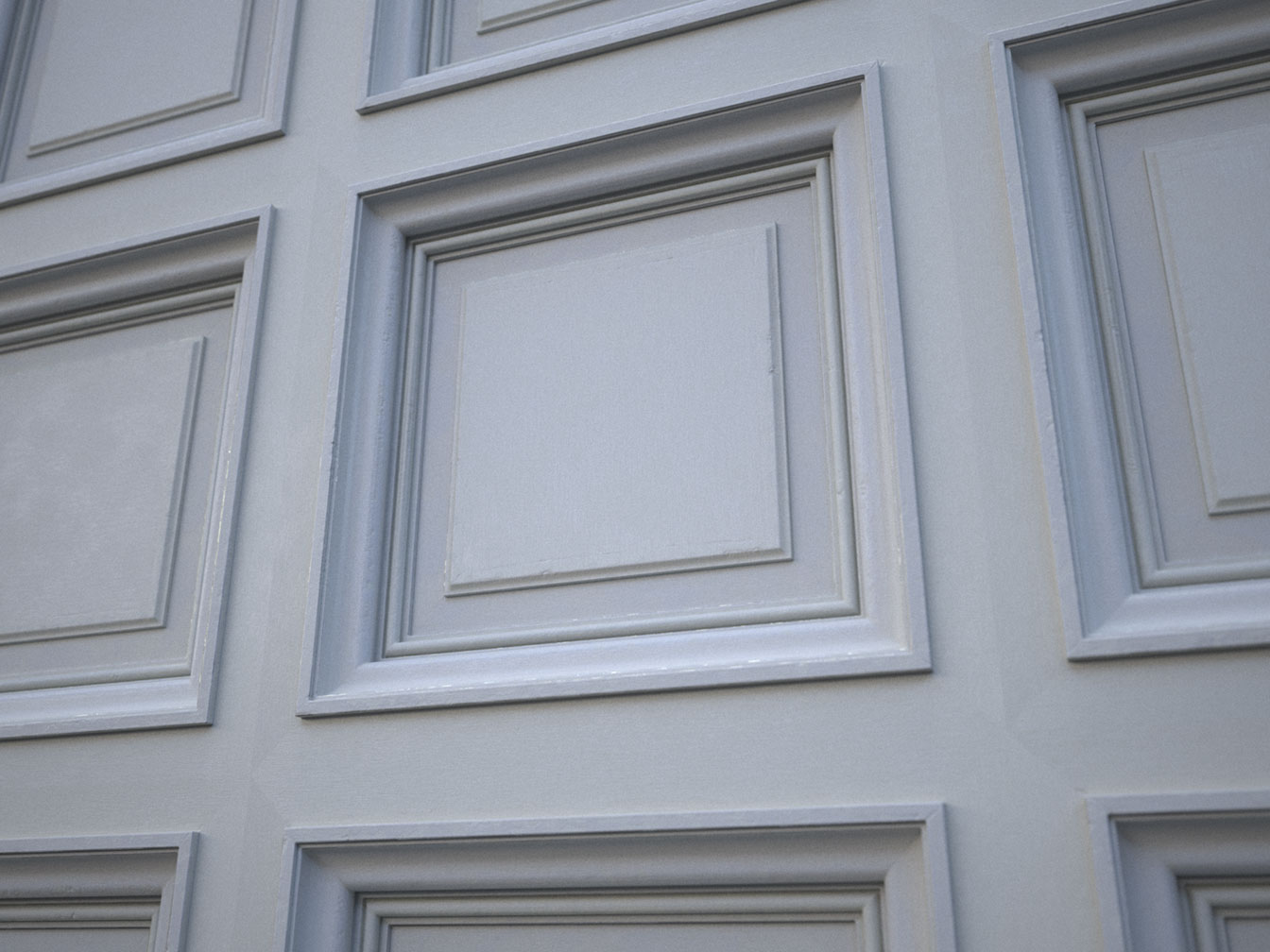
Hi all! I’m looking for any ideas how hide seams on this picture. What i did. I added some wrinkle, and scratch to hi-poly model, in two variants, bake it and placed it with accidental order in this array. Model was textured with DDO and rendered with Maxwell.
I struggled with these seams hard but they still here. So maybe you know some secrets to share with me? I’ll be very appreciate for that :))

Attachments
311.jpg

Have you tried splitting the clone for UV into polygroups? You can place the group seams where you want and click polygroups in the UV Master.

So If it was one entire solid model then of course it’s a good way. But the model is a big and though this particular model consist from a simple square the further models in this project would be more intricate, although they stay of a simple array of elements. If i’ll try to do unfold uv not for one elements but for the every one in one map, then there would be a lot of very small elements (measured in pixels on the maps), and very hard hi poly models for the baking.
I thought divided model for two pieces - for the cross and the square. For the baking the cross i’m mighty to have only four hi-poly square around it, but then i might to rewrite my script for the array. And there still would be at least one seam in every square. And it’s not a universal solve for this issue.

211_tn.jpg

To fix the seam you’ll want to use a procedural approach on the mesh. If you use something like a clouds filter (noise) and adjust your levels, then use that as your displacement/bumb you should be able to get a seamless tiling texture in all directions as long as all you’re doing is simple translations that is.