ZBrushCentral

How to blend noise between unmasked and masked areas?

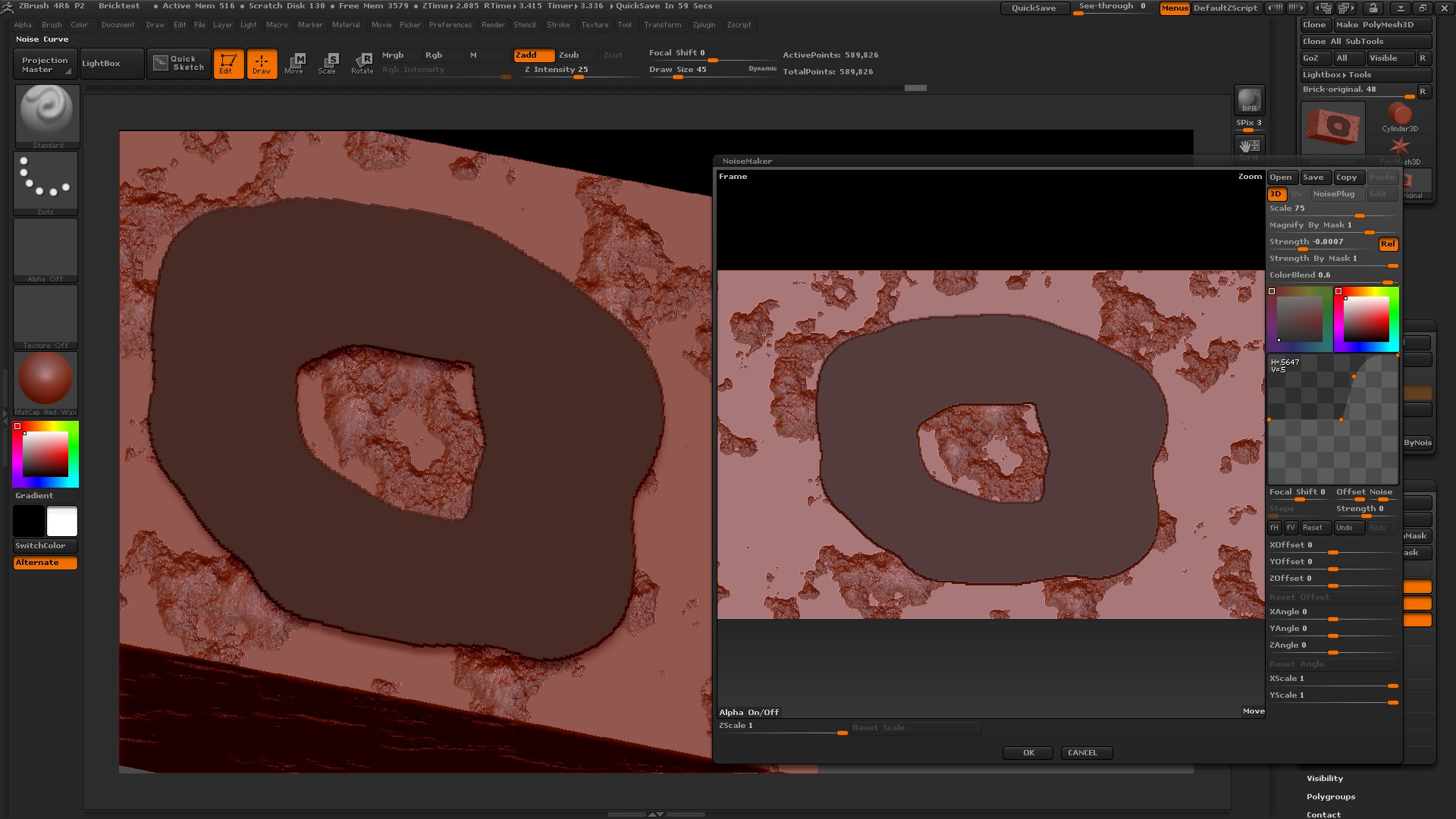
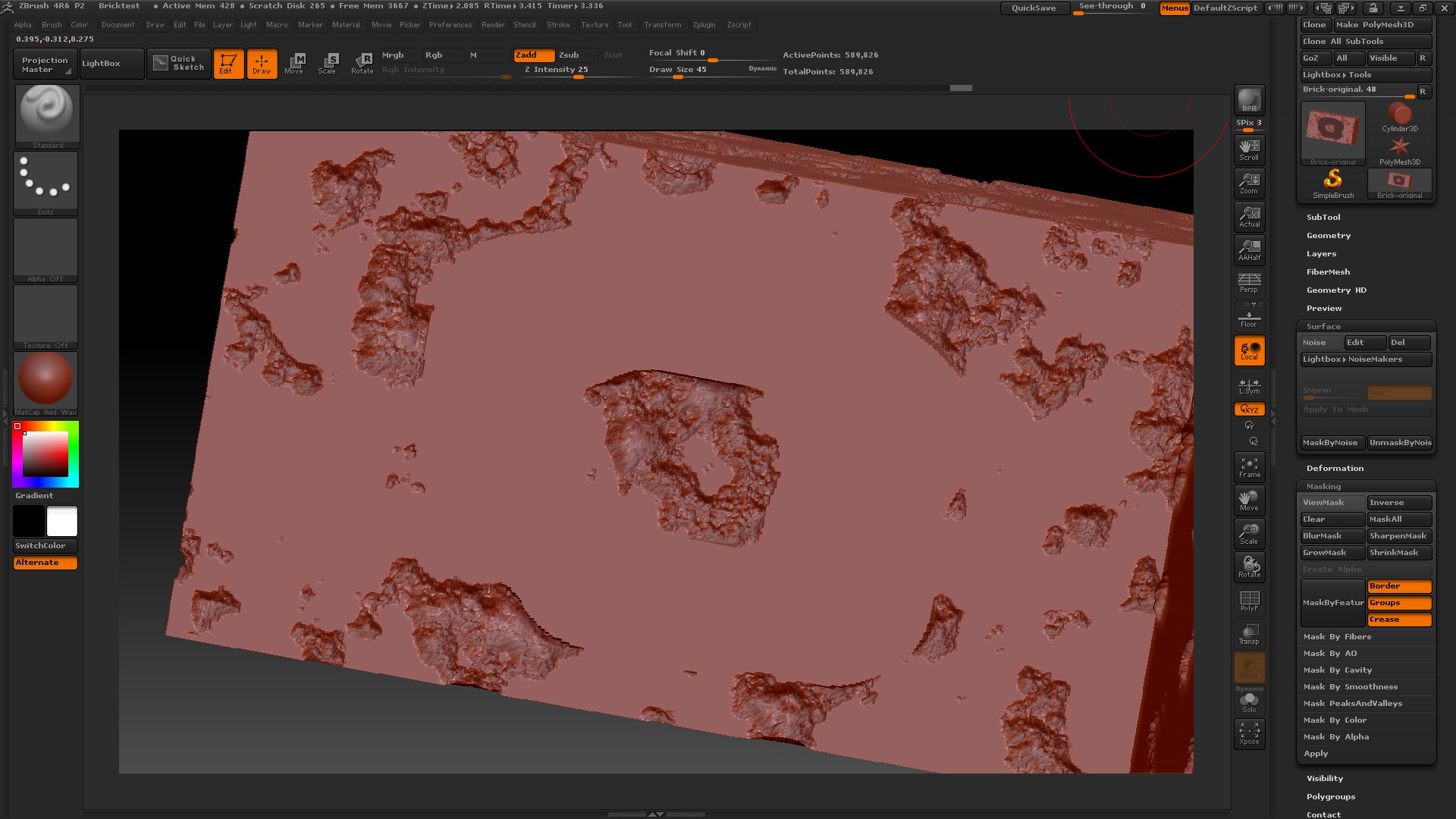
I’m trying to get noise applied gradually between unmasked and masked areas. I’ve tried blurring the mask several times so the edges are very fuzzy. The result is close to what I want as that I can see the generated noise creep in around the mask but there is a noticeable raised lip or ridge around the border of the mask. I’ve also tried a very sharp mask which doesn’t produce the raised lip but then I don’t get the blending of the noise. I’ve attached images.

Any suggestions?

Thanks.

Attachments

1 - BlurryMask_BeforeNoiseApplied.jpg

2 - BlurryMask_AfterNoiseApplied.jpg

3 - SharpMask_BeforeNoiseApplied.jpg

4 - SharpMask_AfterNoiseApplied.jpg

Have you tried mask by alpha? It looks like you free handed it. Or maybe you’ll have to apply that and then add more after modifying the settings.

As Doug said, I would use mask by alpha and deformations rather than the actual apply to mesh inside of the noise panel. Also, make sure you’re working with layers or at the very least a morph target so you can blend back when needed

You can try this:

1_Morph Target>StoreMT
2_Apply your noise
3_Morph Brush with low Z intensity to erase parts

@Doug Jones and beta_channel: I’m not sure what you mean by using Mask By Alpha and not applying the noise to the mesh from the noise panel.

Yes, the mask was drawn freehand. I’m not sure if you’re saying if the problem is with the freehand mask. I tried Mask By Alpha, using the alpha brush that looks like a lizard (Alpha 53). After Mask By Alpha drew the mask on the mesh, I still blurred it bunch and then applied the noise. Still got the raised lip around the mask border.

I also ran another test where I drew and blurred my donut-shaped mask. In the Noise Curve, I set the beginning and ending points to .5 which I believe should mean the mesh would not get any height variations (no noise). The result was still a raised lip around the border of the mask but flat everywhere else.

I know about storing a morph target and using the Morph brush but this is not ideal as removing the lip will also remove the noise I want to keep.

By the way, I came across this problem initially because I was going through the Environments With Tate Mosesian tutorial. In part 1, he uses Mask PeaksAndValleys to protect the original deformations from noise. I can’t really tell because his brick is too far away but it didn’t look like his mesh exhibits the same issue that I’m getting.
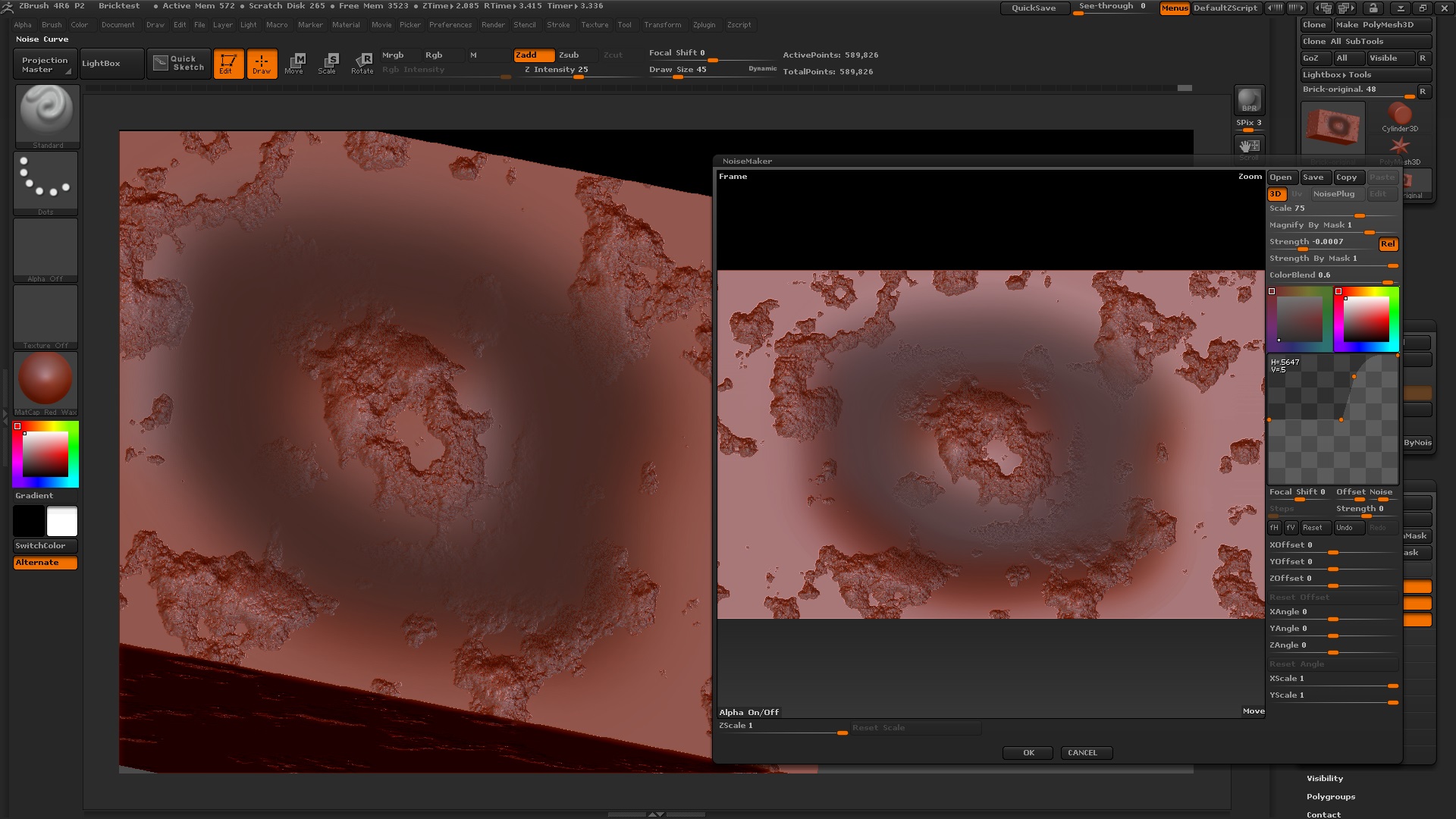
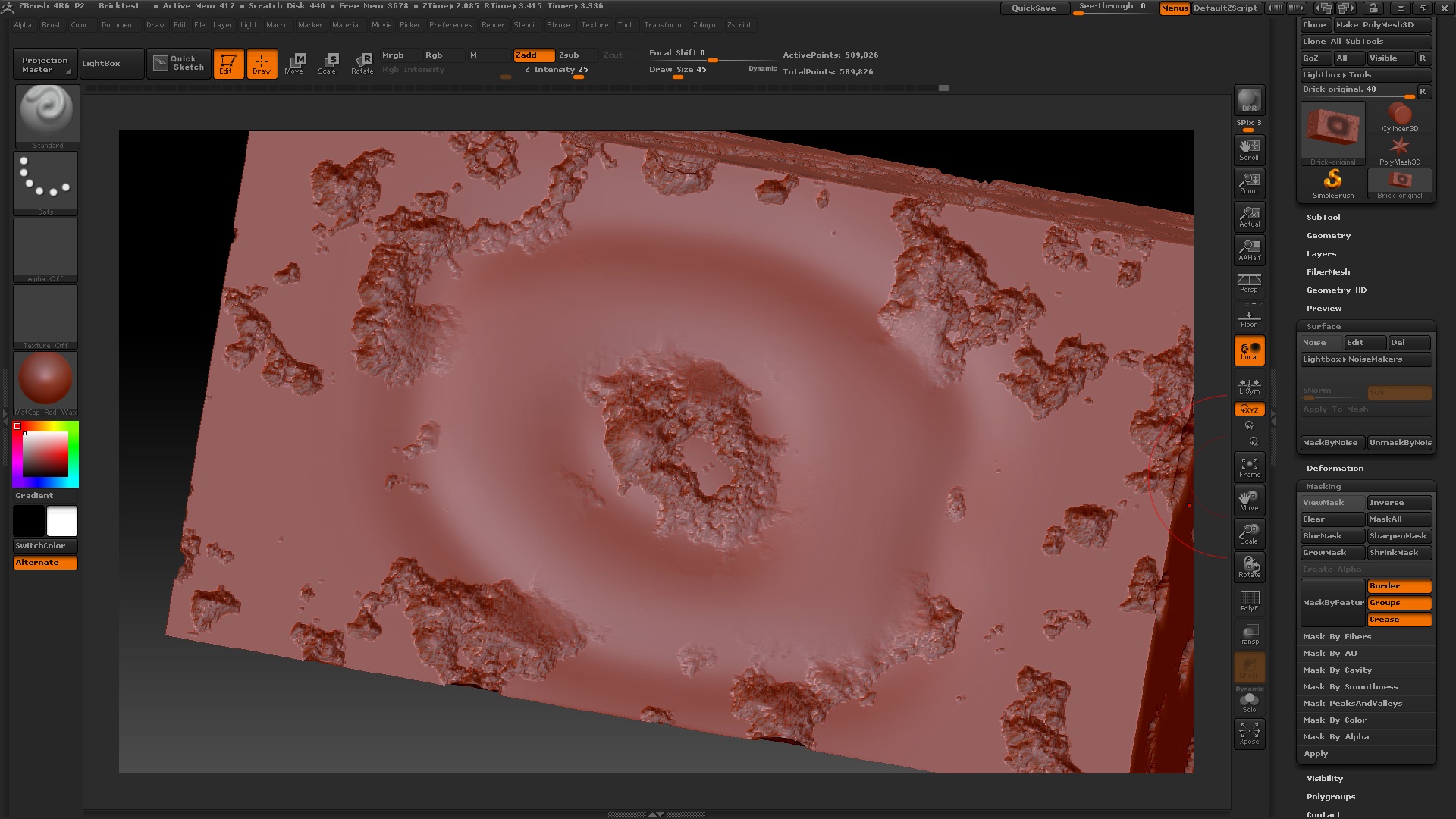
look 1 button down from “apply to mesh”

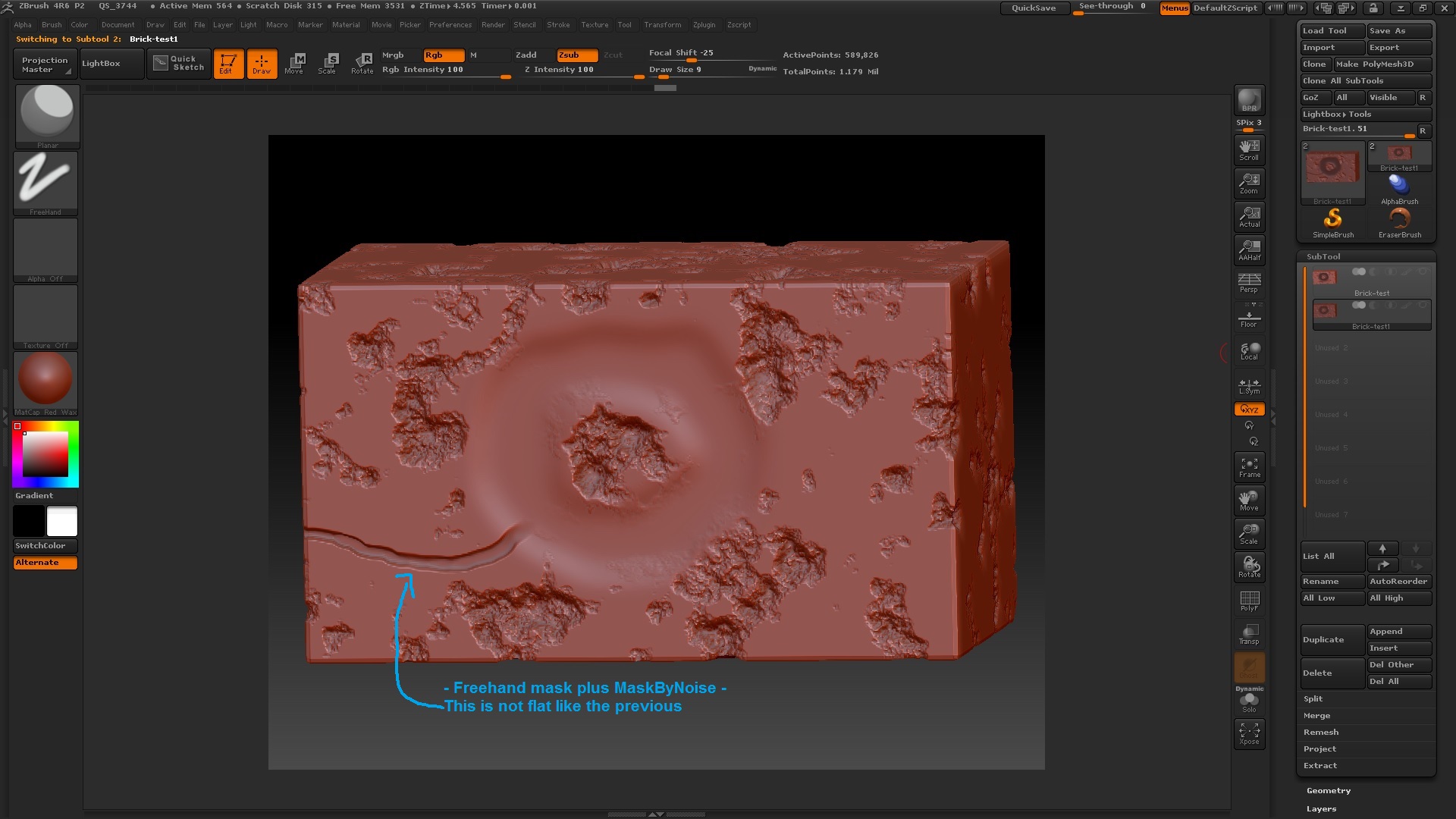
Are you referring to the MaskByNoise and UnmaskByNoise buttons? I played around with MaskByNoise and these are the steps I took:

  1. Draw a mask by freehand and then blur it many times.
  2. Using the same noise settings as before, click MaskByNoise once. This looks to create a mask out of the unnoised areas not including my freehand mask.
  3. Turn Noise on again (since selecting MaskByNoise turned it off) and then Apply to Mesh.

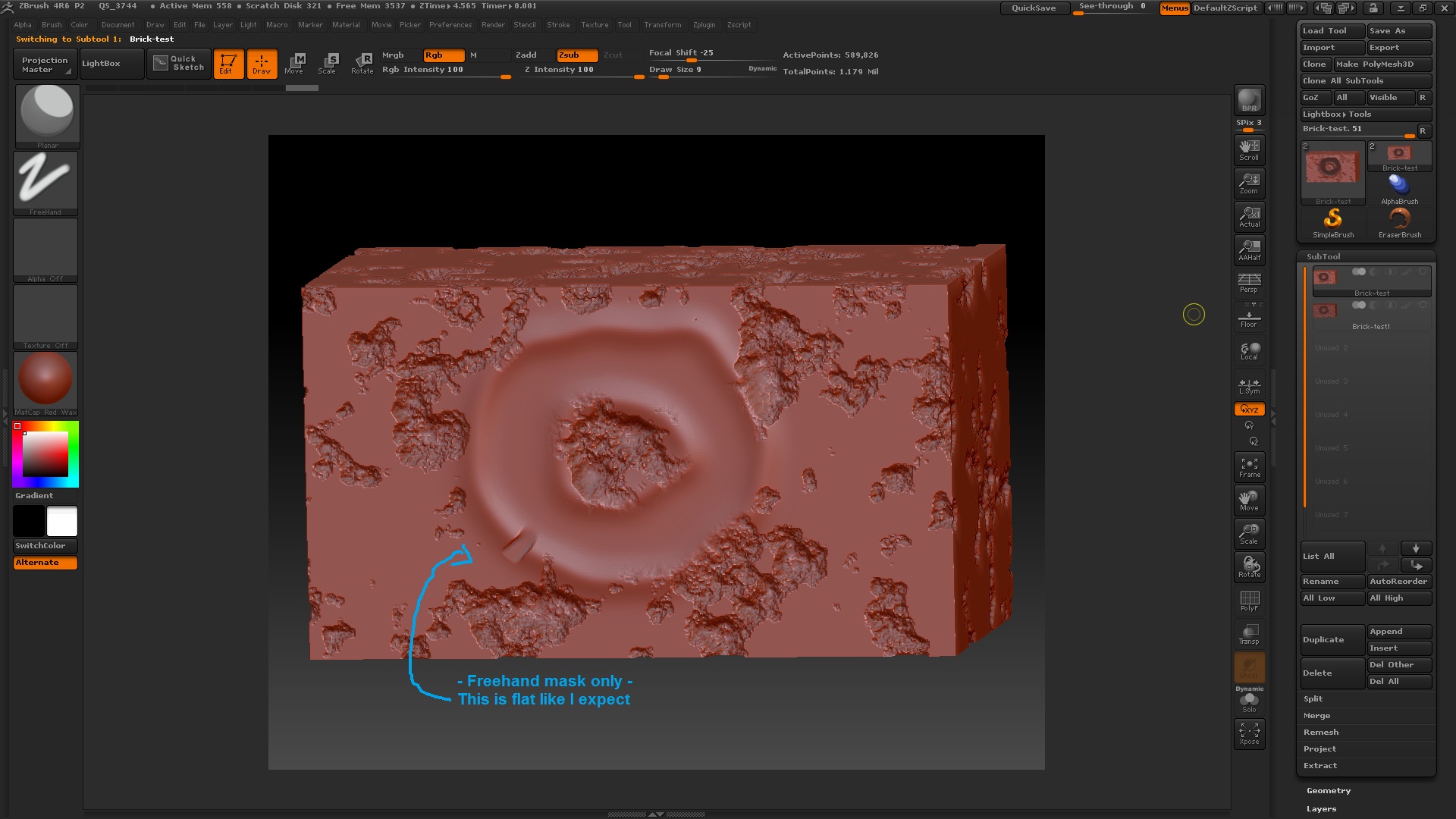
The result looks better and has a less noticeable lip but that’s because the mesh is being inflated a little. I ran the Planar brush from my donut mask to the outside where it should also be flat but it’s not.

It was mentioned to not use Apply To Mesh but I’m not sure how to apply noise deformations without using Apply To Mesh.

Attachments

5 - Freehand mask only.jpg

6 - Freehand mask and MaskByNoise.jpg