ZBrushCentral

how to bend and taper a detailed column.

Hey,

I’m wanting to model a carved ivory tusk. now, my initial way of thinking (if i was in Maya or such) would be to model the tusk as a straight cylinder, add detailed carvings, add curve and taper modifiers to final mesh.

How do you go about achieving these results in zbrush? I’ve tested with a carved straight column and neither the bend or taper deformation modifiers are giving me what I want.

cheers :slight_smile:

Taper and bend should both give you what you want. You’re going to have to show your settings, and results, etc.

For a tusk in zbrush

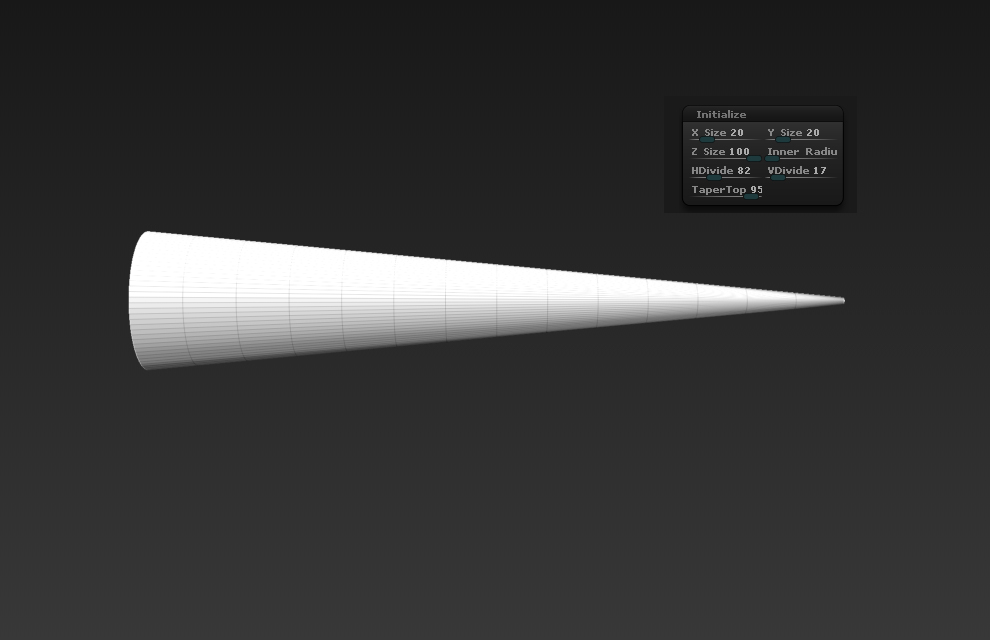
If you start with a cylinder, you could taper it in Initialize settings before making the polymesh 3D

tusk-cyl.jpg

For the curving of the cylinder tusk, you’ll want to use SBend, not bend.

cyl-taper.jpg

Instead of a cylinder, I’d probly start by using a ring 3D and initialize something like this:

tusk-ring.jpg

In either case, I think I would get the tusk shape before carving/sculpting.