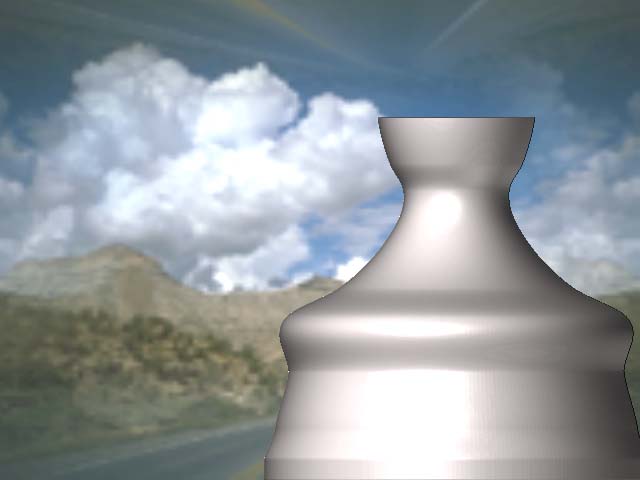
hi peoples, anyone know how to make transparency double sided? as shown my the picture below, i was able to make the object translucent to the under layer, but not to itself, any help would be appreciated.
Peace 

hi peoples, anyone know how to make transparency double sided? as shown my the picture below, i was able to make the object translucent to the under layer, but not to itself, any help would be appreciated.
Peace
im try with some materials , but cant have transparency or something similar.

Frenchy Pilou thanks for your reply, can you please do an example of how that would work?
Not all materials have Transparency options. However, any object can be drawn with transparency by setting Draw>Rgb Intensity to less than 100. The Draw palette also offers options for refraction.
Next, here is something critical to keep in mind when dealing with transparency: ZBrush is a pixol-driven technology. It does not draw 3D objects on the canvas. It draws 2.5D objects. In short: only the pixols that are visible to the camera are drawn at any given time. Pixols that are not visible to the camera (such as the back side of an object or parts that are obscured by other parts of the same object) are not drawn. As the object is rotated, ZBrush continuously checks to see which parts of the object are currently visible, thus adding some new pixols to the canvas while discarding others. The result: ZBrush does not draw the back faces of objects, even if the object is transparent. If you wish to show both front and back, you’ll need to actually two objects – one for the front and one for the back. Alternatively, you can often get good results by drawing and positioning the object, setting the Rgb Intensity and Refraction values to what you want, and then with the gyro active pressing Tool>Display Properties>Flip. This inverts the object’s normals and in effect shows the back side. Press the Snapshot button, and then flip the normals again. Your front side will now show the back side through it.
thanks 
Not all materials have Transparency options. However, any object can be drawn with transparency by setting Draw>Rgb Intensity to less than 100. The Draw palette also offers options for refraction.
im confussed, cant do it.
put mi tool in the stage, i want to make this transparent, but in the menu draw, im put the slider rgb in 0 and nothing happening. this is mi picture, i hope some kind of help. thanks
Put RGB On : Intensity > 0 
10 For example
Pilou

When you changed the Rgb Intensity, was the gyro active? Unless the gyro is active on a model or you’re in Edit mode, ZBrush assumes that your changes to the Draw settings are meant for the NEXT stroke/draw action rather than the previous one.