Hi guys,
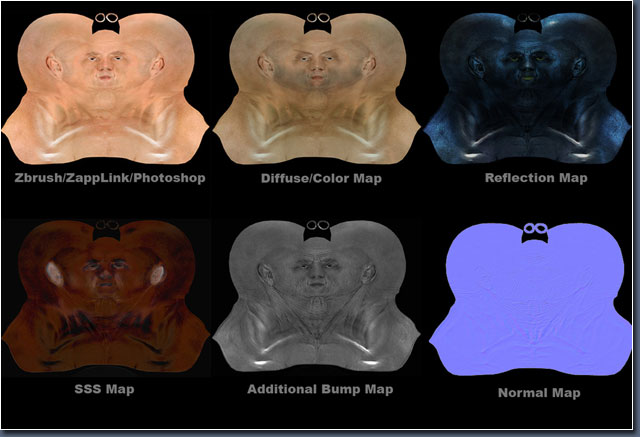
I would like to render a face in vray with sss2 material… 4 this reason I need to place a diffuse map…a reflection/specular map and so on … inside the slots of the materials editor.
I know how to save a diffuse map from my polypainting…but is there a vay to extract also a map for sss or specular maps …?
I am using THIS way that i found for my simple diffuse map:
Under the Zplugin menu choose UV Master
- If any of your SubTools have symmetry in its polypaint click symmetry
- To actually unwrap all the components of your zTool click Unwrap All
- you must create maps for each sub-tool.
- - In the Tool palette expand SubTool and Texture Map
- - Beginning with the top SubTool selected, under Texture Map click “New
- From Polypaint” then “Clone Txtr”
- - Then open the Texture menu located at the top.
- - Using Export, save out your map with a descriptive name into a secure
- location on your local drive.
I need something like tha image that I attach
Or are this simple 5 separate polypaintings ??? done manualy ???
let me know
thanks to all
Mario
Attachments