ZBrushCentral

How do you make the ends of a Curved IMM touch?

At the ends of the curve theres space (the red and black lines) at the ends and beginning. Ive tried googling this but I cant find anything. How can I make the IMM touch the curve ends so that I can properly wrap it around cylinders if needed.

I would like to have multiple subtools saved as an IMM so I can have a little kit going but aside from random crashes and just general problems that google cant find, its a pain.

Attachments
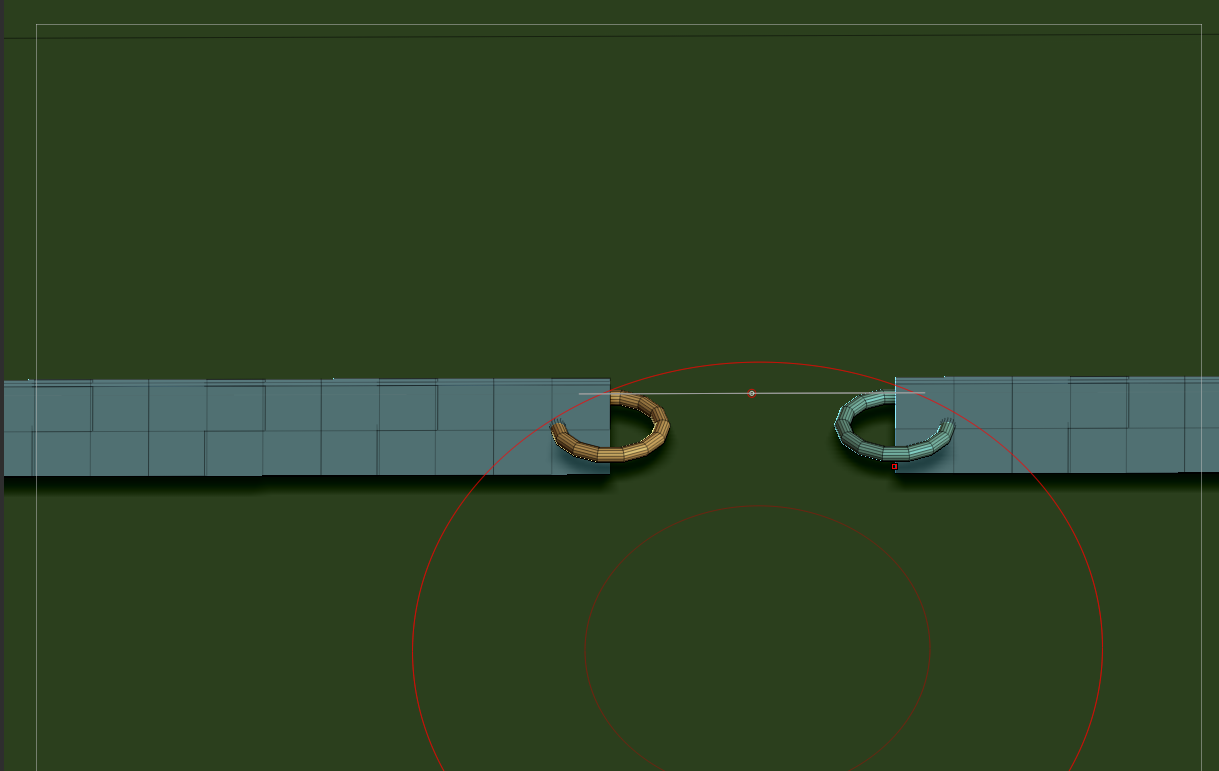
1.png

Ive already did the Unify option in deformation. That attached pic is a simple strap with rings im using as testing. If the rings touched the ends of the curve those rings would connect nicely.

Hi, I hope I do not misinterpret your question, but to draw a cruve that snaps around a cilinder, choose a snap brush, start dragging your curve and then press Shift and drag off the cilinder. You’lle see a circle appear.
You find most of the curve settings, including snap, on the Stroke palette.

I forgot to mention that, I know about shift dragging outwards. I just want to make my curve meshes to not have that space you see in the pic. So if I did the shift drag method, they would connect.

NVM solved