ZBrushCentral

How do I go back to edit mode ? I’m stucked !

I am watching tutorials on linda.com. Want to make eyeballs with subtools.

I have a sphere but no subtool.
I cannot go back to edit mode, it keeps drawing rabbits. ‘Make PolyMesch’ doesn’t help.
What is the sphere doing there ? How do I get rid of it and start all over again to try to add a subtool ?
How do I go back editing my rabbit ?

I hope I will receive a mail if somebody replies. I don’t know if I can find my thread back again. This site is as complex as the program itself.

Attachments
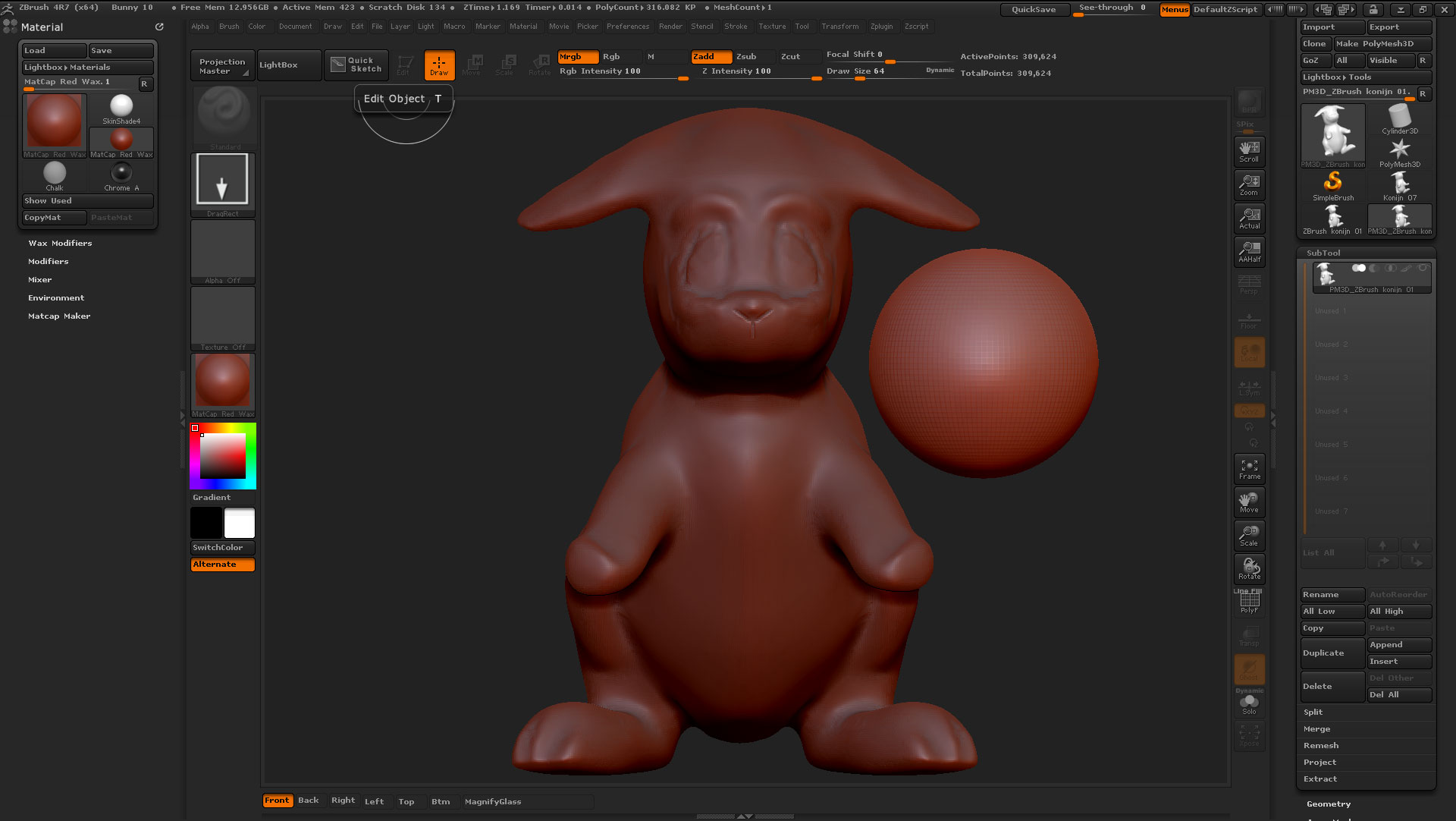
EditMode.jpg

Draw one rabbit with the rabbit subtool selected, it doesn’t matter if the screen is a mess. Now the edit button becomes available, activate it. Press then ctrl+n to clean the screen except the active subtool and then you are in full 3d mode. I hope that Pixologic fix this workflow the next version. By the way you have selected dragrect in the stroke section, nothing that changes this workflow but will make brushes function differently.

I would recommend the free video tutorials stored in Pixologic.com. They have also a beginner section.

Thank you so much. It’s easy to get lost in this program.

Yes, I am watching tutorials in the classroom too, I am watching tutorials everywhere :rolleyes:

Thank you.