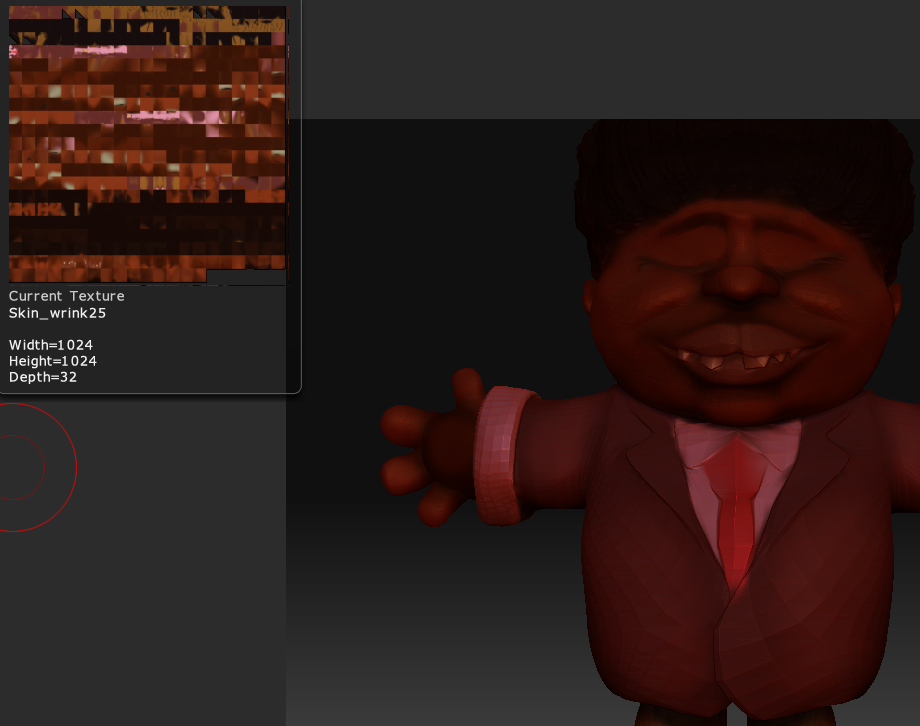
This model was mapped with AUVTiles UV mapping. This mapping method is free of distortions, but doesn’t make sense to the human eye. You’d need to change the UV mapping to be able to get a different texture layout in Photoshop.
To change the mapping, do the following:
- Convert the texture to polypaint
- Export level 1 of your model
- Remap the model with new UV’s.
- Import the new version back into level 1 in ZBrush
- Convert the polypaint back to a texture
This goes into more detail:
http://www.pixologic.com/docs/index.php/Transferring_textures
How to remap the model depends on the program that you use to do the job. That’s not something I can assist with.
However, you can also work on the texture in Photoshop without doing all of that. Simply use ZAppLink to send your view to Photoshop. There you can paint details that you want to add or change. Save the document and return to ZBrush. What you did in Photoshop will be transferred to the model. The best thing about this is you paint what you want to see, rather than having to try and adjust for seams and distortions on a flat surface.