ZBrushCentral

How can I save my smooth brush?

Hello,
In Zbrush 3.2 I was able to save two specific smooth brushes. One brush was ‘smooth HI’ (100 intensity) and the other was ‘smooth LO’ (7 intensity). As I work there are times when I need one brush, and other times I need the other.

In Z4 I find I can not save my smoothing brush. That is, when I LMB on the brush I am given a message - but then the brush will not remain highlighted so that I can save out (with a specific intensity). How can I save my smoothing brush?

Thank you
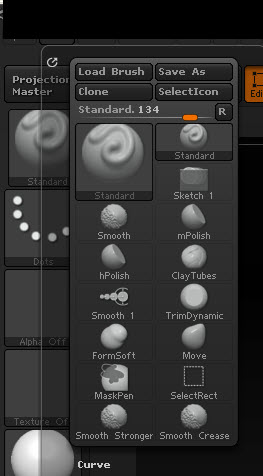
1.-Yes, you can…just hold the shift key to get activated the smooth brush AND then pick the Brush Palette and select the save as option but have to be carefull to not alter the default zbrush palette options
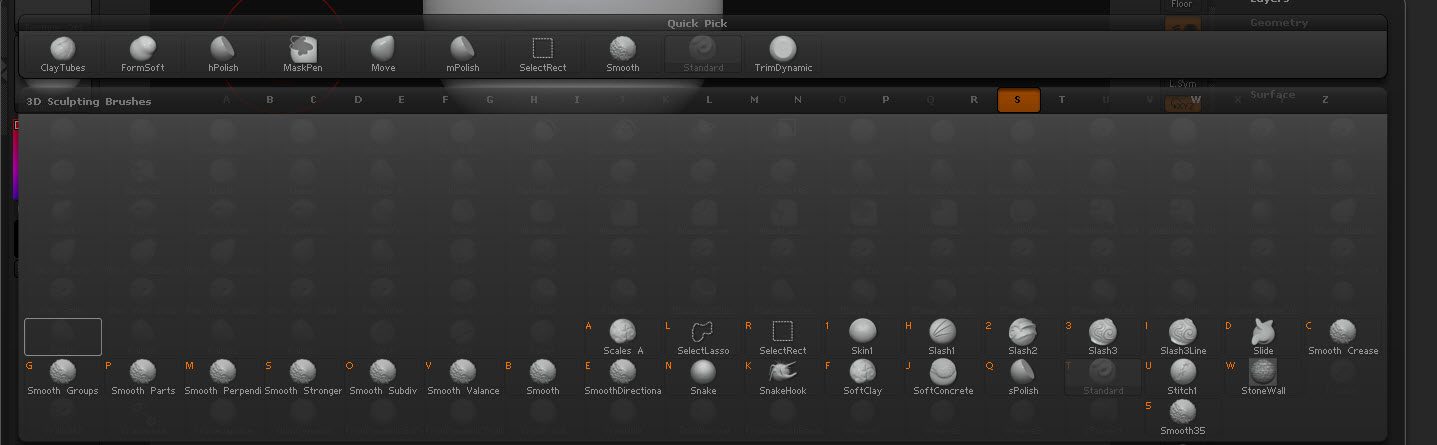
2.-the other things is you press B then press S and the Brush Palette show all the options for the Smooth Tool.
3.-I believe that with all the options ZB4 has… dont need that but…is up to your feeling:D
4,.Look the images below
hope this help

Attachments

smooth brush.jpg

smooth brush_1.jpg

also take a look of this interesting questions helped by Marcus Civis
http://www.zbrushcentral.com/showthread.php?t=93216

Perfect.
Thanks!

btw the thread you are linking to was mine :slight_smile:

OK! better never:+1: