ZBrushCentral

How Can I prevent or fix this?

Hey.
I’m New To zbrush and i have some troubles in generating normal map from highre to lowres game object.
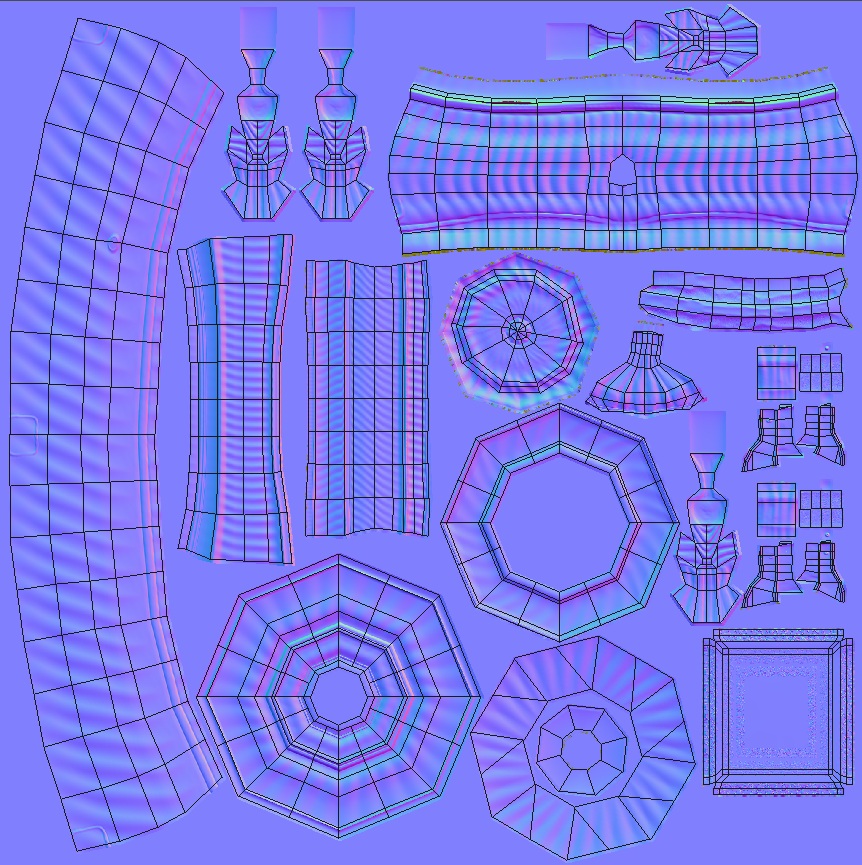
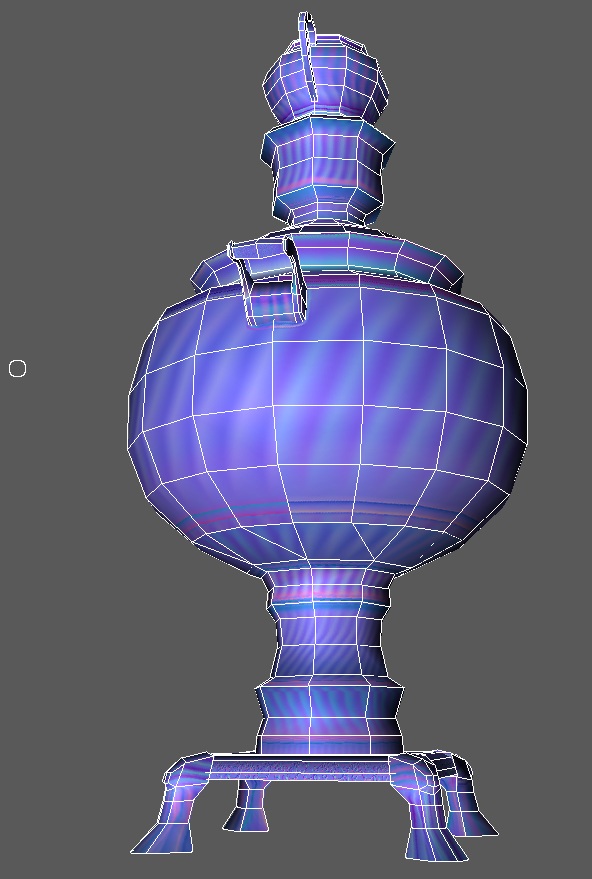
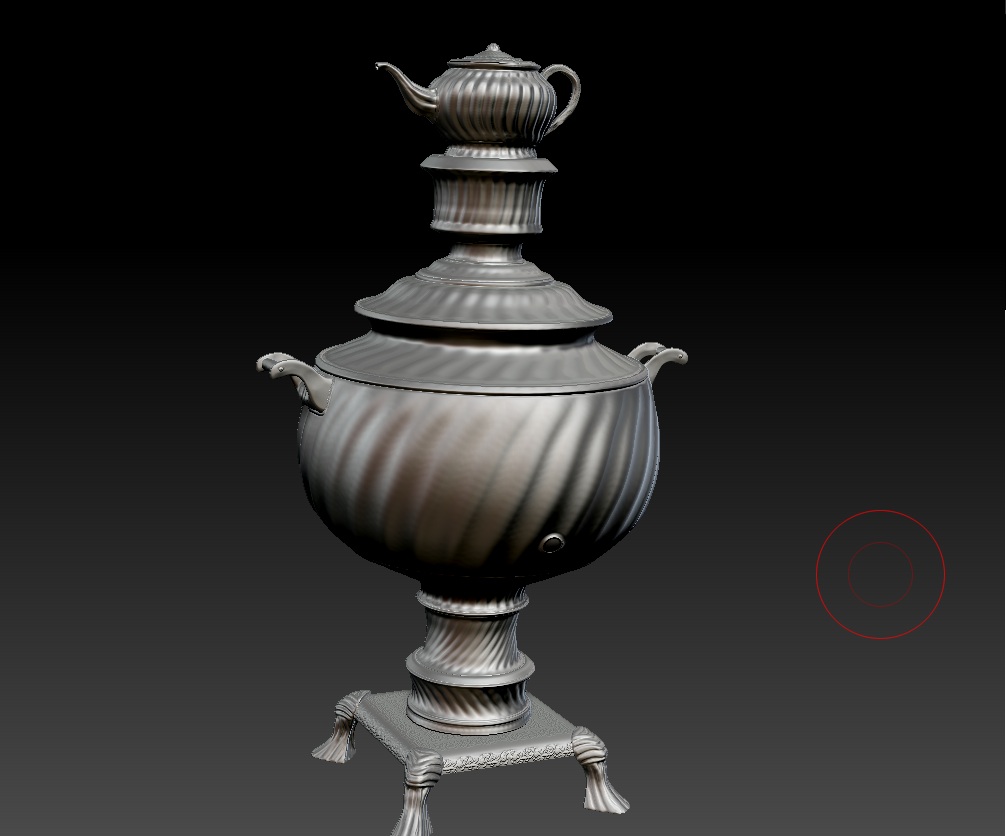
as u can see i created an old teapot. the base modeling and UVmapping was in maya.then i export as OBJ in zbrush and started sculpting. for generating normal map i checked the “Adaptive” and “Tangent”.

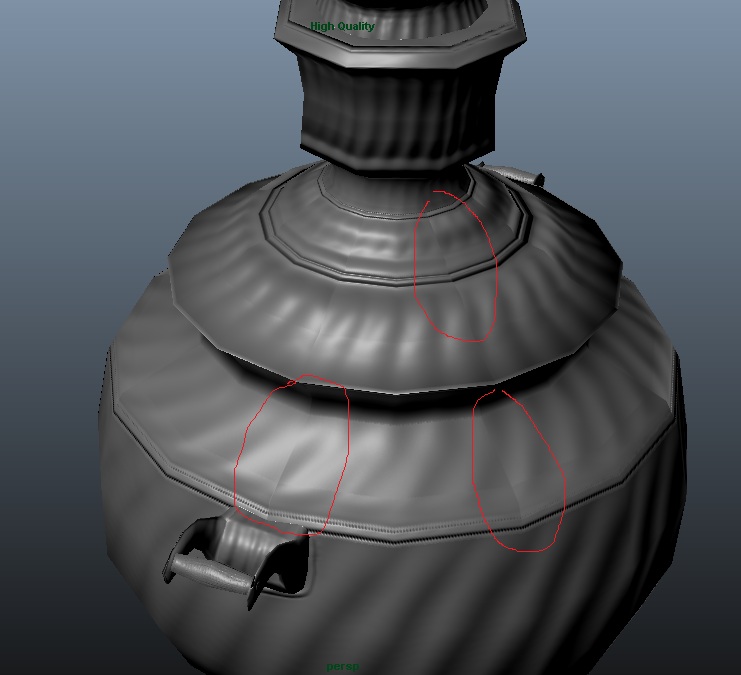
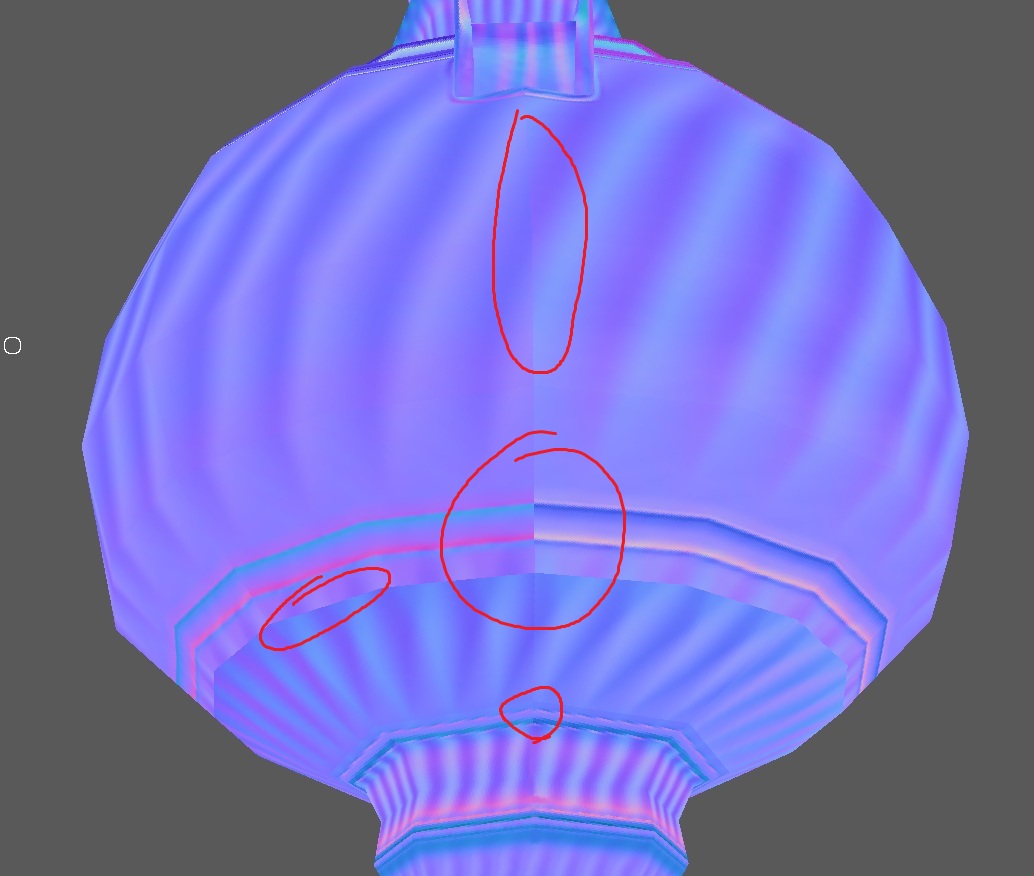
the problem is zbrush makes color changes in UV borders that i cant paint them out. some of them are because i turned off my “SmoothUV” in normal map generation and i cant turn it on because it ruins my texture on lowres model.
i created deformation map too and i exported it in NDO to make normal map from it, but the quality wasn’t satisfying.

what should i do to prevent or fix this without painting?

Regards

Attachments
01.jpg

02.jpg

03.jpg

04.jpg

05.jpg

align your UV seam errors to be on an equal tangent and this should fix the problem.

basically…make your UV edge parallel with either U or V in your unwrap. Your curved section in your automatic unwrap is what is causing the error in your map. Is there a reason you used that instead of a cylidrical unwrap?

Baking in Maya should give you much better results if you’re rendering in Maya. The tangent basis would then be synced which I think would give you a good result regardless of your UV orientations. Otherwise you typically have to break up the smoothing to match the UVs (hard edges where the UV borders are so that each island it its own smoothing group), and the baker has to know this (I’m not entirely sure how zbrush treats vertex normals when baking since it doesn’t seem to import user normals or care about them when rendering).

thanks. i tried and the problem solved.
i didnt know the angle of UV shells are important. didnt use cylindrical mapping because i wanted to prevent distortion and texture stretching. but now i used it and the quality wasnt bad.

is there anyway that zbrush consider the angle of shells for normal map baking?
thanks

yes. i could decimate the model in zbrush then export it to maya and calculate normal map in there, the good thing about maya is consideration of angles in “Transfer Map”.

thanks