when i make preview the gap area between the hand and the arm it explodes
i try to manipulate projection rang, max striplenght, strenght, it didnot work,
so i hope any one help me,
thaks.
Attachments
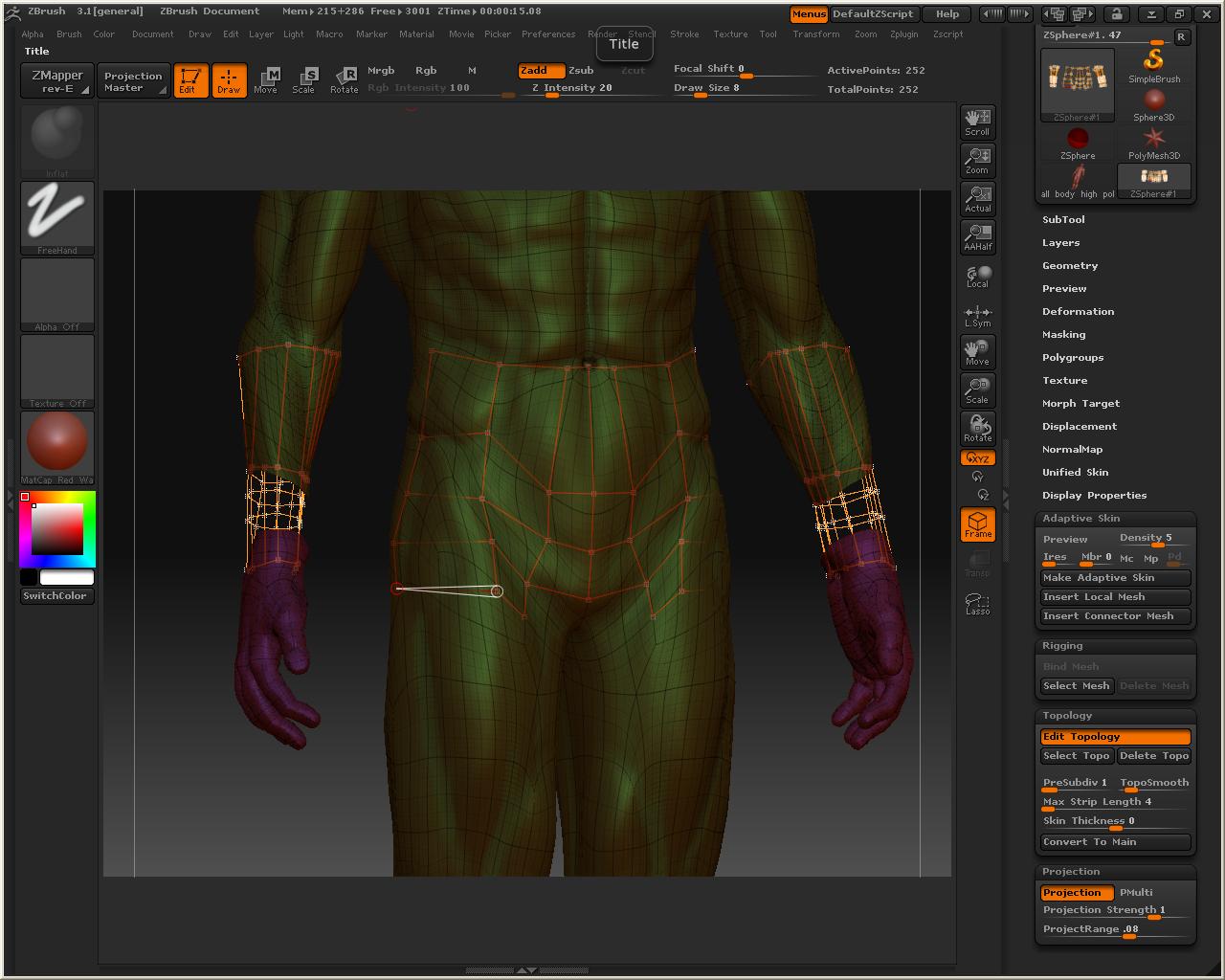
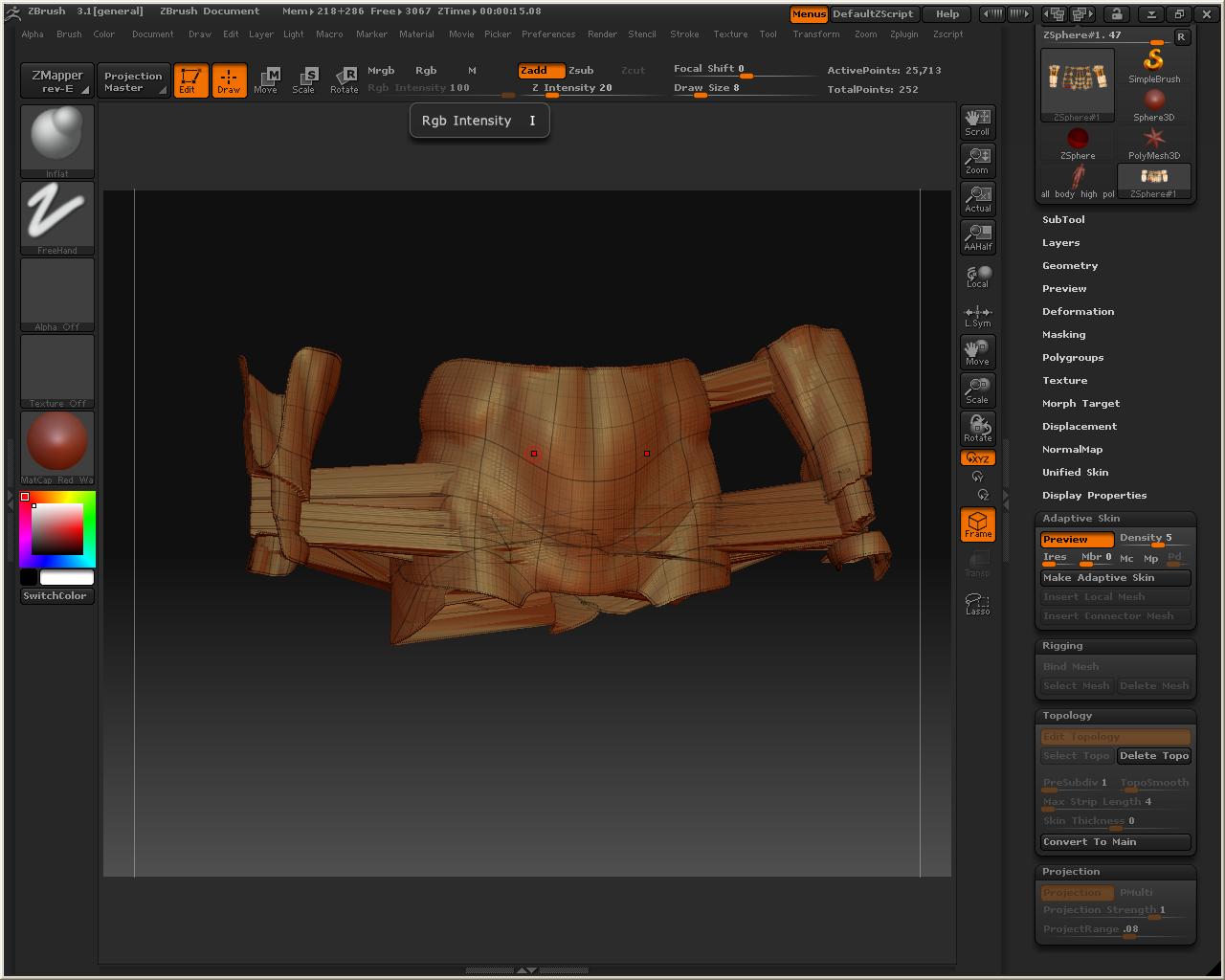
when i make preview the gap area between the hand and the arm it explodes
i try to manipulate projection rang, max striplenght, strenght, it didnot work,
so i hope any one help me,
thaks.
turn of the projection. i think zbrush tries to project the seams.
maybe you can project your details afterwards with hiding and masking…
i bet it will work when you turn of the projection.
thanks,
it works with turning of the projection but what do you mean with hiding and masking to paint my details or projecting it???
thanks
you can just finish the entire retopo and create an adaptive skin with the lowest adaptive skin density and projection turned OFF
Take your “new” topology and append that as a subtool to the previous mesh.
subdivide the object up to the polycount you want/need and store a morph target. Turn on all subtools you want to project to, and have the “new” topo selected. Then inside the subtool panel click on project all. This will project the mesh across multipul subtools (whatever is visible). Check for problems with the projection and push them back with the morph brush. After you push back the problem areas grab the Zproject brush and see if that will do a better job at the projection (most times this will fix the problem areas). If the Zproject brush does not fix the areas that projected poorly the first time then you’ll have to go in and re-sculpt those areas.
If you want color data to transfer as well make sure you have RBG and colorize turned on before you project…that will transfer your color data as well 
Hope that helps.
thanks man, for this great help