ZBrushCentral

how can I edit under the crosshair?

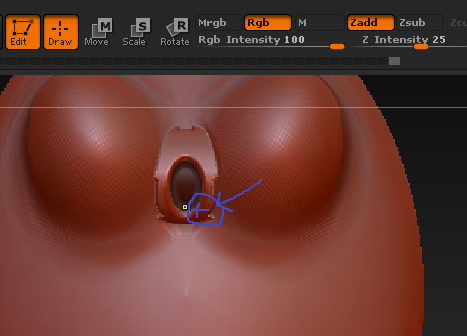
Hi I am trying to edit my model directly under where the blue cross is but as you see the edit dot snaps to the center of the model. My actual crosshair was located about where the blue cross is but did not turn out in the screen cap so I drew one there. Is there a setting that would allow me to get in closer? thank you for any help.

Attachments
edit.jpg

In cramped quarters you can:

  1. Hide more of your model to get at the polygons you wish without interference (with rectangular marquee as active selection tool–on by default–Ctrl-shift drag a rectangle around your target area, and all else will be hidden)

  2. Zoom in closer and decrease brush size

  3. If all else fails, deactivate symmetry when sculpting near the center, then mirror the changes to the other side.