ZBrushCentral

Holes and odd stepping geo when Dynameshing.

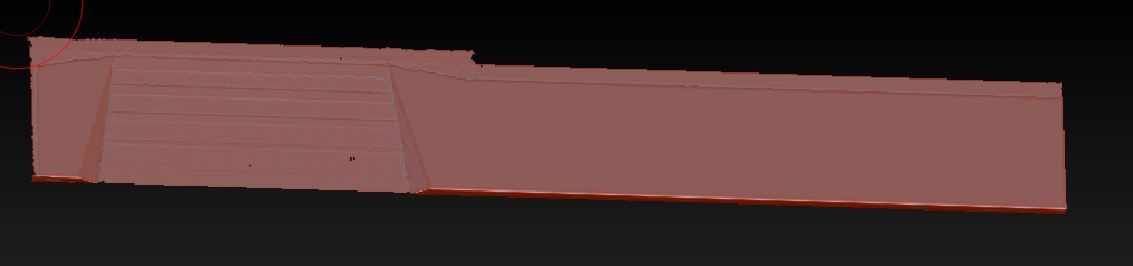
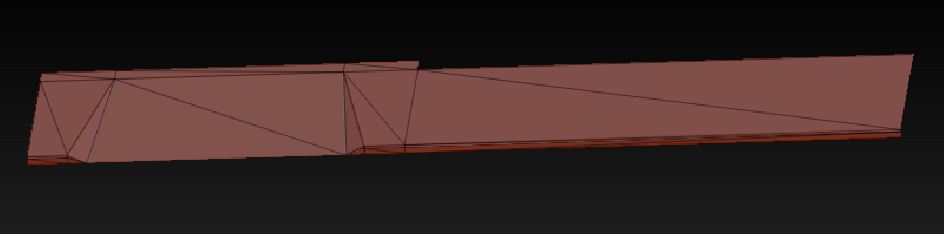
I’ve been getting holes and sometimes stepped looking things on a ramped surface when I dynamesh. I’ve been importing game res meshes into zbrush, then dynameshing it to give it smoother topology. This is the original game mesh, and the dynamesh(512 resolution) mesh. Any ideas?

Attachments
sidewalk_1.JPG

sidewalk_2.JPG

how big is your mesh (does it fit in tool.preview)?
what are you dynamesh settings?

It fits in the tool preview. My dynamesh resolution is 512 and the default options are on.

hmm…the holes are from having your mesh too thin. Dynamesh is based on volume, if your volume is too thin it assumes you want a hole there.

The stepping could be based on the projection. try turning it off and dynmeshing the object.