Hello again,
I’m using Z-Brush 3.1. Hoping you guys could give me some guidance about how to make high relief and some alternative work flows to what I’ve currently discovered.
As I’m working for a client I can’t show you any actual examples - sorry!
I’ve carved two figures in a wrestling pose. These are full 3D. After viewing the 3D model the client chose a particular view of the model and asked that I change the design to a plaque with high relief. So essentially they want the figures to emerge from a wedge or marble. Wondering what the best method is for transferring the details from the 3D carving to a high relief plaque?
I’ve tied a number of techniques so far:
-
Projection master
-
Create alpha from 3D and drag detail on the surface
-
Deformation —> Size to squash the 3D figures
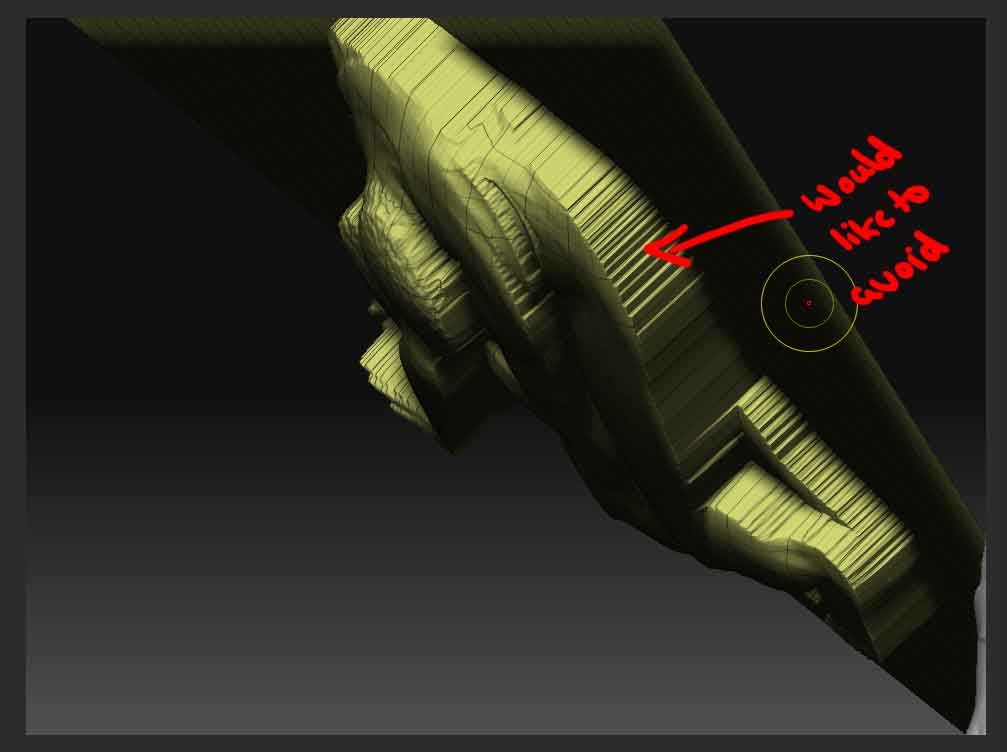
Trouble is options 1 & 2 look okay from the front but make the edges straight and extruded from the side.
Option 3 works better, but all the details get squashed so arms and things appear paper thin. I know I could use the inflate brush, but this can be a little tricky to get right.
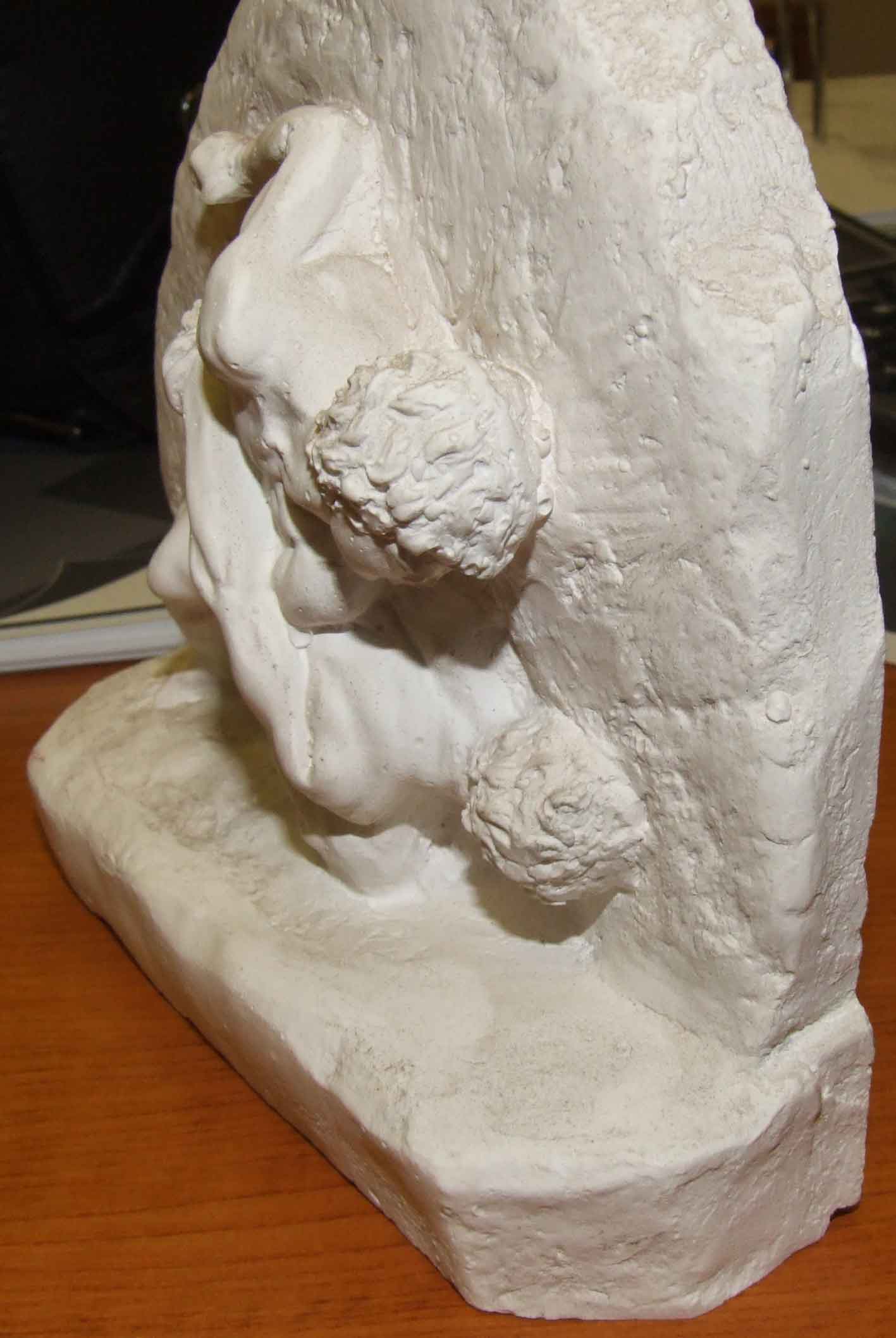
I’m trying to achieve an effect similar to the attached. Any ideas or guidance would be very helpful.
Thank you for taking the time to read.
Hurricks
Attachments