ZBrushCentral

Hiding parts of a mesh screws it up :( Any solution? [Solved]

Hi guys,

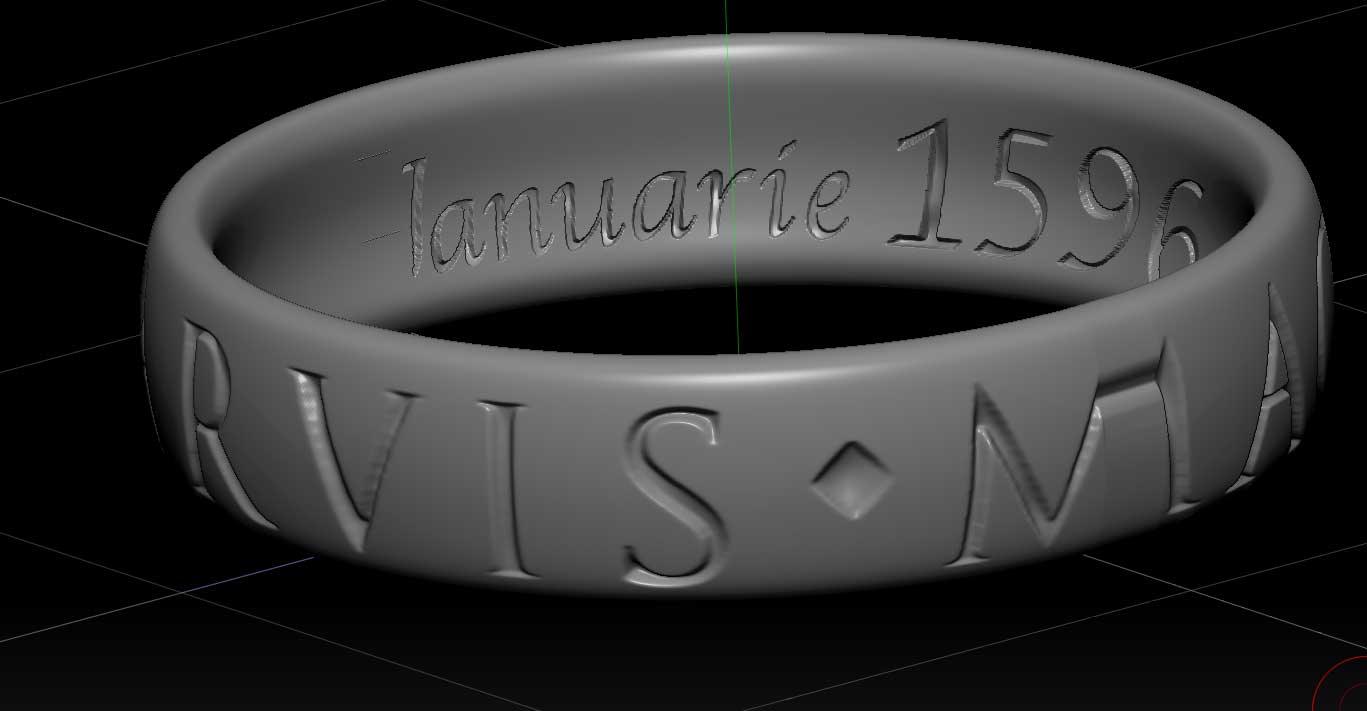
For fun and practice I was trying to make the ring from the Uncharted games but ran into a major issue. When I hid half of the ring to stencil the inside inscription, it screwed the ring up upon unhiding.

Here is the ring before unhiding:

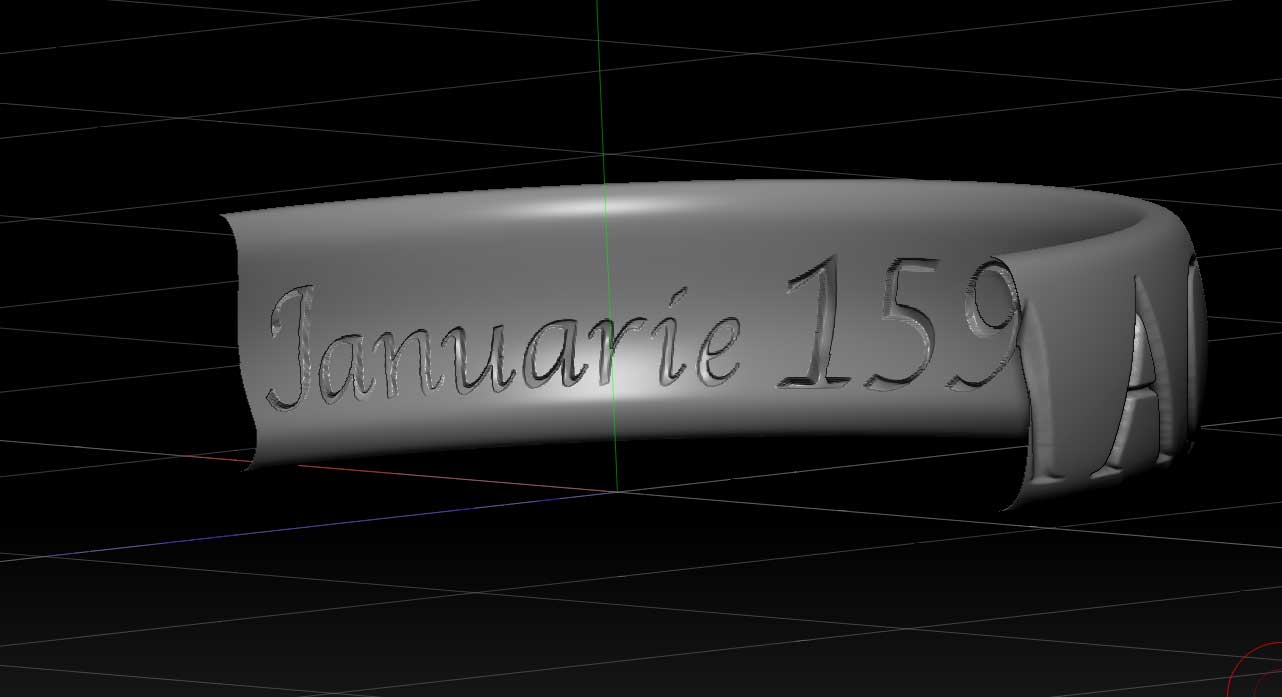
And here is the ring after unhiding: (Notice the J, and the M on the front of the ring.) Everything was fine before hiding and looks normal when the object is hidden, but the second I hit that unhide button my work is ruined :frowning:

Does anyone have any solutions to this?

Attachments
pic1.jpg

pic2.jpg

Ok I figured out what was happening. I don’t know if its a bug or not so I will leave the thread here incase someone else can chime in with advice.

I figured out the issue by masking the half that was visible, then unhiding the hidden section. This revealed the mesh was overlapping itself. What i had to do is use the rotate tool in the deformation palette to line the ring back up exactly as it was before I hid any of it.

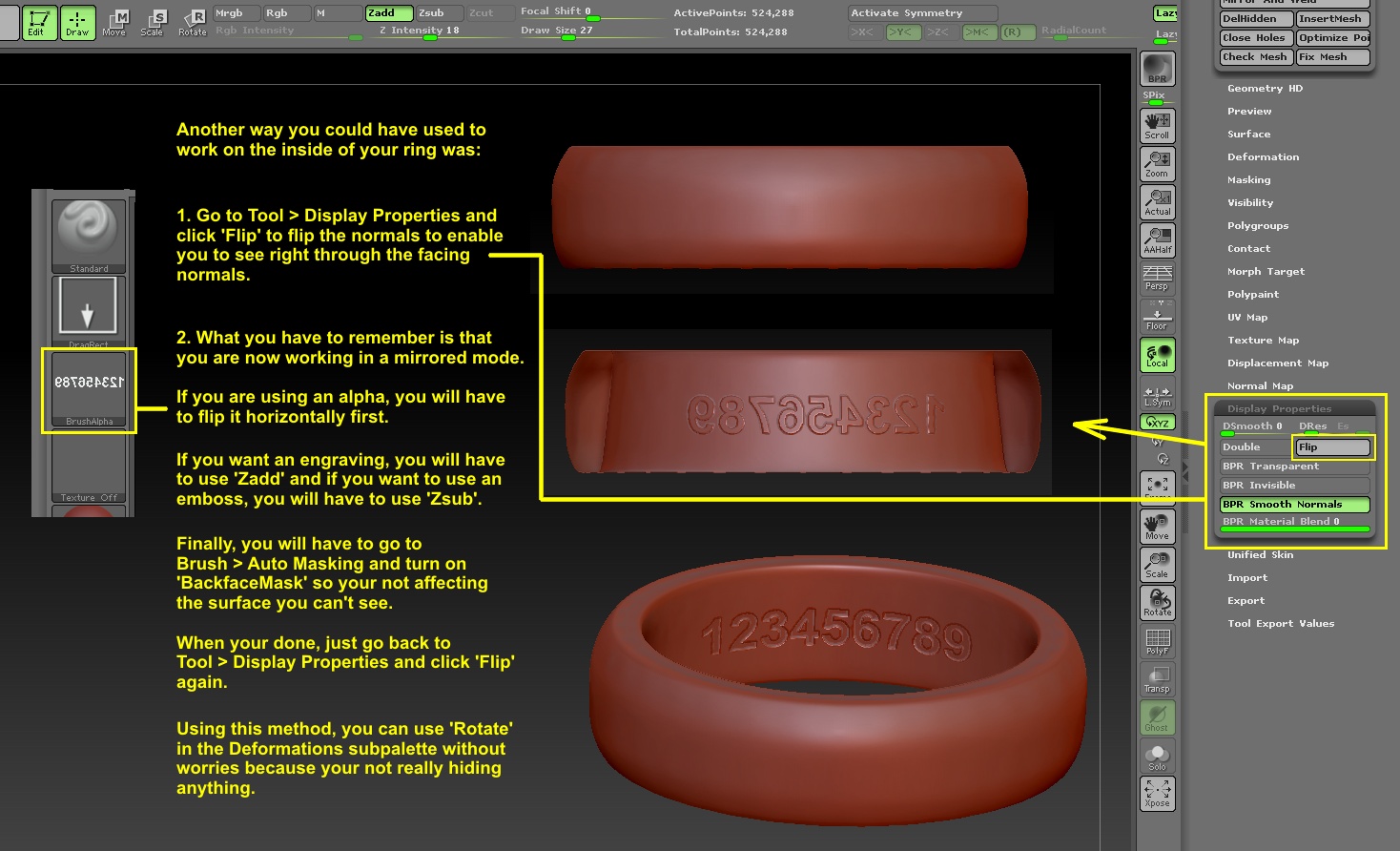
Apparently hidden sections of a mesh do not rotate along with their unhidden parts when using rotate in the deformation palette. (This is going to make it really hard to stencil the inside of the ring : / )

Hiding is not really any different from masking in how the mesh will react to deformations of any kind. But you shouldn’t use the Deformation menu to rotate the model when all you want to do is reposition on screen - use the navigation shortcuts instead. For a little more control you might try this plugin: http://www.zbrushcentral.com/showthread.php?94752-Useful-small-ZScripts-and-Macros-for-ZBrush-4-amp-4R2&p=854571&viewfull=1#post854571

Thanks so much! :slight_smile:

See image below.