ZBrushCentral

Hi Rez SubTools - Next Step

Looking for advice on the next step.
6 sub Tools all detailed and ready for…?

I would like to project all the hi res detail, but I’m not understanding which low res mesh to use. (I have tried the Z project and Project all with bad results)

Here is what I’ve tried (all sub tools are at highest Sub D level)

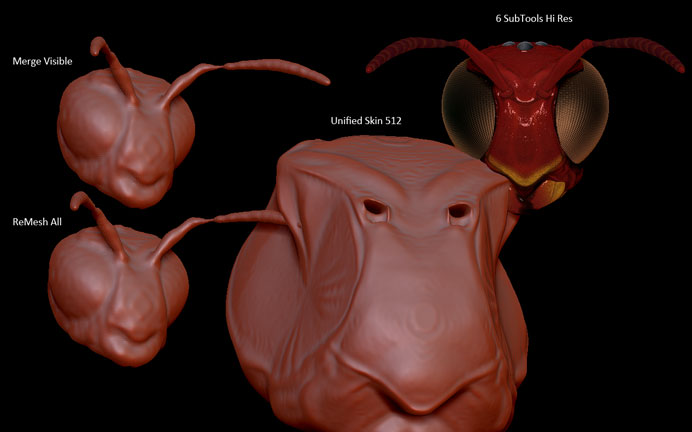
:red_circle: Merge Visible - :cry:
:red_circle: ReMesh All - :cry:
:small_orange_diamond: Unified Skin res 512 (This worked the best but did not merge all tools)

Here is the Goal:
:large_orange_diamond: 1 Animation ready mesh with poly groups
:large_orange_diamond: 1 4096 UV and Normal Map

I don’t want to try the Projct all brush, or Project All till the Mesh look right.

Attachments
ZB_Mesh.jpg

sounds like you need to bake your highres meshes down to a lower version.
“any” 3D app can do this.

I personally use xNormal to bake maps down.

I’m not concerned with maps right now, just getting a good mesh. I think the next step might be retopology over all the subtools?

So what is the workflow when something like this happens?
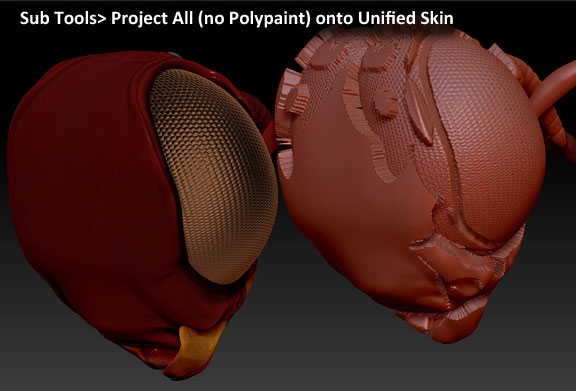
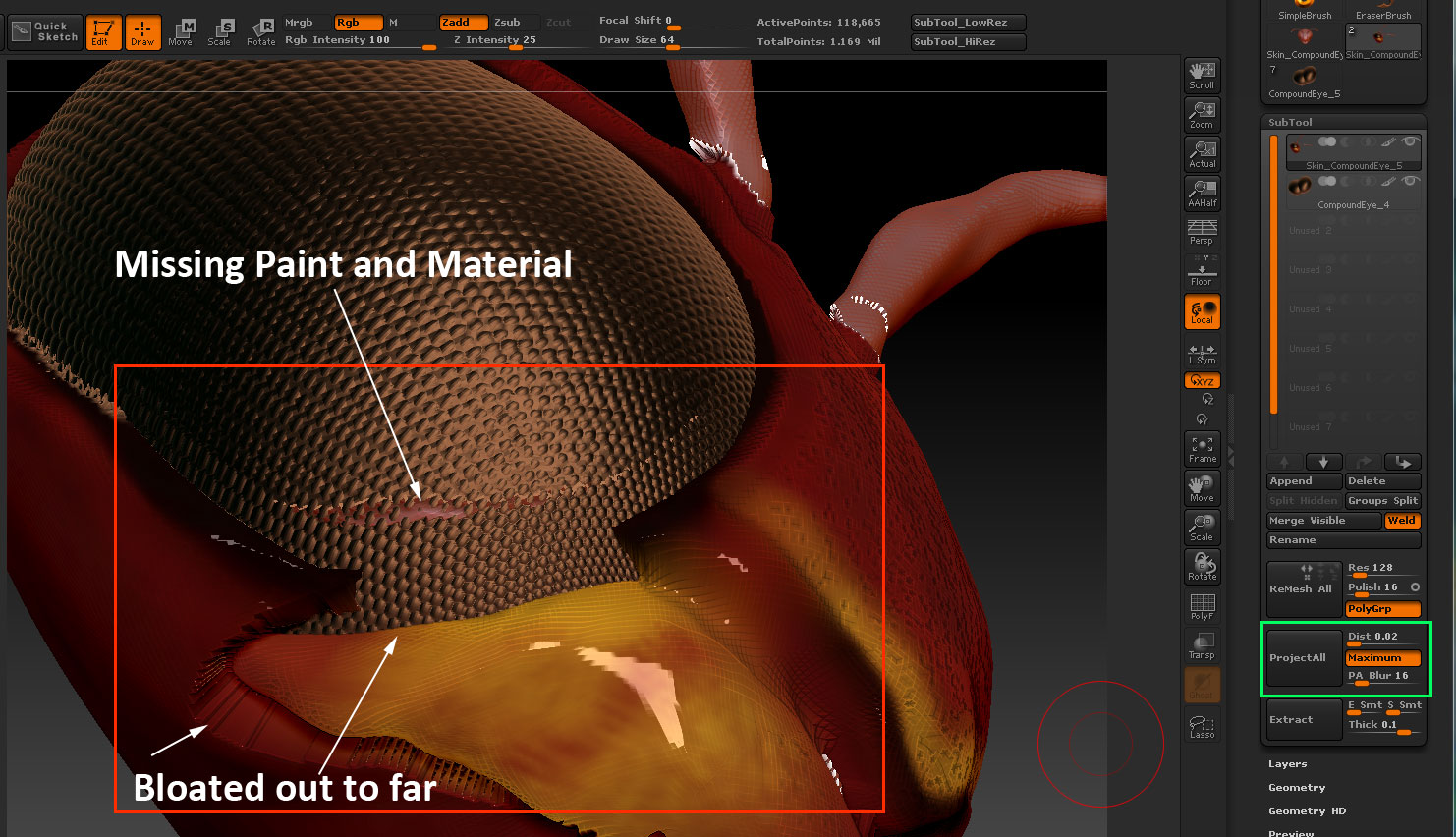
I have started to mask areas where the Projected details are to strong.

But I’m not sure how to fix the mesh when the polypaint and material don’t project correctly.

example: maybe 90% of the eye projects, but then parts will have no deformation or material.

Attachments

ZB_PA_US1.jpg

ZB_ProjectAll.jpg

Update

Attachments

RedWasp_UnifiedSkin.jpg