And there is guys :evil:
I tried many sudbs levels as possible and use smooth brush but without results, so anybody have a better than my crappy one I really appreciate that 
Attachments
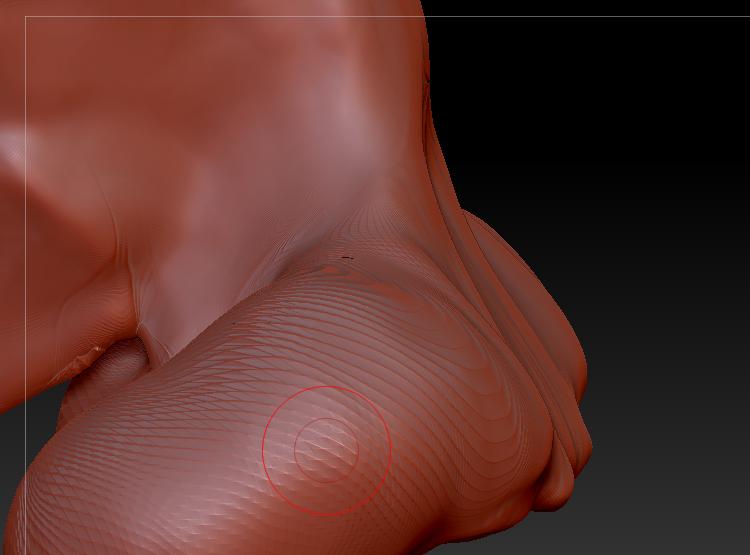
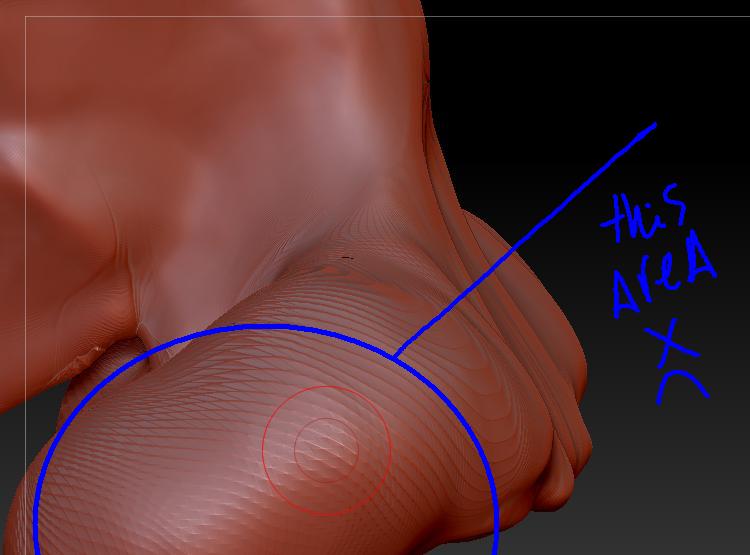
And there is guys :evil:
I tried many sudbs levels as possible and use smooth brush but without results, so anybody have a better than my crappy one I really appreciate that
How many points? Duplicate, Enable PolyFrame, drop to lowest level and maybe delete higher but you don’t have to. shift points as close as you can to match the copy, subdivide once and repeat. You can also project from your copy. You didn’t really say how you got there…Use Decimation Master and ZRemesher as needed. Always save out a copy of your tool so you have a back up(you can project polypaint and geometry). Saving out an extra project or two doesn’t hurt. Beware of QuickSave.
I just started with a simple sphere it have 100k poly an only used the standard brushes for only bring the shape that I want but always I this issues that makes me crazy:evil:
If you push the polygons too far you can get that. Using DynaMesh is a good way to avoid it while roughing out your model. But as you’ve got high resolution details, you can solve that by remeshing. Freeze the subdivision levels and then use ZRemesher to create new topology for the low res mesh. See here:
http://docs.pixologic.com/user-guide/3d-modeling/topology/zremesher/
Thanks Marcus