Im having a NIGHTMARE!
I have export the color map, normal map, cavity map, and displacement map from zbrush to maya, but when I use the mental ray surface aprox to get going the displace, the maps go to hell.
plz check and help me if you can.
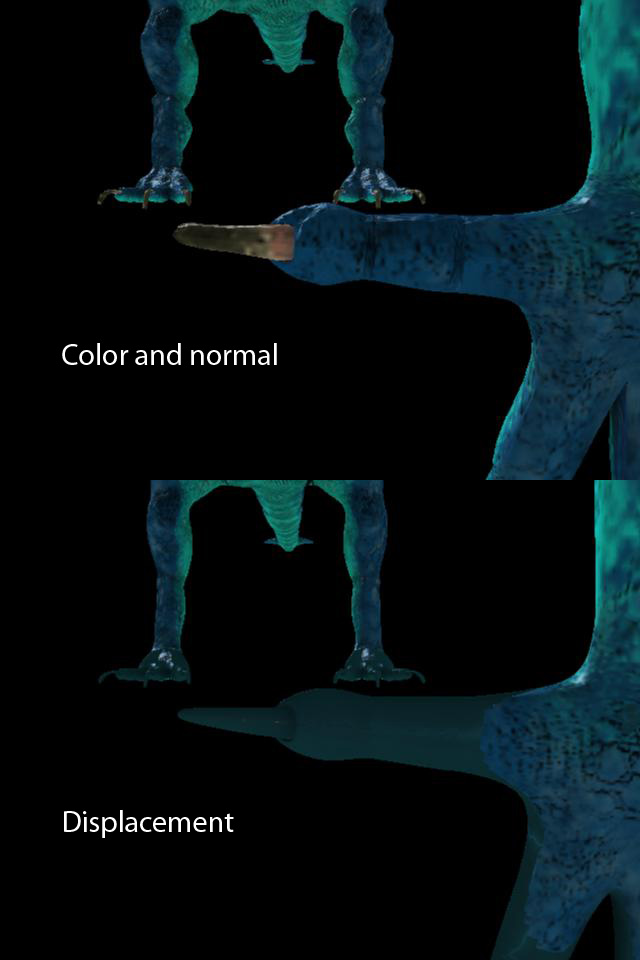
Im having a NIGHTMARE!
I have export the color map, normal map, cavity map, and displacement map from zbrush to maya, but when I use the mental ray surface aprox to get going the displace, the maps go to hell.
plz check and help me if you can.
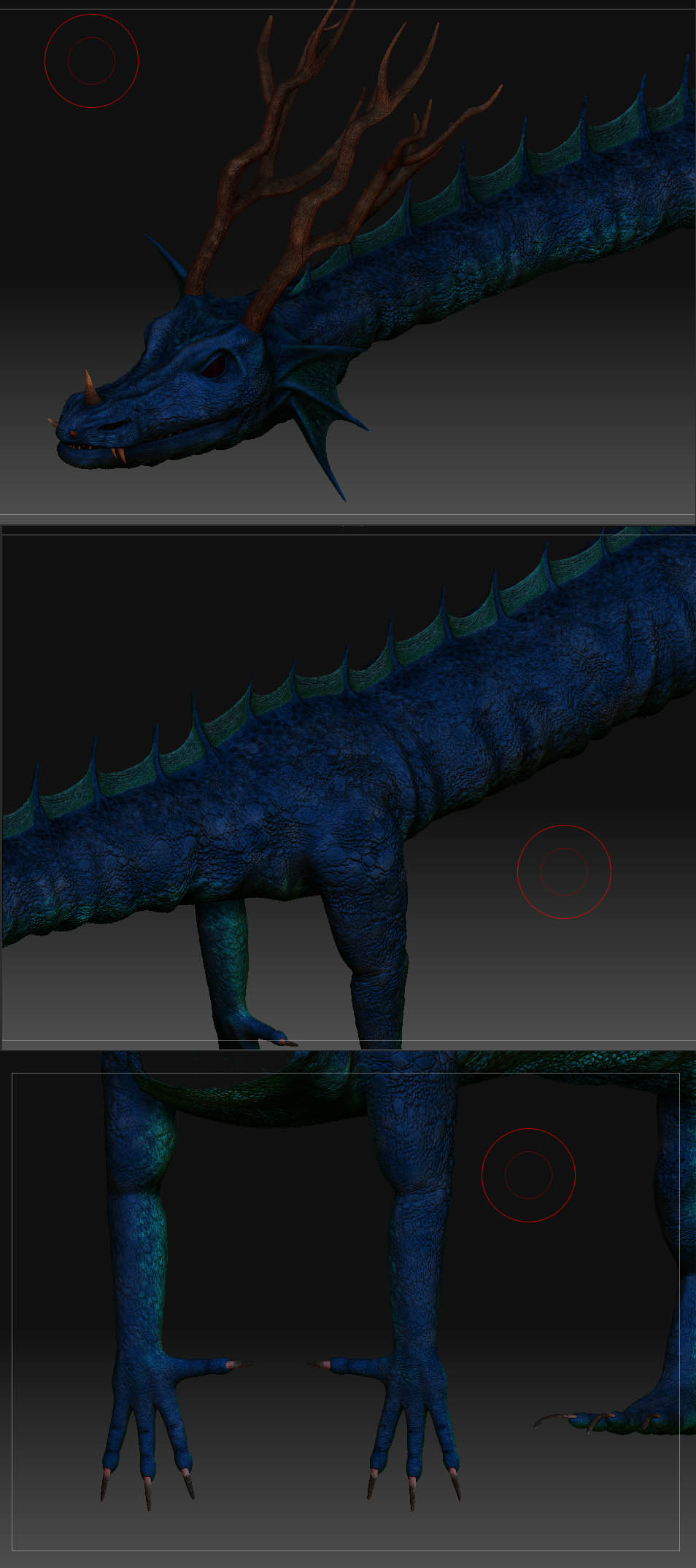
can you provide a screenshot from zbrush?
Yes I can!
And this is not just happening on the hands, it happens everywere.
And as I increase the number of subdivisions of the object in the mental ray surface aprox, the texture shrinks MORE!
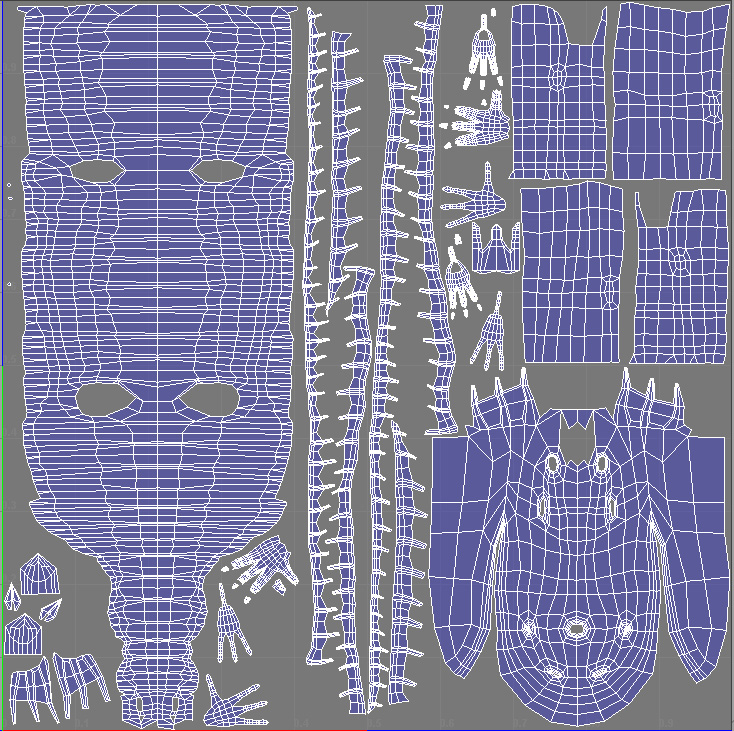
did you unwrap the model?
Yes man, here’s my uvs.
i’m not really using Maya a lot but I think it’s is something to do with the displacement. did you adjust your displacement? looks like the model is scaling up.
well for the displacement setting I use what all tutorials say you have to do.
I create a mentalray surface subdivision aprox, in there I chose a spatial, with the min and max values and the lenght set to 0.01. of course I have change these values to try to fix this thing, also try other subdivision methods like parametric, but the same stuff is happening.
And the feature displace on the objects tab is turn of.
And all of this is happening before I put in the displacement texture, so its not even cuz of the texture, looks like is the mental ray aprox editor that is creating this nightmare.
Just for the record, I tested last night this on renderman for maya, and its looking perfect, no problem with the sudbivision dude and all the maps are looking perfect. BUT im having a problem with the sss form renderman, I dont know why PROBLEMS always follows me in maya.
I can create the sss effect no problem, but when I add my color texture to the material, the sss effect DISAPEAR, or even if I just change the color of the material to something like green, or blue, or any other color, the sss is only working with the default grey color, or white… but darker color are NO USE!!!
how about the displacement map settings in hypershade. did you adjust it? I think you also need to tweak it.
Yes man, alpha offset should be the negative half of the alpha gain.
Heres the expresion.
file3.alphaOffset = - file3.alphaGain / 2;
The displacement map alone works well, it displace the mesh pretty good, but is when I add the other textures that they start looking like they shrink. and dont match at all. All the textures, the normal map, the color map, all the maps.
If at this point I remove the mental ray surface aprox, an render the low poly dragon,all the maps start looking fine, normal and color and cavity, just perfect, but again, I add the mental ray surface aprox, and the textures get LOST.