Hi all,
Zbrush newbie here recently started and facing a really annoying issue when doing retop with zsphere.
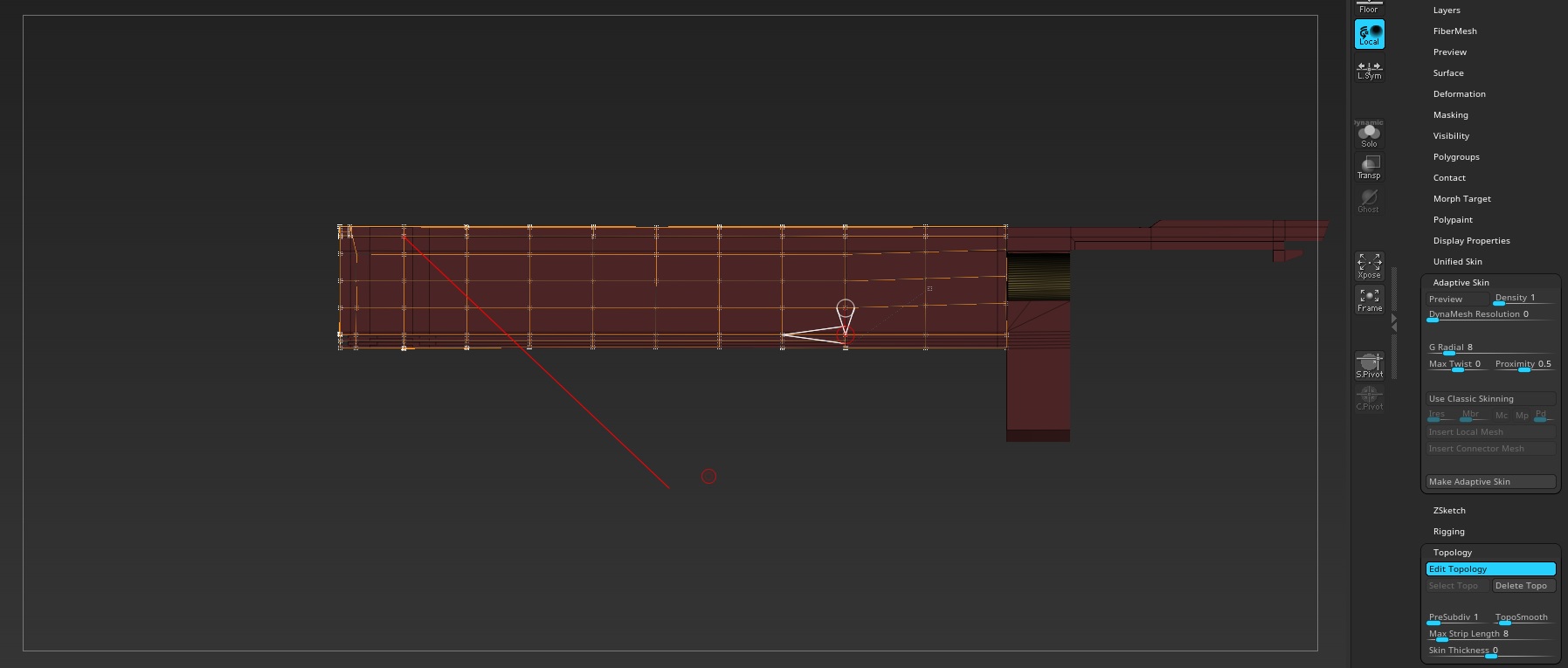
Not sure how to explain it properly but as shown in the pic, when I’m working in draw mode oftentimes a red line appears out of nowhere when I try to pan the screen (hold alt & click on empty space). Once it appears everything is locked and I can’t rotate or pan. I can still jump back and forth draw and edit mode but I’m locked/stuck with the vertex which the line is connected to (as you can see I have another vertex selected but the line connects to another one). I can move the connected vertex around and even delete it but it still won’t allow me to do anything else. Once the vertex is deleted the line connects to another random vertex and the issue simply persists. I can also add a vertex and the newly added vertex creates a line connecting to the zsphere (orange line) but still it just won’t let me out and continues with the lock screen/target and random red line which is super annoying! So I end up with either spam click to add or delete vertexes until suddenly it allows me to work again. Now my mesh is totally ruined and I have to undo to get back to where the issue triggered. Start working from there and sometimes the issue starts straight away or after a short period of time.
I suspect that I’ve pressed some hotkey combination without my knowledge but I can’t find anything related to this. Tried google and youtube many retop videos but seems nobody else’s having this issue?
Btw I’ve cleaned my subtools and deleted anything that I don’t need. Also the other subtool is at lowest subdiv so I don’t think there’s memory issue.
I’m headbutting the wall and about to smash my wacom 
Attachments