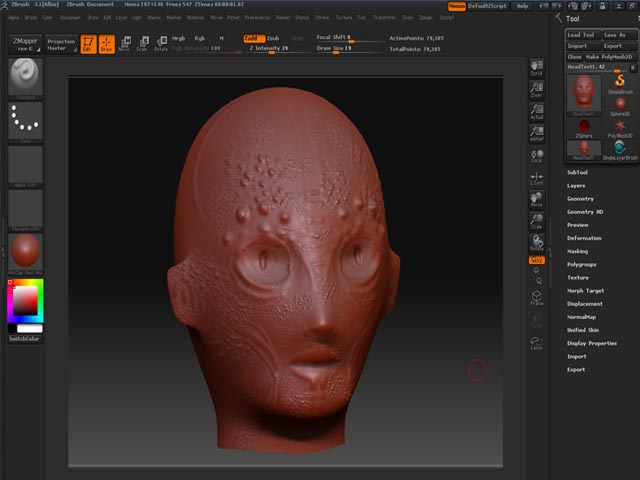
Hello everyone, I have been looking looking through the forums and I havent been able to find a solution to my problem. I hope you guys can help me out.
- I create a low poly model in max 8, the UVs are laid out fine and no overlapping. I export to Zbrush3.1
- I add the sub divisions and get to work on sculpting, also using the projection master
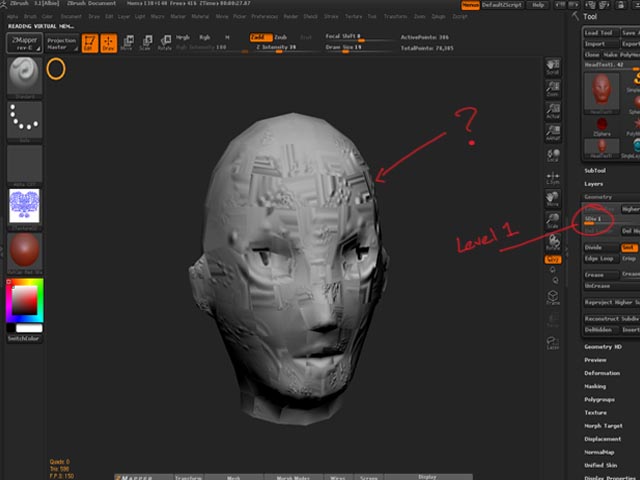
- I bring the sub divisions back to level 1
- I use Zmapper with the 3DS Max8_TangentSpace_BestQuality.zmp setting (is this the best setting to use or should I just leave it default?) and click the Flip Green Channel
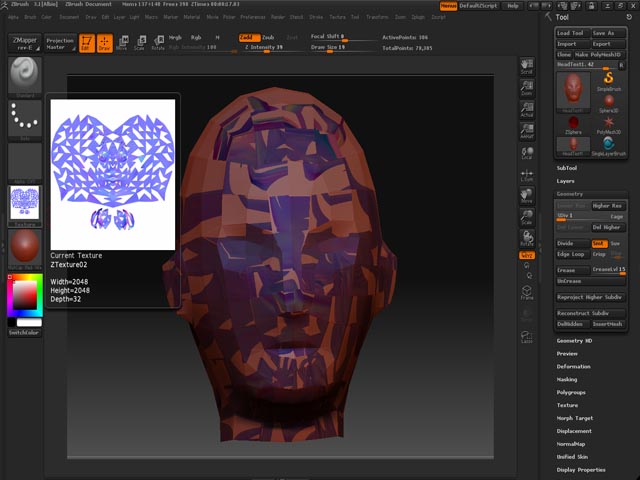
5.*** Ok, this is the problem area: I click the Create NormalMap Button, it starts to create the normal, then it breaks the texture apart into this weird symmetrical thing?
Are there any critical steps that I missed? Also, are there any settings that I might need to enable in order to get things to work?
Specs: Windows Home XP SP2, Intel Core 2 Duo, 2GB of RAM, 340GB of free space, NVIDIA GEForce 9400GT
Thanks again guys!
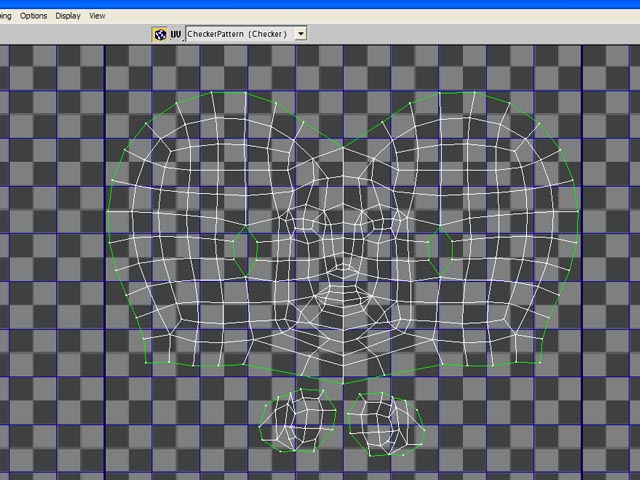
Attachments