Hey there everyone and anyone, does anyone know why when i put my helmet mesh into 3dcoat FROM zbrush, it turns out like that, and i cant retop it ? : /
//Adam
Attachments
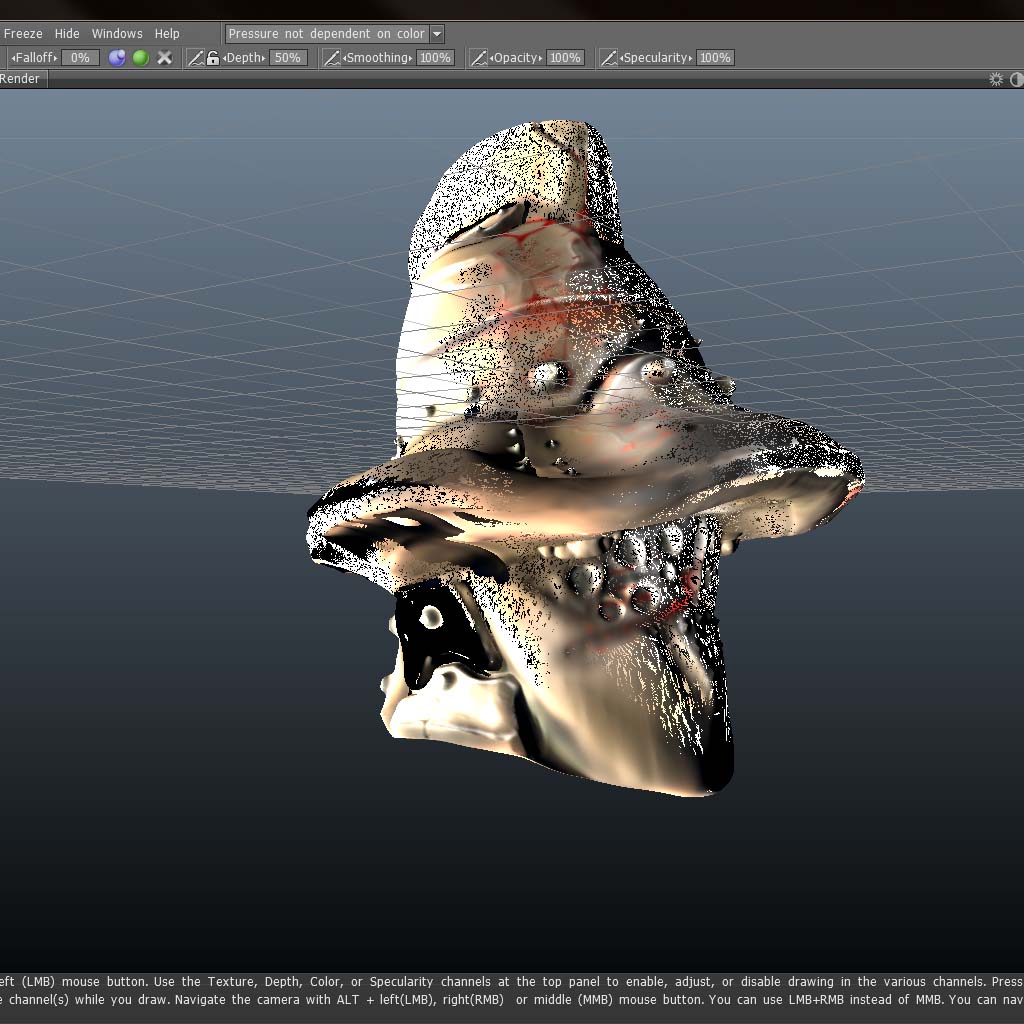
Hey there everyone and anyone, does anyone know why when i put my helmet mesh into 3dcoat FROM zbrush, it turns out like that, and i cant retop it ? : /
//Adam
and how did you get it out of Z and in to coat?
I exported it from zbrush as an obj and then imported it into 3dcoat as an reference mesh. Sry if i posted this in the wrong slot and all and thanks for your time : )
Still haven’t gotten it to work, cant retop it in 3dcoat at all sucks cus i have this movie project due soon : P
tool.uvMap.delete
zplugins.decimation master
decimate to 300-500k tris (I am assuming it is higher)
export out decimated mesh.
import into 3Dcoat.
If your mesh is over 700k triangles coat will convert it to voxels…my guess is this is what is happening, and it looks like it is breaking the conversion.
hope this helps.
Thanks but I tried that allready hehe : P but I’ll try it once more just cus you said it 
Well I tried it again and when I put it into 3dcoat this time, it looks… well… almost the same : /
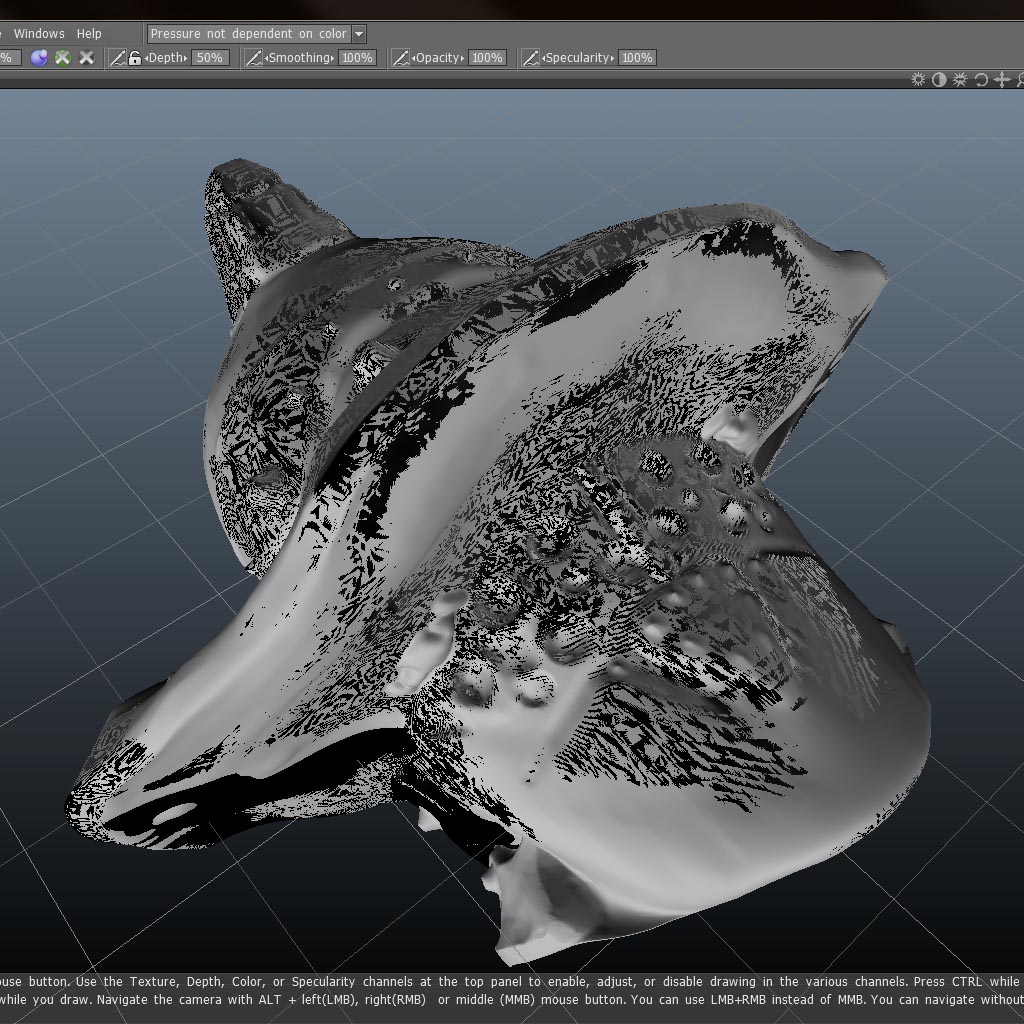
I recently did retopo work on a 4.4 million triangle reference mesh from ZBrush. It didn’t get turned into voxels and I had no performance problems at all.
I’m wondering what version is being used here as well as system specs, operating system, and video card driver version. It could just be a display glitch and nothing is actually wrong with the mesh, in which case you should try DX instead of GL (or vice versa), SIMP instead of CUDA (or vice versa if you use an Nvidia card), x32 instead of x64 (or vice versa if you have a 64-bit system and OS). The latest version of 3D Coat is 3.7.10A. Is this the version your using? Reinstalling and/or deleting the preferences file can sometimes fix problems.
You might want to ask your question on the official 3D Coat forums too.
http://3d-coat.com/forum/index.php?act=idx
One more thing; what export settings are you using in ZBrush (under Tool:Export)? 3D Coat really is a great retopo tool (better than Topogun IMHO) and I’m sure we can solve your problem once we have more information from you.
I know I took this up in the wrong place and all and im sorry for that  but I think i’ve figured it out anyways, it seems it was becous I had an inside aswell as an outside on the mesh. Seeing as I had extracted it in zbrush as a thickness mesh, tho topogun seems to work for me so it’s okey anyways : ) Thanks for all teh help tho! And sry I did’nt post this in the right place n all.
//Adam